
GPT Image 2AI 提示词
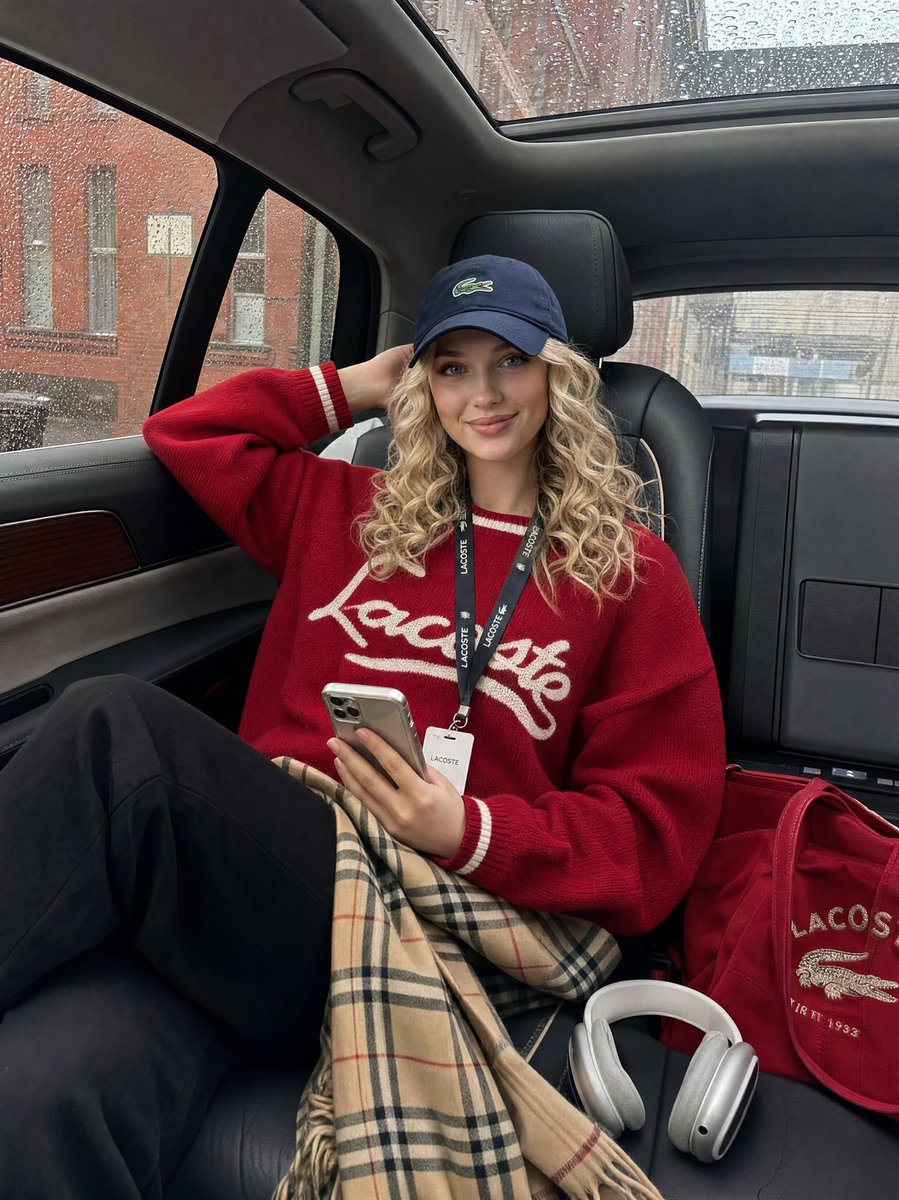
Luxury SUV Lifestyle Snapshot — After-Hours Rainy Day
Generate a candid, iPhone-style photo of a model relaxing in a luxury SUV on a rainy day, with soft natural light and a high-fashion off-duty aesthetic.
提示词 · EN
{ "prompt": { "subject": "argsubject: 坐在豪华 SUV 后座的年轻女性,一只手臂抬起放在脑后,手持智能手机,姿态放松自信", "styling": { "top": "argclothing: 带有白色条纹细节和字母刺绣的红色棒球针织衫", "bottom": "黑色长裤,膝盖上搭着 Burberry 格纹裙或围巾", "headwear": "深蓝色 Lacoste 棒球帽,稍微向前倾", "accessories": [ "脖子上挂着挂绳工牌", "地板上的 AirPods Max 耳机", "带有刺绣细节的红色托特包" ] }, "setting": { "location": "豪华 SUV 后座内饰", "interior": "黑色真皮座椅配米色对比缝线,全景天窗,木质饰条", "background": "透过布满雨点的车窗可见的城市街道,砖砌建筑" }, "mood": "毫不费力的酷感,随性,模特下班后的氛围", "lighting": "透过车窗的自然日光,柔和的阴天光线", "camera": { "angle": "轻微低角度,3/4 视角", "style": "随性的 iPhone 快照,写实,非摆拍" }, "color_palette": ["深红色", "深蓝色", "米白色", "驼色格纹", "黑色"] }
}
关于这个提示词
Generate a candid, iPhone-style photo of a model relaxing in a luxury SUV on a rainy day, with soft natural light and a high-fashion off-duty aesthetic. 它更适合作为 GPT Image 2 的概念艺术起点:先保留画面结构、主体关系和风格约束,再替换成你的品牌、人物或场景。
使用时优先替换 subject、clothing 等占位符,并保持镜头、构图和材质描述的顺序不变。这样更容易获得稳定的画面结果,也方便继续做多版本对比。
如何使用这个提示词
- Copy the JSON prompt from the page and paste it into your AI image generator (like Sora 2).
- Select the appropriate model for photorealistic image generation.
- Customize variables such as "subject" or "clothing" to match your creative vision.
- Generate the image and use the "camera" settings in the prompt to guide the style (e.g., casual snapshot).
- Adjust the "mood" or "lighting" fields for different atmospheres, like changing from rainy to sunny.


