
GPT Image 2AI 提示词
Tech Keynote Data Slide Generator — Sora 2 Prompt
Creates a realistic photo of a tech executive presenting a humorous or customized data slide during a keynote.
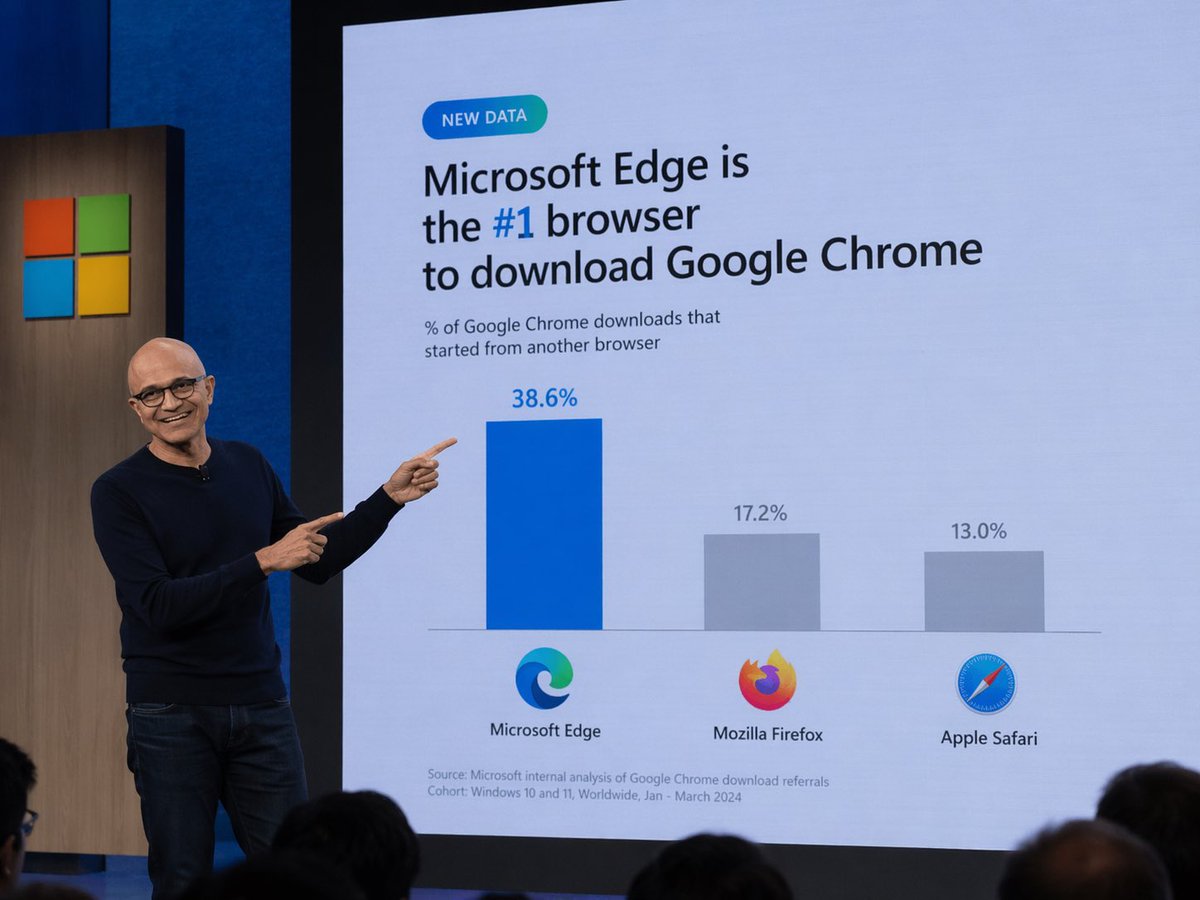
提示词 · EN
A photograph of a tech keynote presentation. A bald man with glasses, wearing a dark blue sweater and jeans, stands on a stage to the left, smiling and pointing with both index fingers at a large presentation screen behind him. The screen displays a slide with a light blue background. At the top left is a small teal pill-shaped badge reading "NEW DATA". Below it, the main headline reads "argheadline: Microsoft Edge is the #1 browser to download Google Chrome", with "#1" highlighted in blue. A subheadline reads "% of Google Chrome downloads that started from another browser". Below this is a bar chart with three bars. The first bar is tall and blue, labeled "38.6%" above it, with the Microsoft Edge logo and text "Microsoft Edge" below it. The second bar is shorter and gray, labeled "17.2%" above it, with the Mozilla Firefox logo and text "Mozilla Firefox" below it. The third bar is the shortest and gray, labeled "13.0%" above it, with the Apple Safari logo and text "Apple Safari" below it. At the bottom left of the slide, small text reads "Source: Microsoft internal analysis of Google Chrome download referrals Cohort: Windows 10 and 11, Worldwide, Jan - March 2024". To the left of the screen, a wooden panel features the Microsoft logo (four colored squares). The backs of audience members' heads are visible in the foreground at the bottom.
关于这个提示词
Creates a realistic photo of a tech executive presenting a humorous or customized data slide during a keynote. 它更适合作为 GPT Image 2 的概念艺术起点:先保留画面结构、主体关系和风格约束,再替换成你的品牌、人物或场景。
常见用途包括 gptimage2api prompts、gptimage2api、en。这些标签只作为创作方向参考,实际生成时仍应以提示词结构和预览图为准。
使用时优先替换 headline 等占位符,并保持镜头、构图和材质描述的顺序不变。这样更容易获得稳定的画面结果,也方便继续做多版本对比。
如何使用这个提示词
- Copy the prompt text.
- Choose your preferred AI model (e.g., Sora 2, DALL-E 3).
- Edit the
{headline}variable to change the slide's main text. - Generate the image and refine the prompt if needed.


