
GPT Image 2AI 提示词
Game UI Kit Generator — Sora 2 Prompt
Turn a single game interface screenshot into a complete, tiled UI component library with panels, buttons, icons, and more.
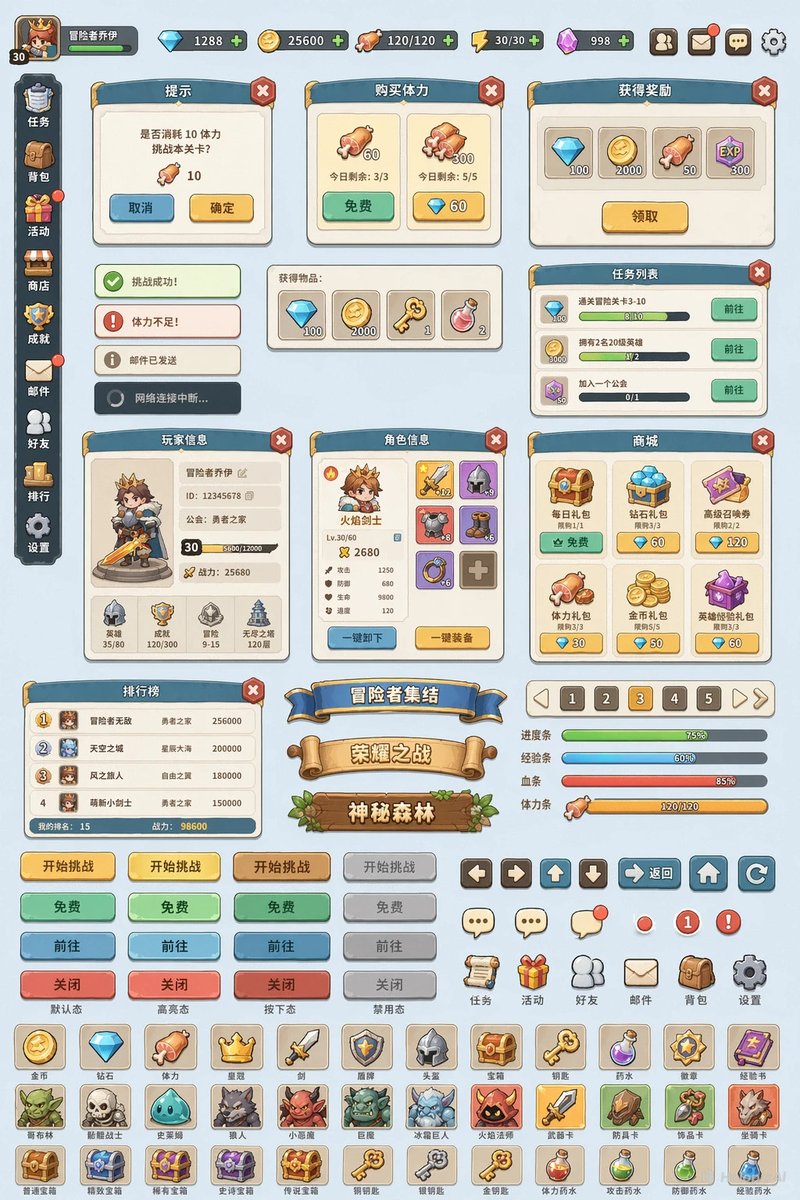
提示词 · EN
将此游戏界面的风格和材质扩展为一套游戏 UI 组件库,包括面板、按钮、导航栏、横幅、标题、物品图标及其他组件,并平铺在纯色背景上。
关于这个提示词
Turn a single game interface screenshot into a complete, tiled UI component library with panels, buttons, icons, and more. 它更适合作为 GPT Image 2 的概念艺术起点:先保留画面结构、主体关系和风格约束,再替换成你的品牌、人物或场景。
使用时建议先小幅修改主体、场景、镜头和色调,再生成多个版本对比构图与细节。这样页面内容对用户有实际帮助,也避免把模型名或标签机械堆在正文里。
如何使用这个提示词
- Copy the prompt text and paste it into your preferred AI image generator.
- Select a model that excels at UI design, such as Sora 2 or a comparable diffusion model.
- Add a reference image of your game interface to guide the style and material extraction.
- Tweak variables like color palette, component count, or background color to match your project.
- Generate the image and iterate until the tiled layout meets your design needs.


