GPT Image 2AI 提示词
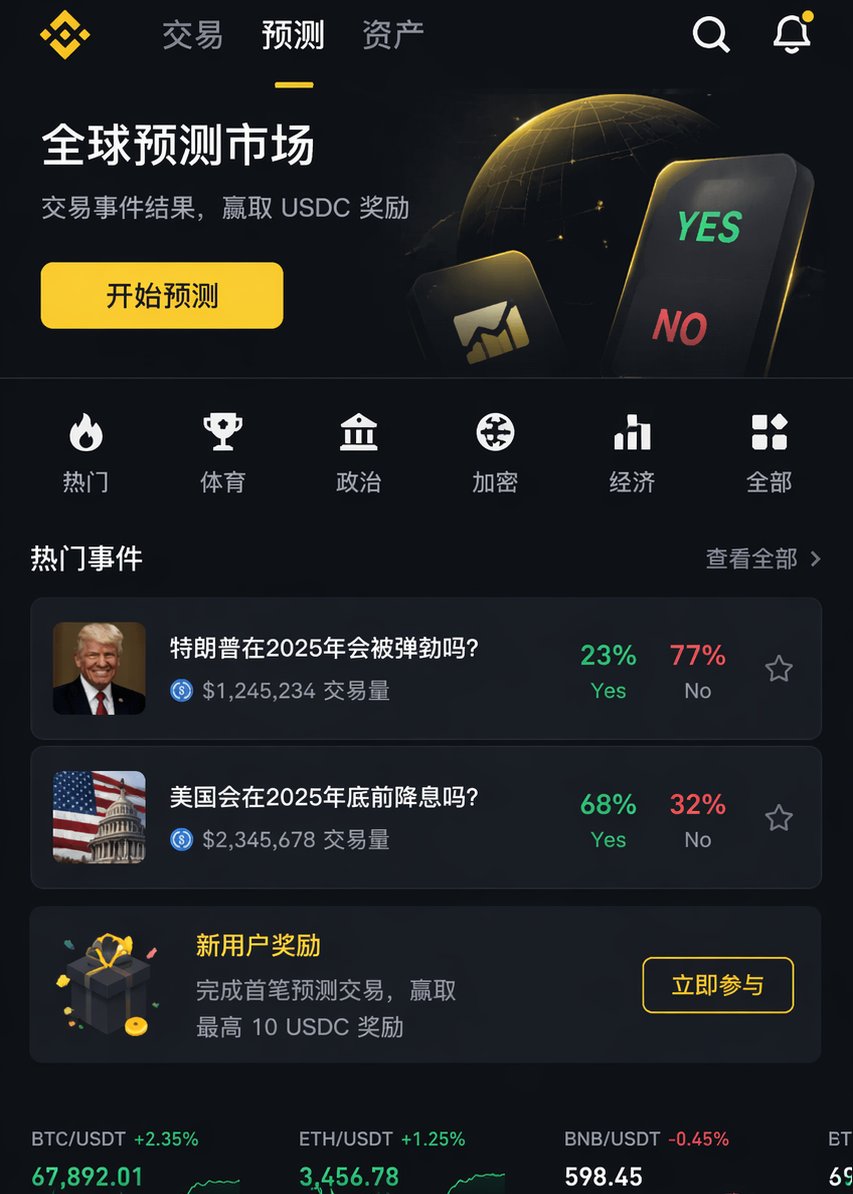
iOS App UI Design Prompt: Binance-Style with Custom Function
Generate a professional, high-fidelity iOS app UI prototype inspired by Binance’s design, tailored to include your specific feature or function.
提示词 · EN
渲染一张专业的 iOS APP 页面图像,风格类似于 argreference platform: Binance,但内容需包含 argfunction: XX 功能。要求具备专业级设计水准。
关于这个提示词
Generate a professional, high-fidelity iOS app UI prototype inspired by Binance’s design, tailored to include your specific feature or function. 它更适合作为 GPT Image 2 的概念艺术起点:先保留画面结构、主体关系和风格约束,再替换成你的品牌、人物或场景。
使用时优先替换 reference platform、function 等占位符,并保持镜头、构图和材质描述的顺序不变。这样更容易获得稳定的画面结果,也方便继续做多版本对比。
如何使用这个提示词
- Copy the prompt above.
- Open your AI image generation tool (e.g., Sora 2, Midjourney, Stable Diffusion).
- Replace
{reference platform}with a platform whose design you admire (default: Binance) and{function}with the specific feature you want to showcase (e.g., "crypto wallet"). - Run the generation to receive your professional iOS app UI mockup.
- Adjust the arguments or add details (like color scheme, layout) for refined results.