
GPT Image 2AI 提示词
Vintage Lolita Portrait With Face Glitch — Sora 2 Prompt
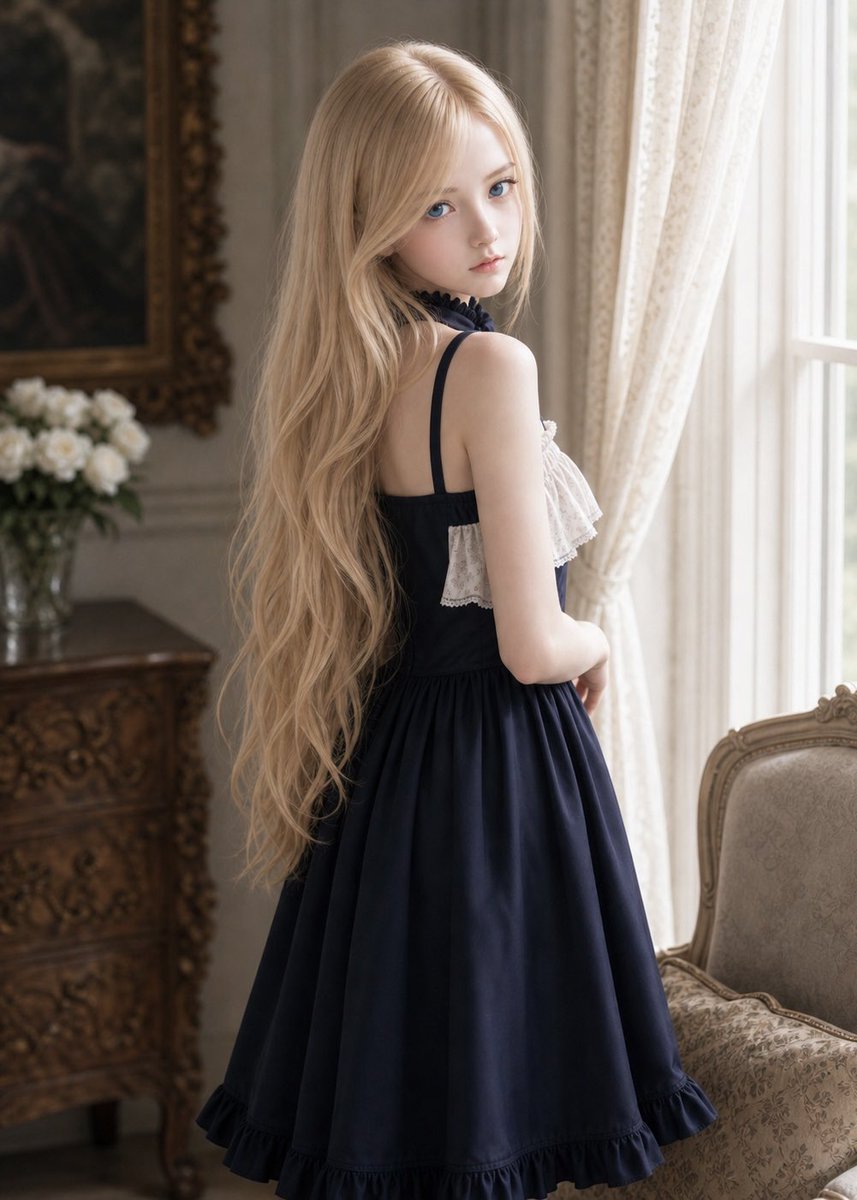
Generate a hauntingly elegant back-view portrait of a woman in a navy Lolita dress within an ornate vintage room, featuring a square face-obscuring glitch artifact for mysterious, editorial results.
提示词 · EN
Create a realistic vertical portrait photograph of a argsubject: young adult woman standing indoors in an ornate vintage European room, viewed from behind and slightly in profile as she looks toward a bright window on the right. She has very long, flowing arghair color: pale blonde wavy hair cascading down her back to her waist, softly backlit with delicate highlights. She wears a argdress color: deep navy blue sleeveless classic Lolita-style dress with thin shoulder straps, a fitted bodice, a full knee-length gathered skirt, a ruffled hem, and white lace ruffle trim across the chest, with a dark ribbon or lace choker at the neck. Her visible face is completely covered by a flat rectangular beige skin-tone censor/glitch block centered over the head, with sharp straight edges and no facial features visible. The room contains sheer cream lace curtains glowing in daylight, a tall white-framed window, an ornate carved wooden dresser on the left, a vase of white flowers, a dark framed antique painting or mirror behind it, and a beige brocade upholstered armchair on the right. Use soft natural window light, shallow depth of field, warm muted colors, elegant romantic atmosphere, realistic fabric texture, detailed hair strands, 3:4 composition, high-resolution fashion editorial style.
关于这个提示词
Generate a hauntingly elegant back-view portrait of a woman in a navy Lolita dress within an ornate vintage room, featuring a square face-obscuring glitch artifact for mysterious, editorial results. 它更适合作为 GPT Image 2 的概念艺术起点:先保留画面结构、主体关系和风格约束,再替换成你的品牌、人物或场景。
使用时优先替换 subject、hair color、dress color 等占位符,并保持镜头、构图和材质描述的顺序不变。这样更容易获得稳定的画面结果,也方便继续做多版本对比。
如何使用这个提示词
- Copy the prompt above into your chosen AI image generator.
- Select your model (e.g., Sora 2, DALL·E, Midjourney).
- Customize variables like hair color (
{hair color}) and dress color ({dress color}) by replacing the placeholders. - Generate the image and adjust aspect ratio to 3:4 for the intended vertical portrait composition.


