
GPT Image 2AI 提示词
Realistic Vintage Newspaper Front Page — Sora 2 Prompt
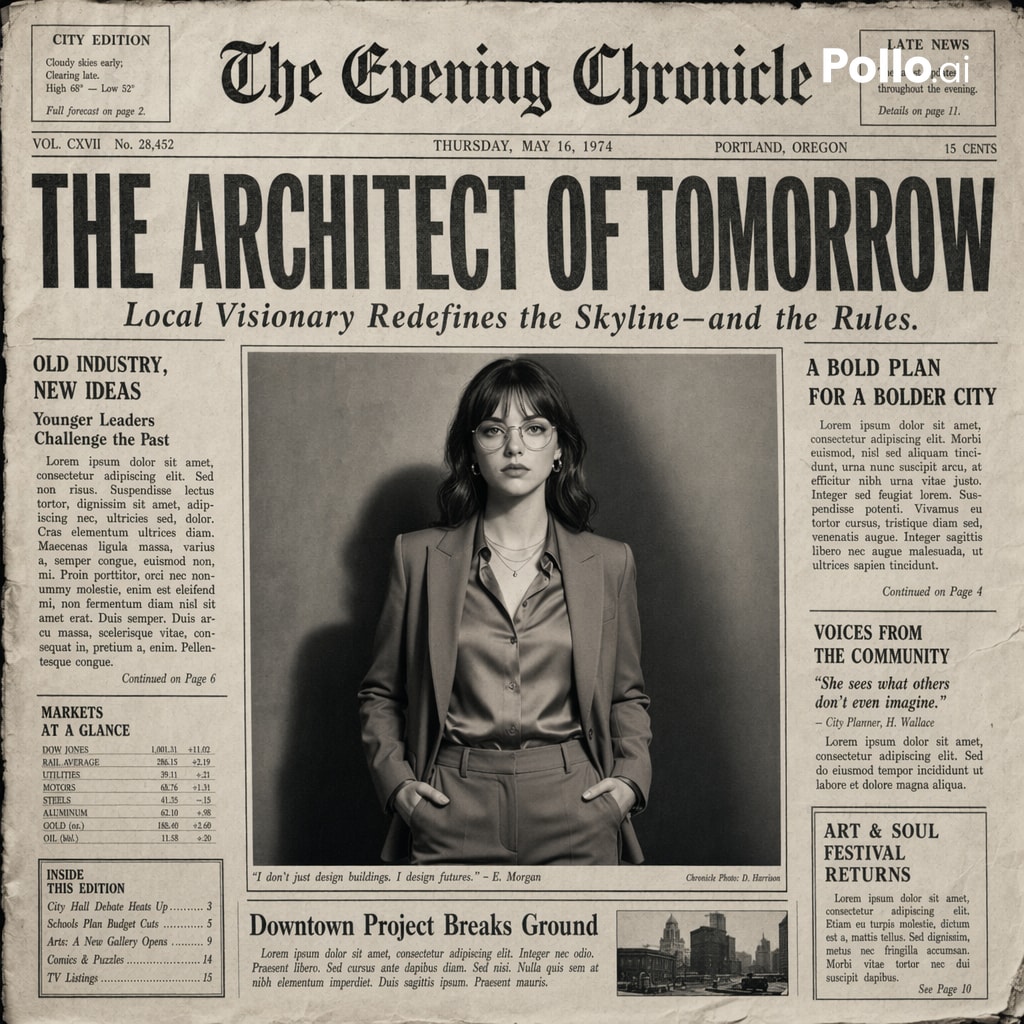
Generate a highly realistic vintage newspaper front page with cinematic black-and-white aesthetic, fine paper textures, and authentic print details for historical or editorial designs.
提示词 · EN
Create the most realistic front page design of a vintage newspaper. The layout should be made in the style of a real printed newspaper with a cinematic black-and-white aesthetic. The main photo should be prominently placed in the center, framed like an editorial article header. Create a bold, attention-grabbing headline at the top with a smaller subtitle underneath. Add realistic newspaper elements: columns of small text, a fictitious publication name at the top, date, issue number and location, decorative lines, dividers, and vintage typography, small additional articles or captions. Style: black and white or slightly faded monochrome paper, fine paper texture, grain, and ink defects, small shadows and creases that mimic real printed paper. The aesthetics of a clean but slightly worn vintage newspaper. Aspect ratio: 4:5, high-detail, ultra-realistic hybrid of editorial photography and print design.
关于这个提示词
Generate a highly realistic vintage newspaper front page with cinematic black-and-white aesthetic, fine paper textures, and authentic print details for historical or editorial designs. 它更适合作为 GPT Image 2 的概念艺术起点:先保留画面结构、主体关系和风格约束,再替换成你的品牌、人物或场景。
常见用途包括 posters、advanced、newspaper、vintage。这些标签只作为创作方向参考,实际生成时仍应以提示词结构和预览图为准。
使用时建议先小幅修改主体、场景、镜头和色调,再生成多个版本对比构图与细节。这样页面内容对用户有实际帮助,也避免把模型名或标签机械堆在正文里。
如何使用这个提示词
- Copy the prompt text above.
- Open Sora 2 or another AI image generator (Midjourney, DALL·E 3).
- Paste the prompt and set the aspect ratio to 4:5.
- Generate and review the output; tweak keywords like headline or photo subject as needed.
- Iterate until you achieve the perfect vintage newspaper look.


