
GPT Image 2AI 提示词
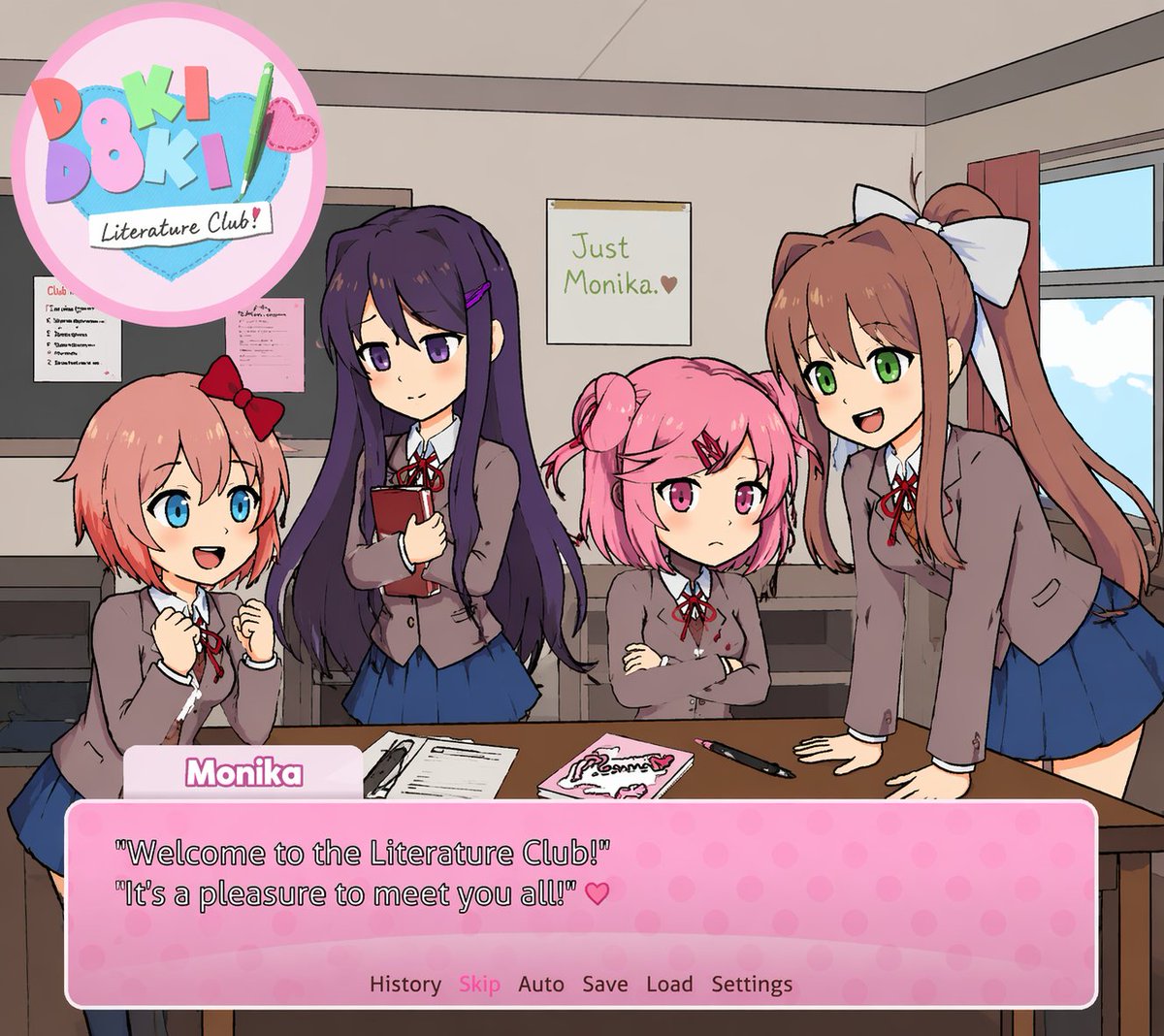
Visual Novel Screenshot Generator — Anime Classroom Scene
Create custom visual novel screenshots with anime characters, dialogue boxes, and adjustable text for mockups or game art.
提示词 · EN
A visual novel screenshot of an anime-style classroom scene featuring exactly four high school girls in matching uniforms consisting of grey blazers, white shirts, red ribbons, and blue skirts. On the far left, a girl with short coral hair and a red bow looks excited with clenched fists. Next to her, a girl with long dark purple hair holds a red book with a gentle smile. Beside her, a girl with short pink pigtails and a red hairclip stands with crossed arms looking slightly grumpy. On the far right, a girl with long brown hair in a ponytail and a large white bow leans forward on a desk, smiling and talking. The classroom features a window on the right, a bulletin board on the left, and a foreground desk holding exactly three items: a notebook, a pink book, and a pen. On the back wall is a single poster reading argposter text: Just Monika. ♥. In the top left corner is a circular pastel logo reading arggame title: Doki Doki Literature Club! decorated with a green pencil and a pink heart. At the bottom of the screen is a pink polka-dot visual novel dialogue box. The name tag reads argspeaker name: Monika and the main dialogue text reads argdialogue text: 'Welcome to the Literature Club!' 'It's a pleasure to meet you all!' ♥. Below the dialogue is a menu row reading 'History Skip Auto Save Load Settings'.
关于这个提示词
Create custom visual novel screenshots with anime characters, dialogue boxes, and adjustable text for mockups or game art. 它更适合作为 GPT Image 2 的概念艺术起点:先保留画面结构、主体关系和风格约束,再替换成你的品牌、人物或场景。
常见用途包括 gptimage2api prompts、gptimage2api、en。这些标签只作为创作方向参考,实际生成时仍应以提示词结构和预览图为准。
使用时优先替换 poster text、game title、speaker name、dialogue text 等占位符,并保持镜头、构图和材质描述的顺序不变。这样更容易获得稳定的画面结果,也方便继续做多版本对比。
如何使用这个提示词
- Copy this prompt into a compatible AI image generator like Sora.
- Choose a model optimized for anime or illustration styles.
- Customize variables like dialogue, character details, or poster text using the
{argument}tags. - Generate the image and refine if needed by adjusting specific scene elements.
- Use the output for game prototypes, social media, or creative projects.


