
GPT Image 2AI 提示词
Voxel Game Office Screenshot — AI Prompt
Generate a customizable first-person voxel game scene with interactive documents, HUD elements, and in-game text for creative or corporate projects.
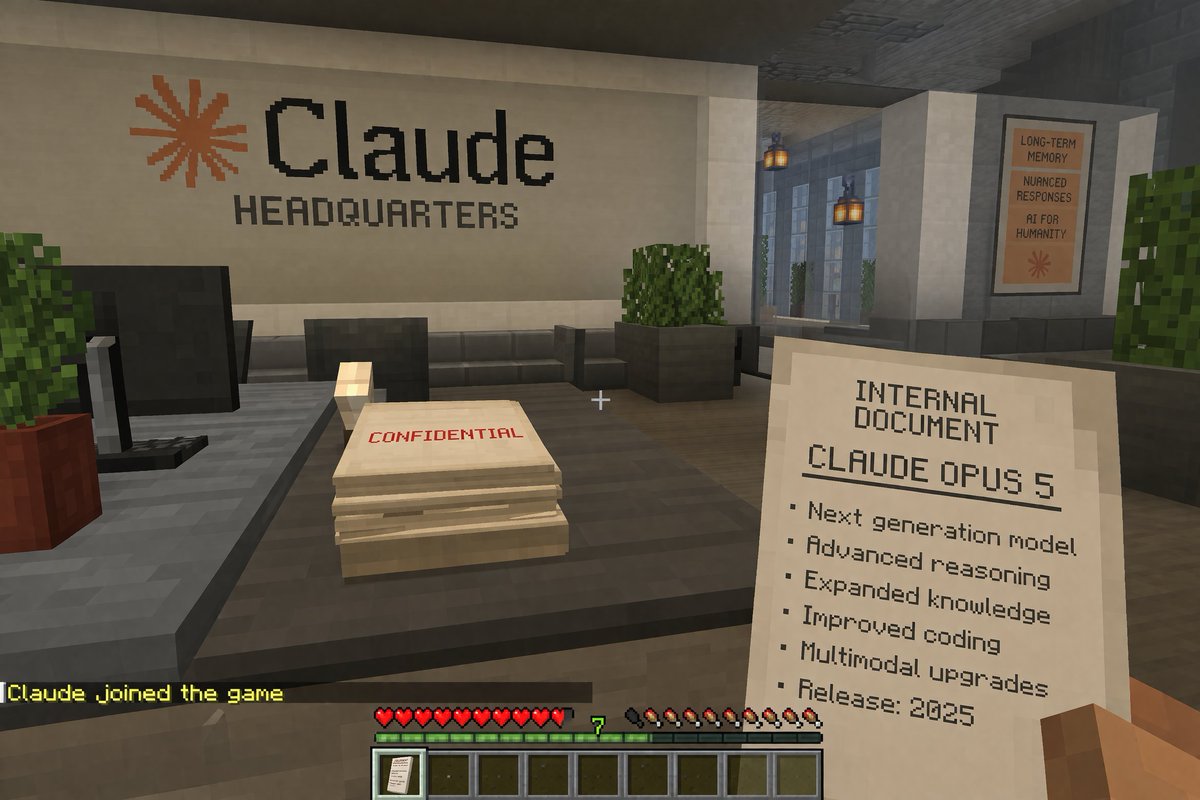
提示词 · EN
A first-person voxel game screenshot. The player's blocky right hand holds a paper reading 'INTERNAL DOCUMENT', 'argdocument title: CLAUDE OPUS 5', and a 6-item bulleted list ending with 'Release: 2025'. A white crosshair sits center screen. Ahead is a dark gray desk holding a black monitor and a paper stack marked 'CONFIDENTIAL' in red. The back white wall displays an orange asterisk and black text 'argcompany name: Claude' above 'HEADQUARTERS'. A right hallway shows hanging lanterns and a poster reading 'LONG-TERM MEMORY', 'NUANCED RESPONSES', 'AI FOR HUMANITY'. The bottom HUD features yellow chat text 'argchat message: Claude joined the game', 10 red hearts, a green experience bar with '7', 10 hunger drumsticks, and a 9-slot hotbar with a document icon in the first slot.
关于这个提示词
Generate a customizable first-person voxel game scene with interactive documents, HUD elements, and in-game text for creative or corporate projects. 它更适合作为 GPT Image 2 的概念艺术起点:先保留画面结构、主体关系和风格约束,再替换成你的品牌、人物或场景。
常见用途包括 gptimage2api prompts、gptimage2api、en。这些标签只作为创作方向参考,实际生成时仍应以提示词结构和预览图为准。
使用时优先替换 document title、company name、chat message 等占位符,并保持镜头、构图和材质描述的顺序不变。这样更容易获得稳定的画面结果,也方便继续做多版本对比。
如何使用这个提示词
- Copy the prompt and paste it into your chosen AI model (e.g., Sora 2, DALL-E 3).
- Adjust the
{argument}variables likedocument titleandcompany nameto fit your theme. - Optionally tweak other details such as the chat message or specific UI elements.
- Generate the image and review the voxel-style output.
- Refine the prompt by modifying arguments or adding details for more specific results.


