
GPT Image 2AI 提示词
VTuber Logo Grid: 6 Golden Chicken Concepts — Sora 2 Prompt
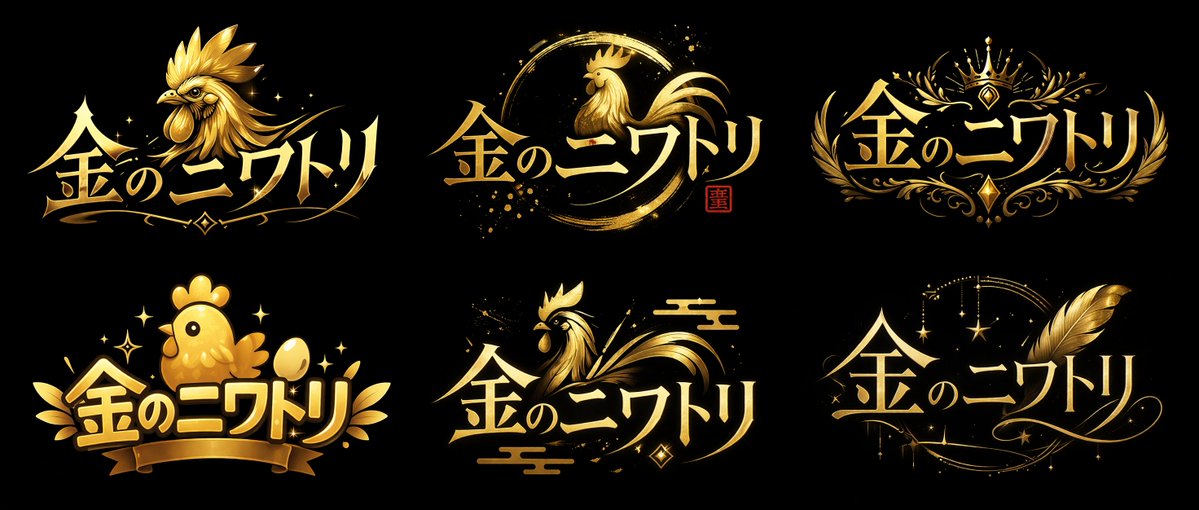
Generate a high-contrast grid of six VTuber logo concepts, blending metallic gold aesthetics with styles ranging from royal crests to magical elegance.
提示词 · EN
type
logo 概念图layout
2x3 网格global_attributes
text
{argument name="logo text" default="金のニワトリ"}color_palette
item 1
{argument name="primary color" default="金色"}item 2
{argument name="background color" default="黑色"}style
VTuber 风格 Logo 设计,金属质感,光泽感,高对比度variants
item 1
position
左上style
锐利且凶猛icon
细节丰富的 {argument name="main subject" default="金鸡"} 头部,朝向左侧typography
锐利,动感item 2
position
中上style
笔触 / 圆相icon
圆形笔触中的优雅鸡侧影,带有小型红色印章typography
优雅,流畅item 3
position
右上style
皇家徽章icon
皇冠,对称花卉纹饰typography
优雅,衬线体item 4
position
左下style
可爱 / Q 版icon
圆润可爱的小鸡,金蛋,丝带横幅typography
活泼,粗体item 5
position
中下style
传统日式icon
风格化的鸡,传统云纹typography
流畅,动感item 6
position
右下style
魔法 / 优雅icon
巨大的金色羽毛,闪烁的星星,新月图案typography
优雅,草书风格关于这个提示词
Generate a high-contrast grid of six VTuber logo concepts, blending metallic gold aesthetics with styles ranging from royal crests to magical elegance. 它更适合作为 GPT Image 2 的概念艺术起点:先保留画面结构、主体关系和风格约束,再替换成你的品牌、人物或场景。
这条提示词使用结构化 JSON 组织信息,包含 type、layout、global attributes、variants 等字段。保留这种层级能让模型更清楚地区分画面主题、布局、界面元素和细节约束。
使用时建议先小幅修改主体、场景、镜头和色调,再生成多个版本对比构图与细节。这样页面内容对用户有实际帮助,也避免把模型名或标签机械堆在正文里。
如何使用这个提示词
- Copy the prompt text and paste it into an AI image generator like Sora 2 or Midjourney.
- Ensure you’re using a model that excels at typography and metallic textures (e.g., Midjourney v6, DALL-E 3).
- Customize the dynamic variables—change the logo text from "金のニワトリ" to your brand name, adjust colors, or swap the main subject.
- Generate the image; if the grid isn’t perfectly aligned, try adding "2x3 grid layout" to the prompt.
- Download the best output and refine with upscaling or vector conversion for production use.


