
GPT Image 2AI 提示词
Watercolor Anime Café Colorization — Sora 2 Prompt
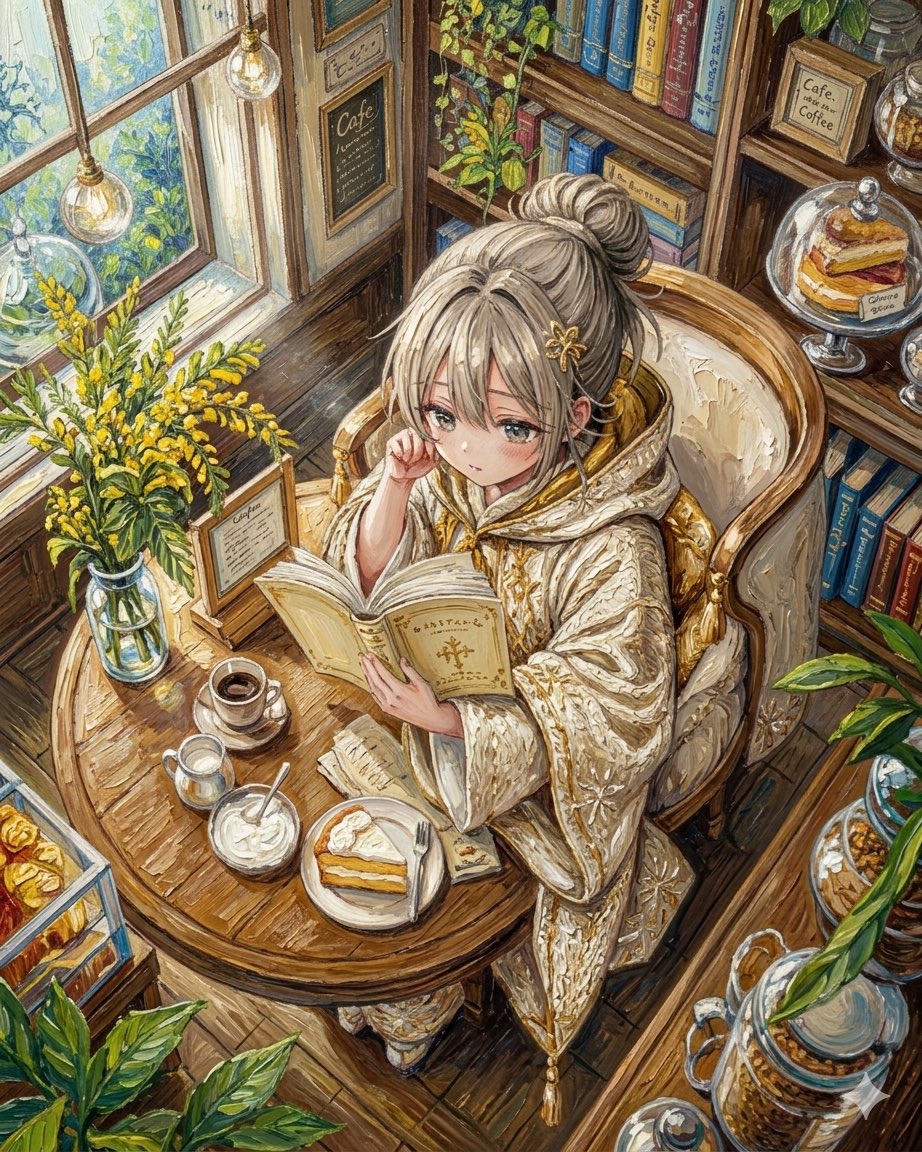
Turns a grayscale café line art into a warm, hand-painted watercolor anime scene with rich color, texture, and painterly detail.
提示词 · EN
Using REFERENCE_0 as the exact line-art base, colorize the illustration into a richly detailed hand-painted watercolor/gouache anime illustration. Preserve the original composition, perspective, character pose, café setting, furniture, bookshelves, window, plants, food, and all line details, but replace the grayscale pencil look with warm natural colors and painterly texture. Use a cozy vintage café palette: honey-brown wood, cream and gold kimono fabric, blonde hair, blue and multicolored books, green foliage, yellow flowers, warm pendant lights, coffee and pastries. Keep the masked face area as a flat plain rectangle with no facial features. Add depth through soft sunlight from the window, gentle highlights on glass and porcelain, layered shadows, visible brush strokes, and high-detail color accents while maintaining the delicate original linework.
关于这个提示词
Turns a grayscale café line art into a warm, hand-painted watercolor anime scene with rich color, texture, and painterly detail. 它更适合作为 GPT Image 2 的概念艺术起点:先保留画面结构、主体关系和风格约束,再替换成你的品牌、人物或场景。
使用时建议先小幅修改主体、场景、镜头和色调,再生成多个版本对比构图与细节。这样页面内容对用户有实际帮助,也避免把模型名或标签机械堆在正文里。
如何使用这个提示词
- Copy the full prompt and paste it into your preferred AI image generator (e.g., Sora 2, Midjourney, DALL·E).
- Upload your grayscale café line drawing as REFERENCE_0 so the model uses it as the base.
- Optionally tweak the palette keywords (e.g., swap "honey-brown wood" for "walnut tones") or adjust lighting details to match your vision.
- Generate the image and review the output—regenerate or refine the prompt if needed for better color balance or brush-stroke visibility.


