
GPT Image 2AI 提示词
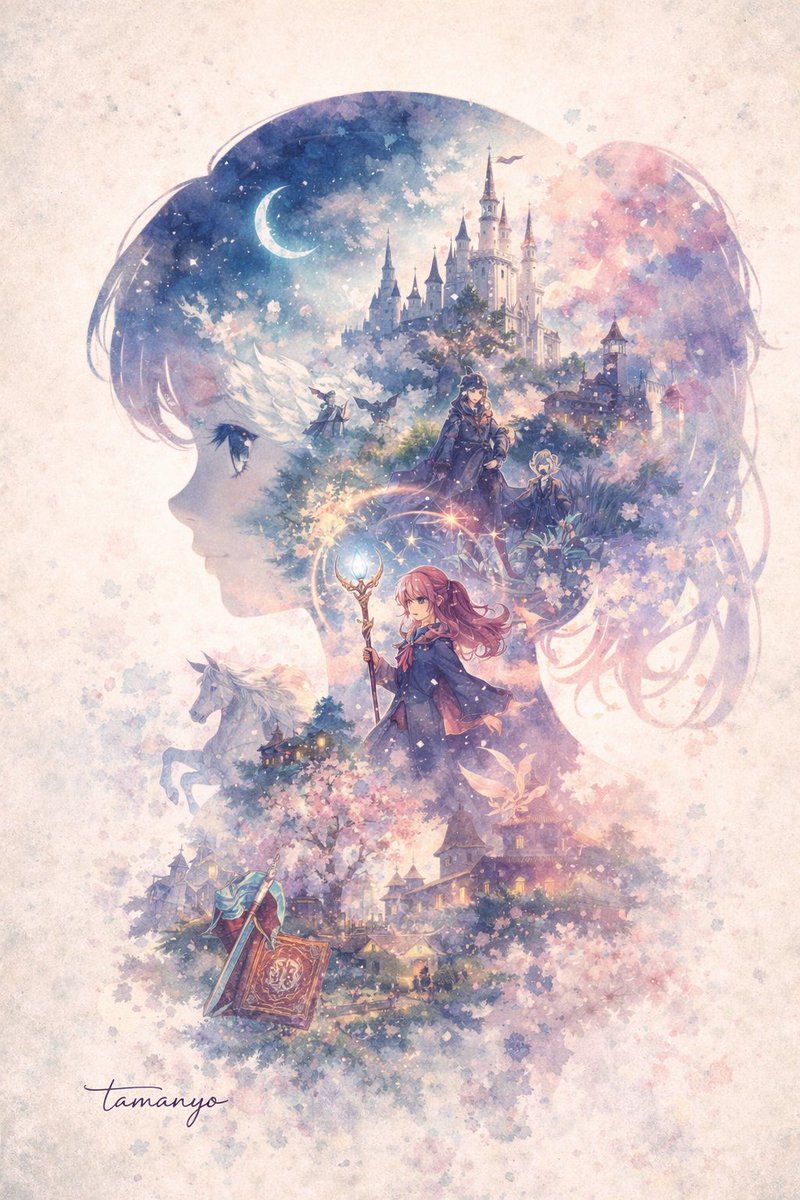
Watercolor Fantasy Silhouette — Double-Exposure Sora 2 Prompt
Creates a dreamy, layered fantasy world inside a character's silhouette, perfect for magical, storybook-style art.
提示词 · EN
A dreamy watercolor double-exposure illustration where the main shape is the side profile silhouette of a argmain subject silhouette: young anime girl facing left. Inside her silhouette is a rich, layered fantasy world. At the top is a argtop scenery: grand white castle with multiple spires under a starry night sky with a crescent moon. Below the castle, two cloaked figures stand in a mystical forest. In the center, a argcentral character: young female mage with pink hair holding a glowing magical staff stands prominently. To the left of the mage, a white horse is visible. At the bottom of the silhouette is a argbottom scenery: fantasy village surrounded by blooming cherry blossom trees, with a large open spellbook and a sword resting in the foreground. The artwork features a argcolor palette: soft pastel purples, pinks, and blues color palette. The background outside the silhouette is textured parchment with soft watercolor splatters and fading cherry blossom petals, with the signature "tamanyo" written in cursive at the bottom left.
关于这个提示词
Creates a dreamy, layered fantasy world inside a character's silhouette, perfect for magical, storybook-style art. 它更适合作为 GPT Image 2 的概念艺术起点:先保留画面结构、主体关系和风格约束,再替换成你的品牌、人物或场景。
常见用途包括 gptimage2api prompts、gptimage2api、en。这些标签只作为创作方向参考,实际生成时仍应以提示词结构和预览图为准。
使用时优先替换 main subject silhouette、top scenery、central character、bottom scenery 等占位符,并保持镜头、构图和材质描述的顺序不变。这样更容易获得稳定的画面结果,也方便继续做多版本对比。
如何使用这个提示词
- Copy the entire prompt text.
- Choose an AI image model like Sora 2 or Midjourney.
- Replace the default values in curly braces
{}with your own subject, scenery, or color ideas. - Paste the customized prompt into the model's input field.
- Generate and refine by adjusting the variables until you get your perfect illustration.


