
GPT Image 2AI 提示词
WikiHow Tutorial Generator — Step-by-Step AI Prompt
Create detailed, text-rich wikiHow-style tutorials with embedded UI mockups and variable placeholders for step titles, model names, and more using this AI prompt template.
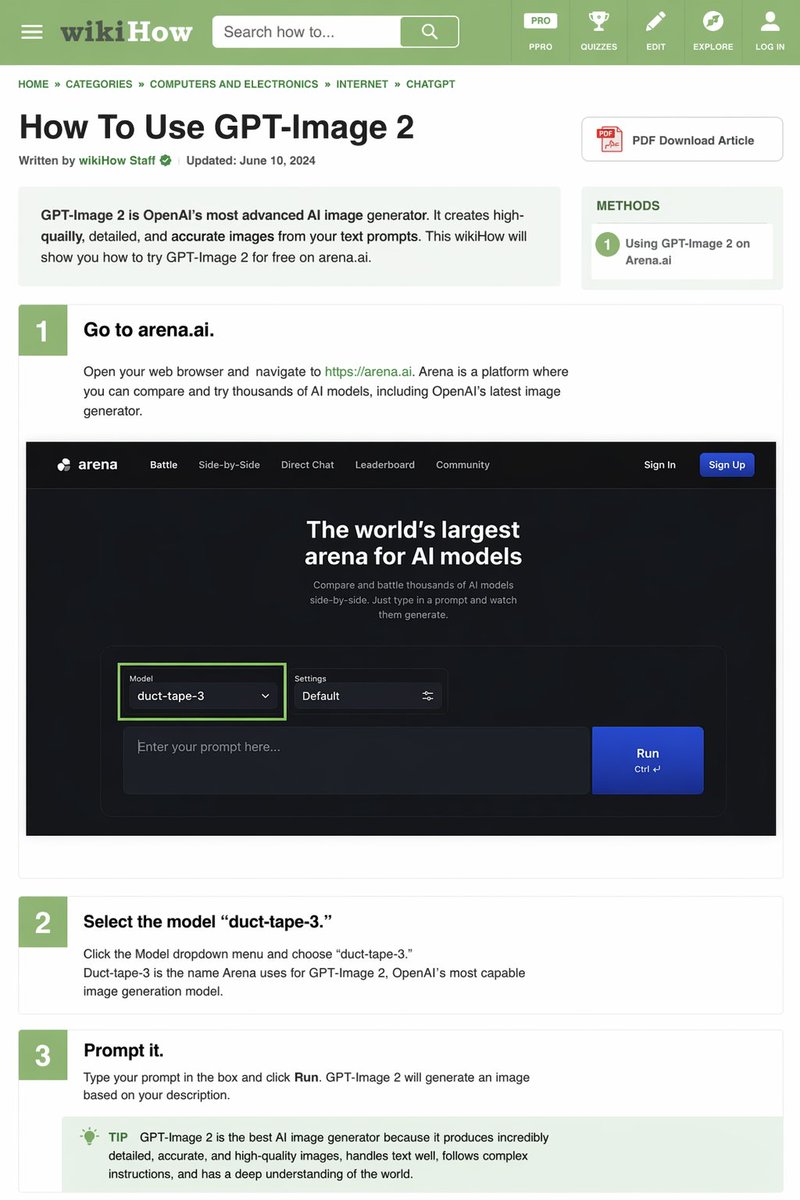
提示词 · EN
type
wikiHow 文章模拟header
background
绿色elements
item 1
汉堡菜单图标item 2
wikiHow 标志item 3
带有“搜索方法...”文本的搜索栏item 4
5 个导航图标:PRO/PPRO、测验、编辑、探索、登录breadcrumbs
首页 » 分类 » 计算机与电子产品 » 互联网 » CHATGPTarticle_info
title
{argument name="article title" default="如何使用 GPT-Image 2"}metadata
由 wikiHow 员工撰写 | 更新时间:2024 年 6 月 10 日sidebar
item 1
PDF 下载文章按钮item 2
方法框:1 在 Arena.ai 上使用 GPT-Image 2intro_box
GPT-Image 2 是 OpenAI 最先进的 AI 图像生成器。它能根据你的文本提示创建高质量、细节丰富且准确的图像。本 wikiHow 将向你展示如何在 arena.ai 上免费试用 GPT-Image 2。steps
item 1
number
1title
{argument name="step 1 title" default="前往 arena.ai。"}description
打开你的网页浏览器并访问 https://arena.ai。Arena 是一个你可以比较和试用数千种 AI 模型的平台,其中包括 OpenAI 最新的图像生成器。embedded_image
type
深色模式网站 UI 模拟logo
arenanavigation
item 1
对战item 2
并排对比item 3
直接对话item 4
排行榜item 5
社区item 6
登录item 7
注册按钮hero_text
全球最大的 AI 模型竞技场input_ui
model_dropdown
模型:{argument name="model name" default="duct-tape-3"}settings
默认text_input
在此输入你的提示词...button
运行item 2
number
2title
{argument name="step 2 title" default="选择模型 'duct-tape-3'。"}description
点击模型下拉菜单并选择“duct-tape-3”。Duct-tape-3 是 Arena 为 OpenAI 最强大的图像生成模型 GPT-Image 2 所使用的名称。item 3
number
3title
{argument name="step 3 title" default="输入提示词。"}description
在框中输入你的提示词并点击“运行”。GPT-Image 2 将根据你的描述生成图像。tip_box
提示:GPT-Image 2 是目前最好的 AI 图像生成器,因为它能生成极其详细、准确且高质量的图像,擅长处理文本,能够遵循复杂的指令,并对世界有深刻的理解。关于这个提示词
Create detailed, text-rich wikiHow-style tutorials with embedded UI mockups and variable placeholders for step titles, model names, and more using this AI prompt template. 它更适合作为 GPT Image 2 的概念艺术起点:先保留画面结构、主体关系和风格约束,再替换成你的品牌、人物或场景。
这条提示词使用结构化 JSON 组织信息,包含 type、header、breadcrumbs、article info、intro box、steps 等字段。保留这种层级能让模型更清楚地区分画面主题、布局、界面元素和细节约束。
使用时建议先小幅修改主体、场景、镜头和色调,再生成多个版本对比构图与细节。这样页面内容对用户有实际帮助,也避免把模型名或标签机械堆在正文里。
如何使用这个提示词
- Copy the prompt template from this page.
- Choose an AI model such as GPT-4, Claude, or Gemini that supports structured outputs.
- Customize the variables—like the article title, step headings, model dropdown name, and tip text—to fit your topic.
- Paste the prompt into the model and run it to generate a full HTML/wikiHow layout.
- Review and refine the generated content, adjusting branding, images, or text as needed.


