
GPT Image 2AI 提示词
YouTube Live Stream UI Mockup — Dark Mode Announcement
Generate a photorealistic YouTube dark mode interface for a live product announcement, complete with presenter, presentation slides, and interactive UI elements.
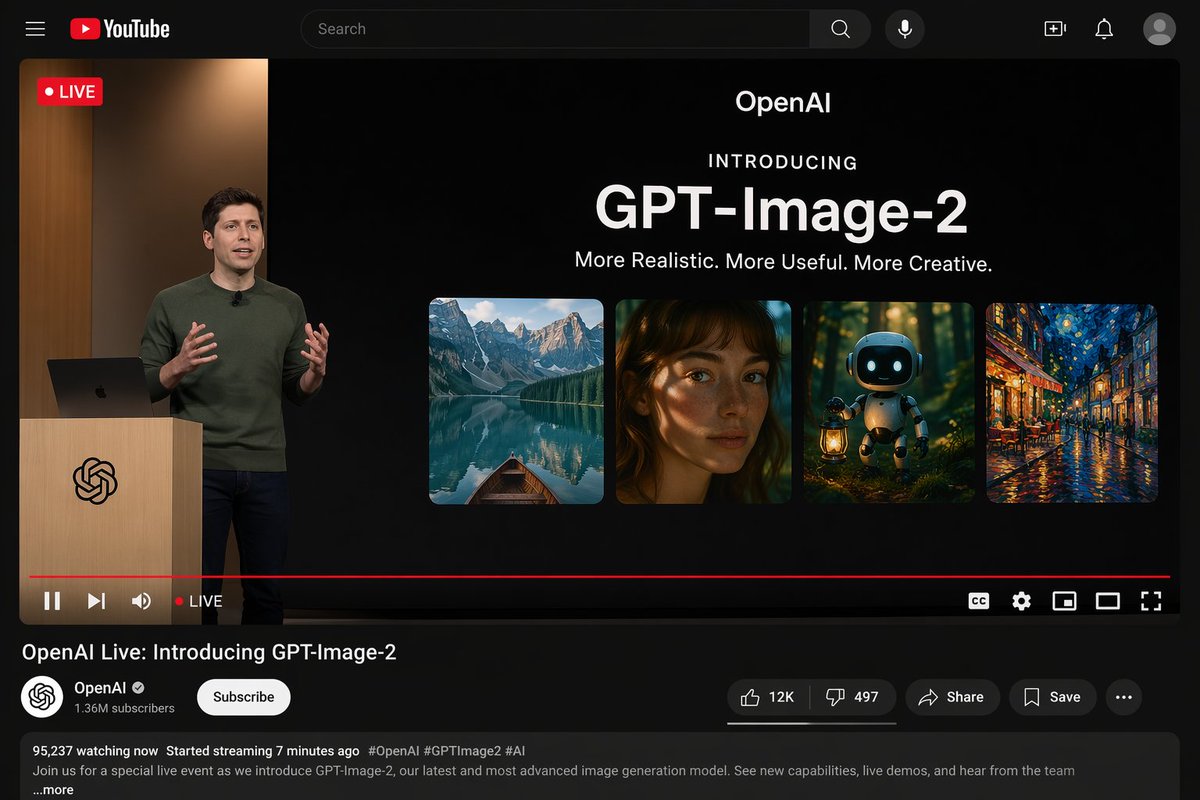
提示词 · EN
type
YouTube Live Stream UI mockuptheme
dark modelayout
top_bar
components
item 1
hamburger menuitem 2
YouTube logoitem 3
search baritem 4
microphone iconitem 5
create iconitem 6
notifications iconitem 7
profile avatarvideo_player
status
LIVE badge in top leftleft_side
A {argument name="presenter description" default="man in a green sweater"} standing at a wooden podium with a spiral logo, gesturing with hands, laptop on podium.right_side_presentation
text_elements
item 1
OpenAIitem 2
INTRODUCINGitem 3
{argument name="product name" default="GPT-Image-2"}item 4
{argument name="tagline" default="More Realistic. More Useful. More Creative."}image_gallery
count
4panels
item 1
mountain lake with a boatitem 2
close-up portrait of a woman with dappled lightingitem 3
cute robot holding a lantern in a dark forestitem 4
impressionist painting of a glowing city street at nightbottom_controls
components
item 1
play/pauseitem 2
nextitem 3
volumeitem 4
LIVE textitem 5
red progress baritem 6
CCitem 7
settings gearitem 8
miniplayeritem 9
theater modeitem 10
fullscreenvideo_info
title
{argument name="video title" default="OpenAI Live: Introducing GPT-Image-2"}channel_section
name
{argument name="channel name" default="OpenAI"}badge
verified checkmarksubscribers
1.36M subscribersbutton
Subscribe (white pill button)action_buttons
count
5labels
item 1
Like (12K)item 2
Dislike (497)item 3
Shareitem 4
Saveitem 5
...description_box
metadata
95,237 watching now, Started streaming 7 minutes agohashtags
#OpenAI #GPTImage2 #AIbody_text
Join us for a special live event as we introduce GPT-Image-2, our latest and most advanced image generation model. See new capabilities, live demos, and hear from the team ...more关于这个提示词
Generate a photorealistic YouTube dark mode interface for a live product announcement, complete with presenter, presentation slides, and interactive UI elements. 它更适合作为 GPT Image 2 的概念艺术起点:先保留画面结构、主体关系和风格约束,再替换成你的品牌、人物或场景。
这条提示词使用结构化 JSON 组织信息,包含 type、theme、layout 等字段。保留这种层级能让模型更清楚地区分画面主题、布局、界面元素和细节约束。
使用时建议先小幅修改主体、场景、镜头和色调,再生成多个版本对比构图与细节。这样页面内容对用户有实际帮助,也避免把模型名或标签机械堆在正文里。
如何使用这个提示词
- Copy the entire prompt JSON above.
- Paste it into your preferred AI image generation model (like Sora 2 or Midjourney).
- Customize the variables (e.g.,
presenter description,product name,video title) in the"argument"fields to fit your specific announcement. - Generate the image. The model will interpret the detailed JSON structure to create the UI mockup.
- Review the output. You can re-run the prompt with different variable values for new variations.


