
ChatGPT Image Prompt Infographic — Clean 4-Column Guide
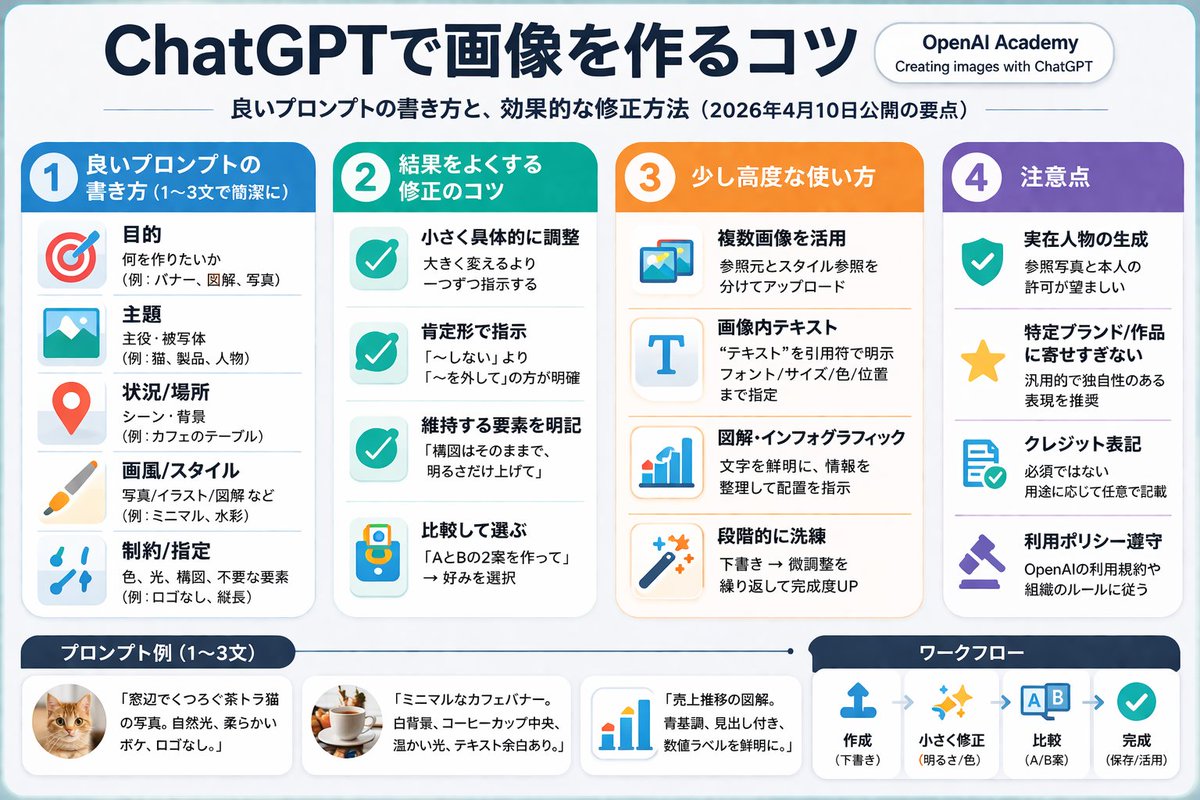
Create a professional, pastel-toned 4-column infographic that teaches effective AI image prompting techniques with icons, examples, and a workflow diagram.
このプロンプトについて
Create a professional, pastel-toned 4-column infographic that teaches effective AI image prompting techniques with icons, examples, and a workflow diagram. Use it as a コンセプトアート starting point for GPT Image 2: keep the visual structure and style constraints intact, then swap in your own subject, brand, or scene.
This prompt is organized as structured JSON with fields such as type, style, header, and layout. Keeping that hierarchy helps the model separate the subject, layout, interface elements, and detail constraints.
Start with small changes to subject, scene, camera, and color, then generate a few variations to compare composition and detail without turning the page copy into keyword stuffing.
このプロンプトの使い方
- Copy the full JSON prompt and paste it into your preferred AI image generator that supports structured layouts (Sora 2, Midjourney, or DALL·E). 2. Review the default Japanese text and swap any variable fields — such as
main_titleorsubtitle— with your own language or topic. 3. Adjust column themes (blue, green, orange, purple), icon choices, or item counts to match your brand or content needs. 4. Generate the image and inspect each column for readability; iterate by refining the style keywords like "flat design" or "soft pastel colors." 5. Export the final infographic in your desired resolution for social media, blog posts, or presentations.


