
GPT Image 2AIプロンプト
8パネル宮殿ホール建設ストーリーボード — Sora 2 プロンプト
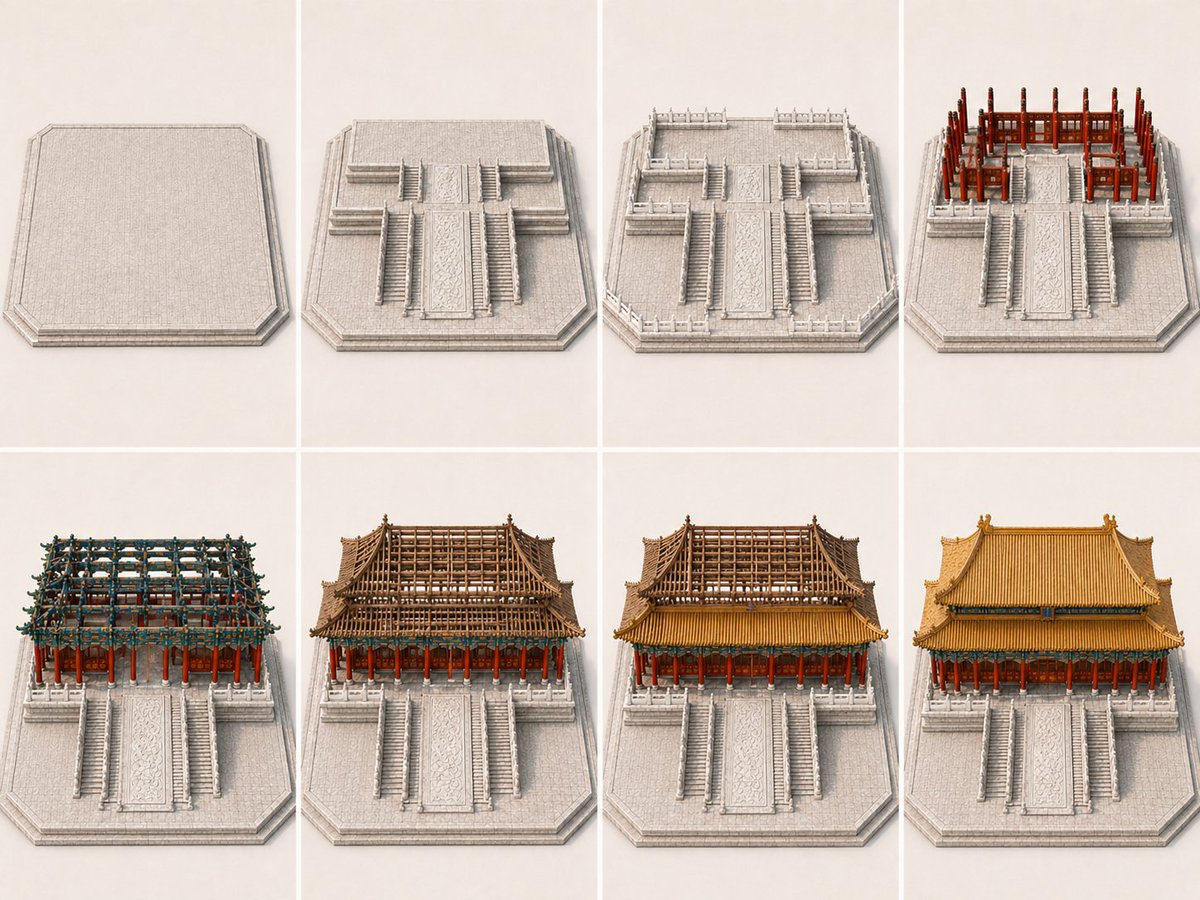
裸の基礎から完成した儀式用建物までの伝統的な中国宮殿ホールの段階的な建設を示す8パネルの等角投影ストーリーボードを生成します。
プロンプト · EN
type
建筑施工故事板subject
building
{argument name="building name" default="中国传统宫殿大厅"}style
历史悠久的东亚木构宫殿建筑,高台基上的宏伟仪式大厅environment
简洁的浅色摄影棚背景,仅包含建筑基座和平台,无周边城市,无无关景观camera
view
从正面观察的一致等轴测高三四分之三视角composition
每块面板均居中且对称lighting
柔和的中性摄影棚灯光rendering
高细节建筑模型插图,干净的展示项目美学,逼真的材质layout
grid
rows
2columns
4sections
item 1
title
面板 1position
左上count
1labels
item 1
带有斜角周边的空置高架石台item 2
title
面板 2position
中左上count
1labels
item 1
平台增加了中央仪式台阶、侧面台阶和上层露台形态item 3
title
面板 3position
中右上count
1labels
item 1
平台周围增加了石栏杆和露台围栏item 4
title
面板 4position
右上count
1labels
item 1
后部上层平台上竖立起朱红色木柱和主要木框架item 5
title
面板 5position
左下count
1labels
item 1
组装了密集的斗拱、横梁和上层结构框架item 6
title
面板 6position
中左下count
1labels
item 1
形成了大型屋顶骨架和分层檐口结构item 7
title
面板 7position
中右下count
1labels
item 1
安装了金色屋顶覆盖物,同时部分上层结构保持裸露item 8
title
面板 8position
右下count
1labels
item 1
完全建成的宫殿大厅,带有精美的瓦顶和装饰性檐口total panels
8design details
base
浅灰色雕花石台,带有宽阔的中央坡道、多层台阶和对称的阶梯式露台structure
朱红色柱子、深色木梁、错综复杂的蓝绿色斗拱、分层木框架roof
双檐歇山顶,铺设金色琉璃瓦,檐角微翘,带有脊饰color palette
浅灰色石材、浓郁的红色柱子、棕色木材、蓝绿色斗拱点缀、温暖的金色屋顶constraints
item 1
无人item 2
无车辆item 3
无现代机械item 4
无脚手架item 5
图像内无标签或说明文字item 6
无无关建筑item 7
无大型景观背景goal
展示从裸露地基到建成仪式宫殿建筑的清晰 8 步演进过程,每个面板都应清晰地推进施工阶段,且第 7 块面板应明显比第 8 块面板未完成このプロンプトについて
裸の基礎から完成した儀式用建物までの伝統的な中国宮殿ホールの段階的な建設を示す8パネルの等角投影ストーリーボードを生成します。 Use it as a コンセプトアート starting point for GPT Image 2: keep the visual structure and style constraints intact, then swap in your own subject, brand, or scene.
This prompt is organized as structured JSON with fields such as type, subject, camera, layout, design details, constraints, and goal. Keeping that hierarchy helps the model separate the subject, layout, interface elements, and detail constraints.
Start with small changes to subject, scene, camera, and color, then generate a few variations to compare composition and detail without turning the page copy into keyword stuffing.
このプロンプトの使い方
- 上記のJSONプロンプト本文全体をコピーします。
- Sora 2や構造化プロンプトをサポートする類似のテキストからビデオ/画像生成モデルなど、互換性のあるAIモデルを選択します。
- 必要に応じて
building引数変数を調整して、建物の名前やスタイルを変更します。 - 使用するAIツールに貼り付けて生成します。モデルは建設段階を示す8つの連続パネルを出力します。


