
GTA-Style Cutscene Prompt with Custom Dialogue UI
Generate a photorealistic video game cutscene screenshot with customizable characters, setting, and interactive subtitle UI.
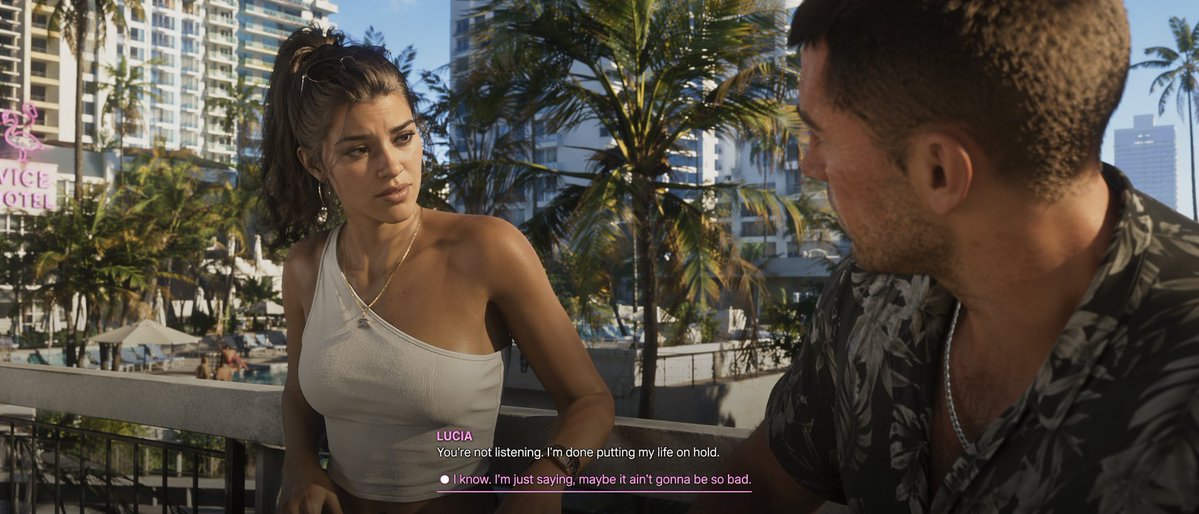
A argvisual style: photorealistic modern video game cutscene of a young Latina woman and a Caucasian man conversing on a argsetting: tropical city balcony overlooking palm trees and a hotel pool. The woman faces the camera, wearing a messy high ponytail, hoop earrings, and a white one-shoulder crop top, looking serious. The man is seen from an over-the-shoulder profile on the right, wearing a dark floral shirt. The background features a pink neon 'VICE HOTEL' sign. At the bottom center, video game subtitles show the speaker name argspeaker name: LUCIA in pink, above the white dialogue argdialogue text: You're not listening. I'm done putting my life on hold.. Below is a player choice with a white circle and pink underlined text reading argresponse option: I know. I'm just saying, maybe it ain't gonna be so bad..
このプロンプトについて
Generate a photorealistic video game cutscene screenshot with customizable characters, setting, and interactive subtitle UI. Use it as a コンセプトアート starting point for GPT Image 2: keep the visual structure and style constraints intact, then swap in your own subject, brand, or scene.
Common directions include gptimage2api prompts, gptimage2api, and en. Treat these tags as creative cues; the prompt structure and preview image are the more useful guide.
Start by replacing visual style, setting, speaker name, and dialogue text, then keep the camera, composition, and material cues in the same order. This makes the output easier to compare across variations.
このプロンプトの使い方
- Copy the prompt text. 2. Choose an AI video or image generation model (like Sora). 3. Edit the variables in the curly brackets {} to change the visual style, setting, speaker name, dialogue, and response option. 4. Generate the image or video. 5. Use the result as a story asset or creative reference.


