
GPT Image 2AIプロンプト
Cozy Scrapbook Photo Edit — Dreamy Miniature Portrait Prompt
Transform any portrait into a dreamy scrapbook-style edit with chibi mini versions, handwritten doodles, and soft pastel colors.
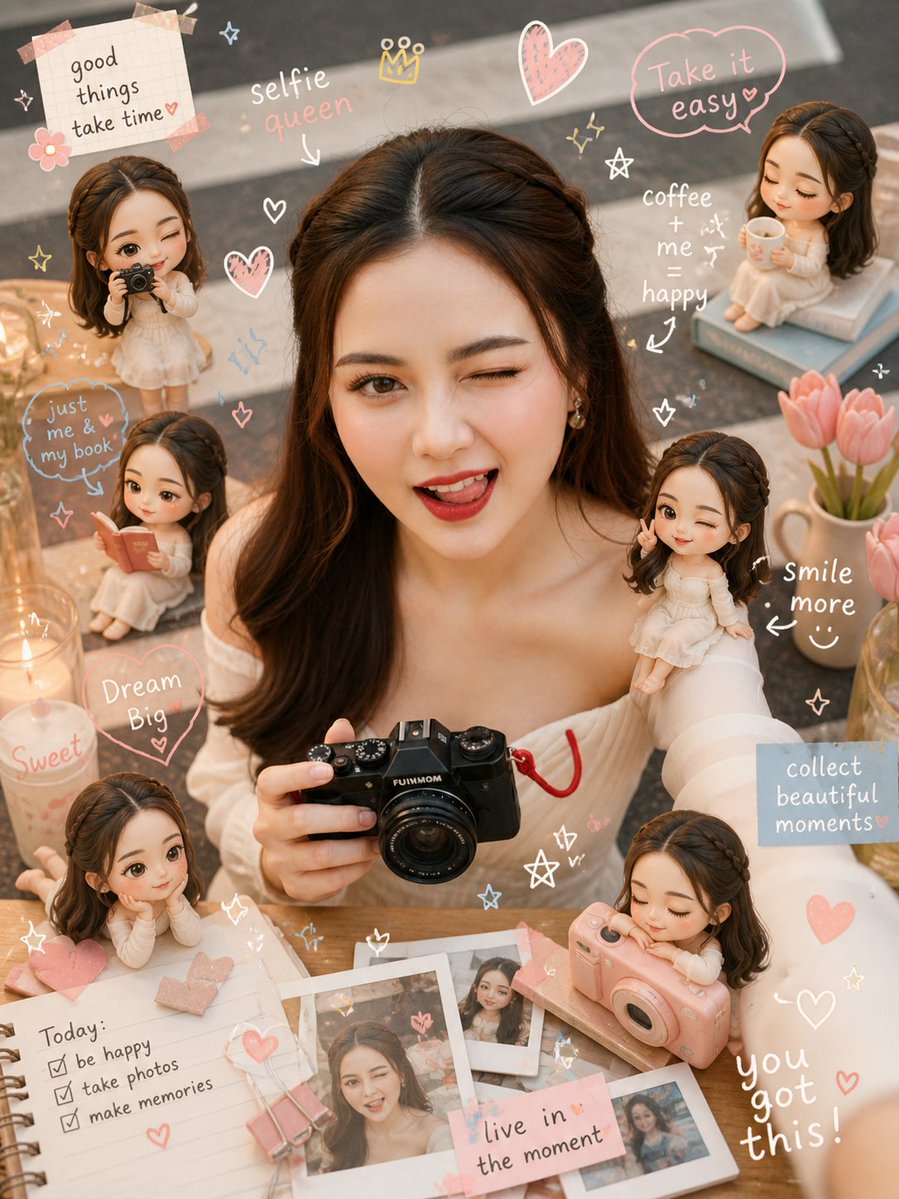
1 / 2
プロンプト · EN
Transform the reference image into a argstyle: cozy scrapbook-style edit while preserving the same subject, pose, lighting, and background. Add small argminiature style: chibi mini versions of the person around the scene (on shoulder, table, etc.), matching face, outfit, and vibe, doing activities like reading, posing, taking photos, relaxing. Overlay cute handwritten doodles (hearts, stars, arrows, sparkles) and short captions. Use a argcolor palette: soft pastel palette (white, pink, peach, blue) with a clean but visually rich layout.
Style: warm, dreamy, cozy Instagram aesthetic, soft depth of field, detailed and playful.
Final image must look like the same original photo enhanced not changed.
このプロンプトについて
Transform any portrait into a dreamy scrapbook-style edit with chibi mini versions, handwritten doodles, and soft pastel colors. Use it as a コンセプトアート starting point for GPT Image 2: keep the visual structure and style constraints intact, then swap in your own subject, brand, or scene.
Start by replacing style, miniature style, and color palette, then keep the camera, composition, and material cues in the same order. This makes the output easier to compare across variations.
このプロンプトの使い方
- Copy the full prompt text into your preferred AI image generator (e.g., Sora 2, Midjourney, DALL-E).
- Upload your reference portrait image when prompted.
- Adjust the style, miniature style, and color palette variables to match your aesthetic vision.
- Generate the image and review the output — the original pose, lighting, and background should be preserved.
- Re-roll or tweak variables if needed for the perfect cozy scrapbook result.


