
GPT Image 2AIプロンプト
Anime O'Neill Cylinder Cityscape — Sora 2 Prompt
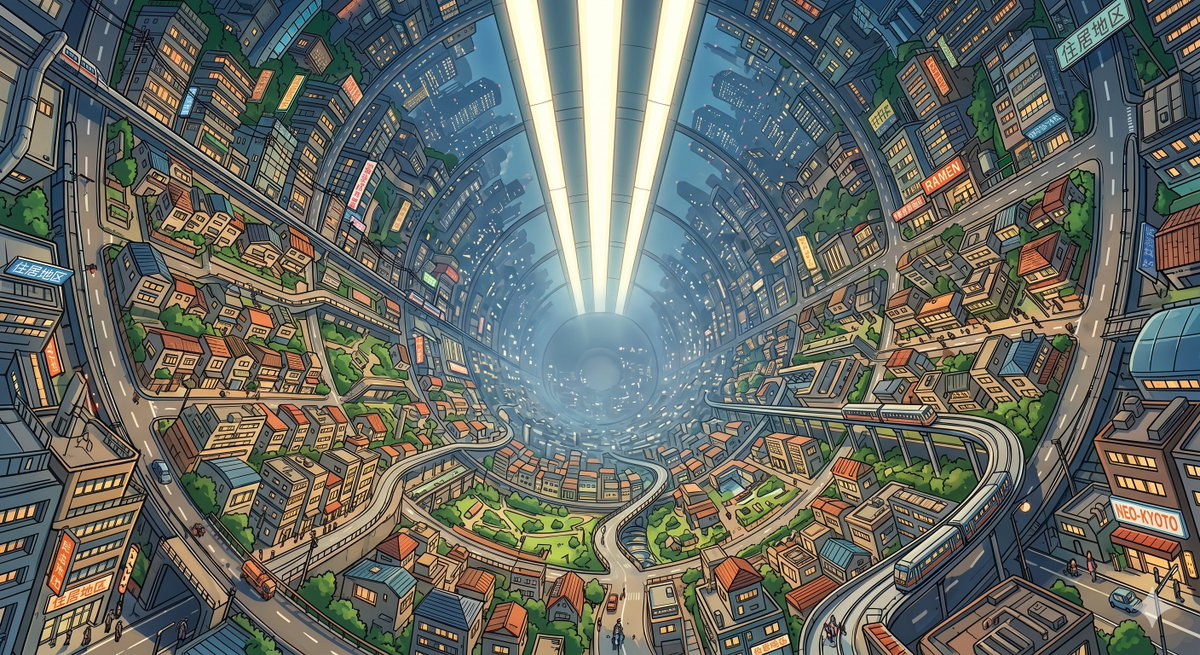
Generate a breathtaking enclosed space colony city with dense Japanese neighborhoods, glowing axial lighting, and intricate anime detail inside a massive cylindrical habitat.
プロンプト · EN
Create a highly detailed wide-angle anime sci-fi cityscape inside a completely enclosed argspace habitat type: O'Neill cylinder colony, viewed from an elevated perspective looking down the length of the cylinder toward a hazy circular vanishing point. The interior surface curves upward on both sides and overhead, packed with dense Japanese-inspired neighborhoods, apartment towers, small houses with red and blue roofs, elevated roads, pedestrian streets, parks, trees, canals, and rail lines. A bright central axial light system runs through the middle of the cylinder as three long glowing white-yellow strips, casting soft atmospheric light and creating a deep sense of scale. Include one visible elevated train on the right foreground track, many tiny pedestrians and vehicles, and warm lit windows throughout. Add readable urban signage including 3 Japanese-style residential district signs, 1 ramen shop sign, and 1 Neo-Kyoto sign, integrated naturally into the city. Use argvisual style: clean detailed anime line art with crisp ink outlines, cel-shaded colors, intricate architectural detail, slight fisheye perspective, blue atmospheric haze in the distance, and a lively futuristic argcity name: Neo-Kyoto mood. The scene should feel like an impossible enclosed space colony, not an open sky city, with the full cylinder shell visibly surrounding the entire metropolis.
このプロンプトについて
Generate a breathtaking enclosed space colony city with dense Japanese neighborhoods, glowing axial lighting, and intricate anime detail inside a massive cylindrical habitat. Use it as a コンセプトアート starting point for GPT Image 2: keep the visual structure and style constraints intact, then swap in your own subject, brand, or scene.
Start by replacing space habitat type, visual style, and city name, then keep the camera, composition, and material cues in the same order. This makes the output easier to compare across variations.
このプロンプトの使い方
- Copy the full prompt text from sora2hub.com.
- Choose your preferred AI video or image model (Sora 2, Runway, Kling, etc.).
- Customize the variables in curly braces — change the habitat type, visual style, or city name to match your vision.
- Paste the prompt into the model's input field and generate.
- Refine outputs by adjusting variables or adding style modifiers until you get the perfect scene.


