
Epic Fantasy Double Exposure Silhouette — Sora 2 Prompt
Generate a breathtaking double-exposure illustration of a man's profile filled with intricate fantasy scenes, castles, and mythical creatures.
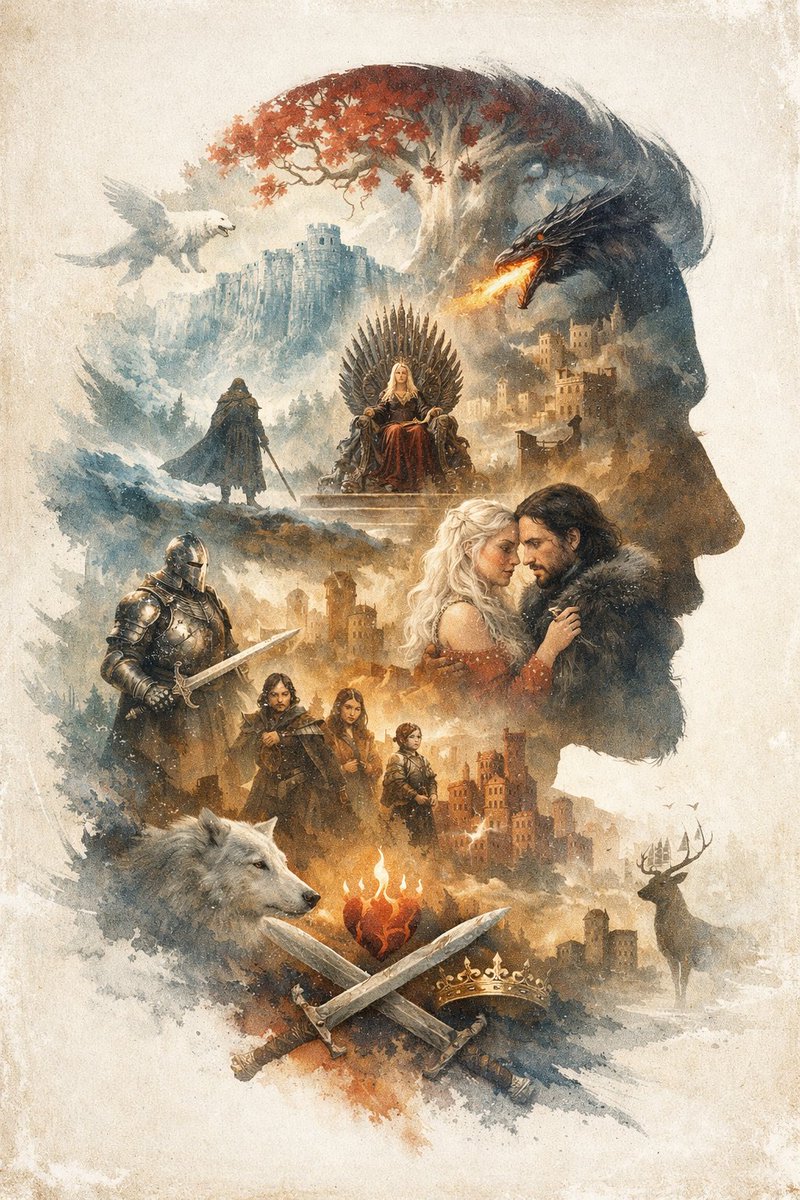
An argoverall theme: epic fantasy illustration utilizing a argart style: watercolor and ink wash double exposure technique on a vintage parchment background. The overall composition forms the argmain silhouette subject: right-facing profile of a man's head. Inside this silhouette is a complex montage of scenes and characters. At the top, a white tree with red leaves stands near a cliffside castle, with a white winged creature flying on the left and a black dragon breathing fire on the right. Below this, a blonde woman sits on a throne made of swords, while a cloaked figure stands on a hill nearby. In the center right, a romantic couple consisting of a blonde woman and a dark-haired man in a fur collar gaze at each other. To their left stands a knight in full plate armor holding a sword. Below them is a group of 3 figures: a man, a young woman, and a child. At the bottom, a large white wolf head is on the left, and a stag stands near a castle on the right. In the bottom center, a flaming heart hovers above 2 crossed swords and 1 golden crown. The argdominant color palette: muted earthy tones with splashes of red and orange creates a dramatic, legendary atmosphere.
このプロンプトについて
Generate a breathtaking double-exposure illustration of a man's profile filled with intricate fantasy scenes, castles, and mythical creatures. Use it as a コンセプトアート starting point for GPT Image 2: keep the visual structure and style constraints intact, then swap in your own subject, brand, or scene.
Common directions include gptimage2api prompts, gptimage2api, and en. Treat these tags as creative cues; the prompt structure and preview image are the more useful guide.
Start by replacing overall theme, art style, main silhouette subject, and dominant color palette, then keep the camera, composition, and material cues in the same order. This makes the output easier to compare across variations.
このプロンプトの使い方
- Copy the prompt text exactly as shown.
- Select your preferred AI image generation model (e.g., Sora 2, DALL-E 3).
- Customize the
{argument}variables like 'overall theme' and 'dominant color palette' to match your vision. - Paste the prompt into the model's input field and generate the image.


