
Flat to Rendered Anime Shading — Sora 2 Prompt
Instantly transform a flat-colored 2D character into a polished, high-quality anime illustration with realistic shading and a 3D feel.
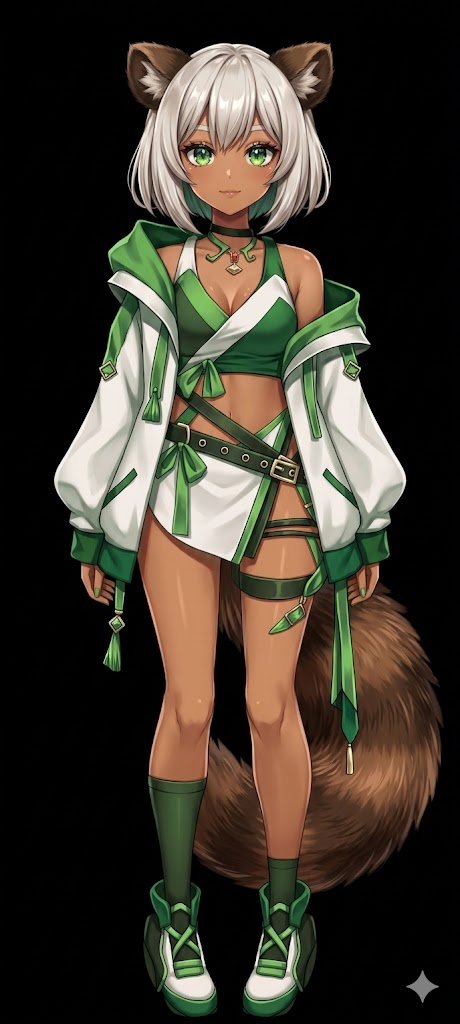
Using REFERENCE_0, transform the flat-colored character into a argart style: fully rendered, high-quality anime illustration. Apply detailed arglighting effect: shading, glossy highlights, and depth to the skin, hair, eyes, clothing, and tail to give the 2D design a polished, three-dimensional feel. Add a metallic sheen to the buckles and jewelry. Change the background to argbackground color: solid black. Preserve the character's original design, outfit, and neutral pose exactly as they appear in the reference.
このプロンプトについて
Instantly transform a flat-colored 2D character into a polished, high-quality anime illustration with realistic shading and a 3D feel. Use it as a コンセプトアート starting point for GPT Image 2: keep the visual structure and style constraints intact, then swap in your own subject, brand, or scene.
Common directions include gptimage2api prompts, gptimage2api, and en. Treat these tags as creative cues; the prompt structure and preview image are the more useful guide.
Start by replacing art style, lighting effect, and background color, then keep the camera, composition, and material cues in the same order. This makes the output easier to compare across variations.
このプロンプトの使い方
- Copy the prompt template above.
- Select your preferred AI image model (e.g., Sora 2, Midjourney).
- Paste the prompt and tweak the variables in curly brackets
{}for art style, lighting, and background. - Generate the image and refine your settings if needed.


