
GPT Image 2AIプロンプト
Cute Japanese Google Fonts Infographic — Sora 2 Prompt
Generate a friendly, pastel Japanese infographic explaining Google Fonts, perfect for educational web design visuals or social media posts.
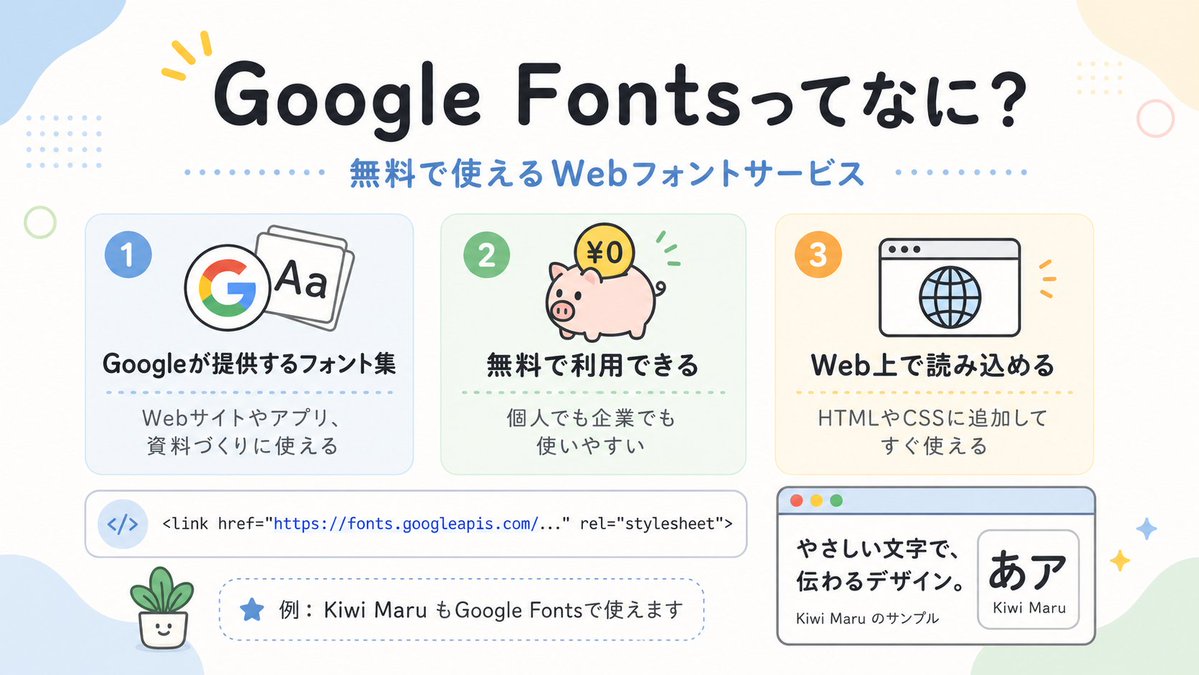
プロンプト · EN
一张简洁可爱的日语信息图,采用柔和的米白色背景,搭配圆润的粉彩色抽象角落色块以及细小的装饰性圆点和圆环,设计风格如同友好的网页设计说明海报。在顶部中心位置,放置一个大号粗体圆润的日语标题 argheadline text: Google Fontsってなに?,颜色为深海军蓝,第一个词附近带有一个黄色小强调标记。在其正下方,添加一个中等大小的蓝色副标题 argsubheadline text: 無料で使えるWebフォントサービス,两侧带有虚线分割线。在中间部分,水平排列 3 张圆角矩形功能卡片,间距均匀。卡片 1 为淡蓝色,左上角带有蓝色数字徽章“1”,图标显示一个彩色 Google G 旁边叠放着写有“Aa”的字体页,粗体日语标题“Googleが提供するフォント集”,下方有较小的文字“Webサイトやアプリ、資料づくりに使える”。卡片 2 为淡薄荷绿,带有绿色数字徽章“2”,图标是一个粉色存钱罐,上面有一枚标有“¥0”的金币和绿色小动效标记,粗体标题“無料で利用できる”,下方文字“個人でも企業でも使いやすい”。卡片 3 为淡暖奶油色,带有橙色数字徽章“3”,图标是一个带有地球仪的简单浏览器窗口,粗体标题“Web上で読み込める”,下方文字“HTMLやCSSに追加してすぐ使える”。在三张卡片下方,放置一个带有圆角和细微轮廓的宽横向白色代码栏;左侧包含一个带有 </> 的淡蓝色圆形图标,右侧显示一行等宽字体的代码:"<link href=\"https://fonts.googleapis.com/...\" rel=\"stylesheet\">",其中 URL 为蓝色。在其下方,添加一个虚线圆角药丸状注释框,包含一个蓝色星形图标和日语文本 argexample text: 例:Kiwi Maru もGoogle Fontsで使えます。在左下角,放置一个微小的微笑盆栽插图。在右下角,添加一个较大的浏览器风格示例面板,带有浅蓝色标题栏和左上角的三个交通灯式小圆点;内部左侧显示粗体日语示例文案“やさしい文字で、伝わるデザイン。”以及较小的文字“Kiwi Maru のサンプル”,右侧是一个圆角白色嵌入式卡片,显示大号黑色日语字符“あア”,下方标注字体名称 argfont sample name: Kiwi Maru。在右下角区域散布 4 个小闪光/星形装饰。采用扁平矢量插画风格、清晰的轮廓、柔和的粉彩调色板、居中构图、宽敞的间距、圆润的无衬线字体,以及欢快且适合初学者的科技教育美学。
このプロンプトについて
Generate a friendly, pastel Japanese infographic explaining Google Fonts, perfect for educational web design visuals or social media posts. Use it as a コンセプトアート starting point for GPT Image 2: keep the visual structure and style constraints intact, then swap in your own subject, brand, or scene.
Start by replacing headline text, subheadline text, example text, and font sample name, then keep the camera, composition, and material cues in the same order. This makes the output easier to compare across variations.
このプロンプトの使い方
- Copy the prompt text from this page.
- Open your preferred AI image generator (e.g., DALL·E 3, Midjourney, or Stable Diffusion).
- (Optional) Adjust the custom text variables:
{headline text},{subheadline text},{example text}, and{font sample name}to localize or personalize the infographic. - Paste the prompt into the generator and run it.
- If the layout or text placement isn’t perfect, regenerate or tweak the description slightly for better results.


