
GPT Image 2: Low, Medium, High Quality Fantasy Art
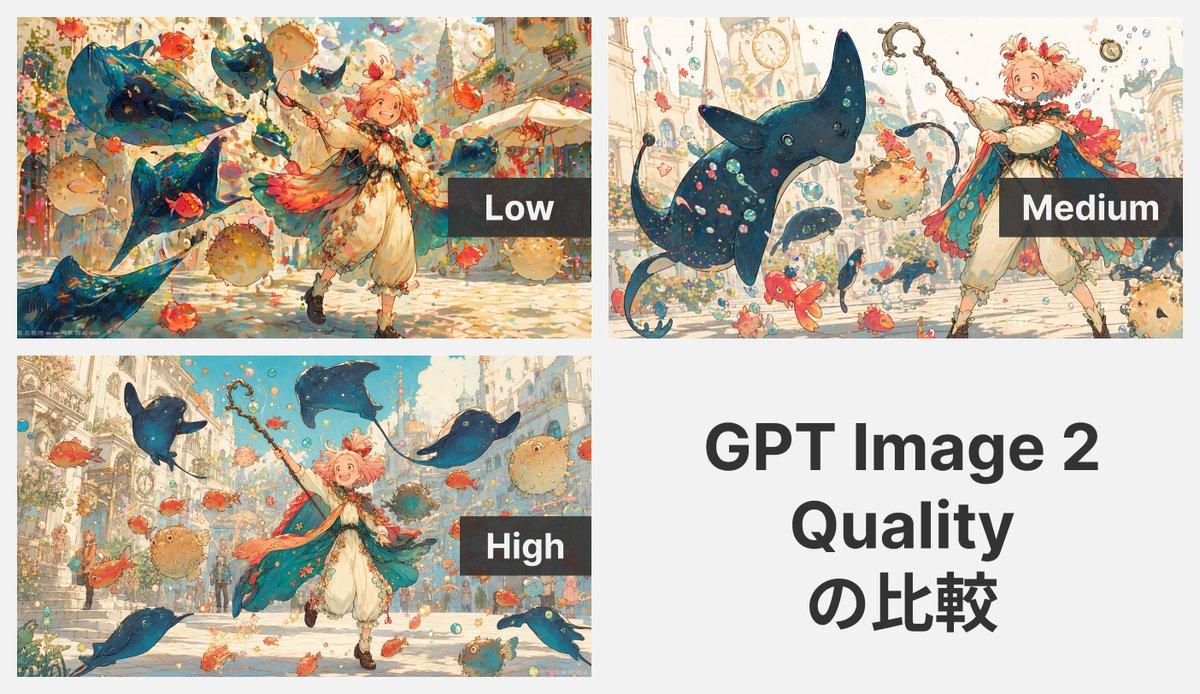
Create a side-by-side quality comparison grid of a whimsical fantasy anime scene, showcasing how detail and clarity evolve from low to high settings.
このプロンプトについて
Create a side-by-side quality comparison grid of a whimsical fantasy anime scene, showcasing how detail and clarity evolve from low to high settings. Use it as a コンセプトアート starting point for GPT Image 2: keep the visual structure and style constraints intact, then swap in your own subject, brand, or scene.
This prompt is organized as structured JSON with fields such as type, subject, style, canvas, layout, character, and environment. Keeping that hierarchy helps the model separate the subject, layout, interface elements, and detail constraints.
Start with small changes to subject, scene, camera, and color, then generate a few variations to compare composition and detail without turning the page copy into keyword stuffing.
このプロンプトの使い方
- Copy the prompt text and paste it into your AI image generator (e.g., GPT Image 2, DALL·E, or similar).
- Ensure your model supports multi‑panel generation and quality‑setting interpretation (adjust keywords if needed).
- [Optional] Customize the child mage’s hair color or styling by editing the
{hair color}argument. - Generate the image to produce a 2×2 grid comparing low, medium, and high quality outputs of the same scene.
- Use the result to analyze how rendering fidelity changes with quality settings.


