
GPT Image 2AIプロンプト
Mint Green Hatchback Beach Lifestyle — Sora 2 Prompt
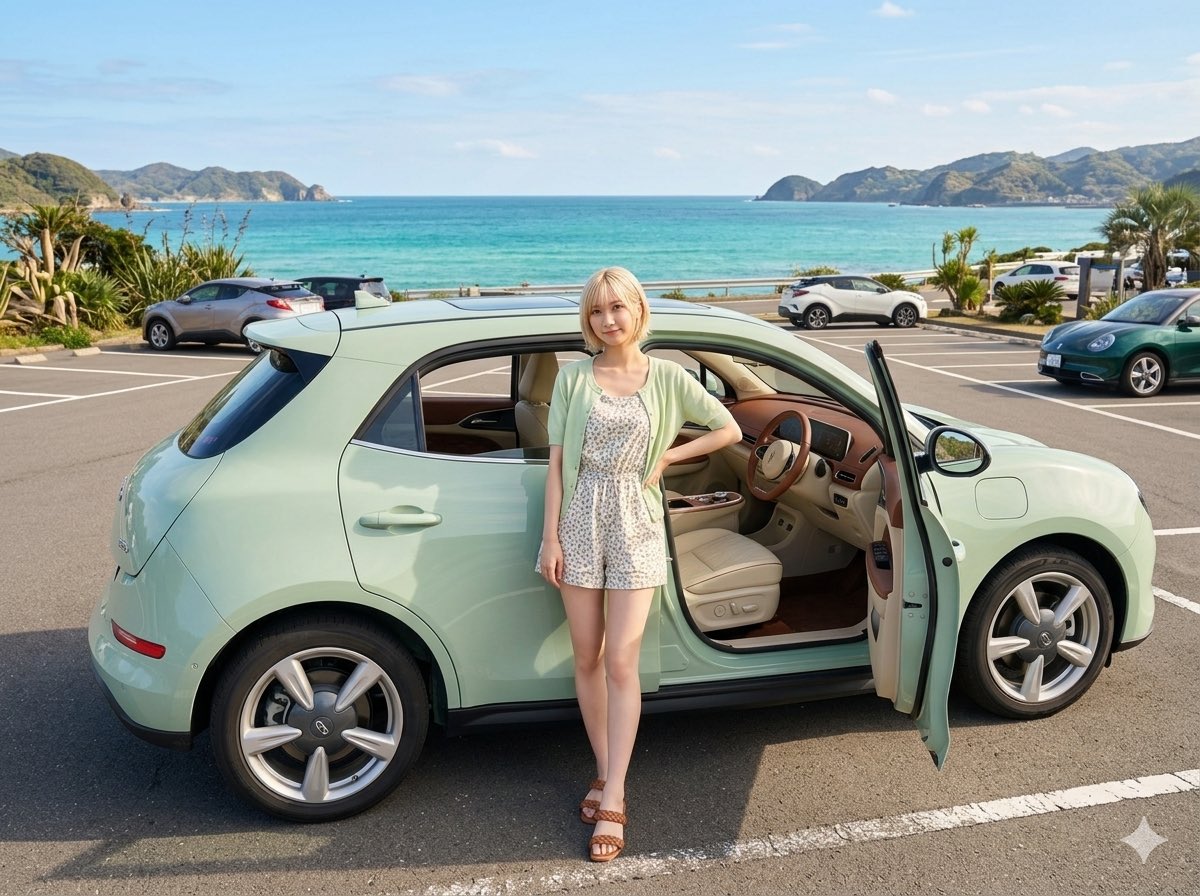
Generate a photorealistic seaside scene with a cute mint-colored compact car, open door, and summer-dressed figure for aspirational travel visuals.
プロンプト · EN
Create a photorealistic lifestyle image of a cute compact hatchback car in argcar color: pale mint green parked in a seaside parking lot on a bright sunny day. The car is shown in full side view, facing right, with the front passenger door open to reveal a warm beige leather interior with wood-toned trim and a rounded modern dashboard. A young blonde woman stands casually in front of the open door, one hand on her hip, wearing a light mint cardigan over a short white floral summer romper and brown sandals; her face is softly anonymized and featureless. The setting is a clean asphalt coastal parking area with white painted parking lines, several other parked cars in the background, tropical plants and palms at the edges, and a vivid turquoise ocean beyond the road. Add distant green mountains and small islands across the horizon under a clear pale blue sky with a few soft clouds. Use a cheerful, cute, aspirational travel aesthetic, realistic reflections on the glossy car paint, crisp daylight shadows, wide-angle composition, high detail, natural colors, and the feeling of wanting a beloved custom-colored car for a beach trip.
このプロンプトについて
Generate a photorealistic seaside scene with a cute mint-colored compact car, open door, and summer-dressed figure for aspirational travel visuals. Use it as a コンセプトアート starting point for GPT Image 2: keep the visual structure and style constraints intact, then swap in your own subject, brand, or scene.
Start by replacing car color, then keep the camera, composition, and material cues in the same order. This makes the output easier to compare across variations.
このプロンプトの使い方
- Copy the entire prompt text. 2. Choose an AI image model like Sora 2 or a similar text-to-image generator. 3. Optionally adjust the car color variable within the curly brackets to your preference. 4. Paste the customized prompt into the model's input field and generate. 5. Review the output and refine the prompt's details for your desired aesthetic.


