
4-Panel Character Turnaround Sheet — Sora 2 Prompt
Transform a single portrait into a full-color, multi-angle studio character sheet with clean lighting and consistent detail.
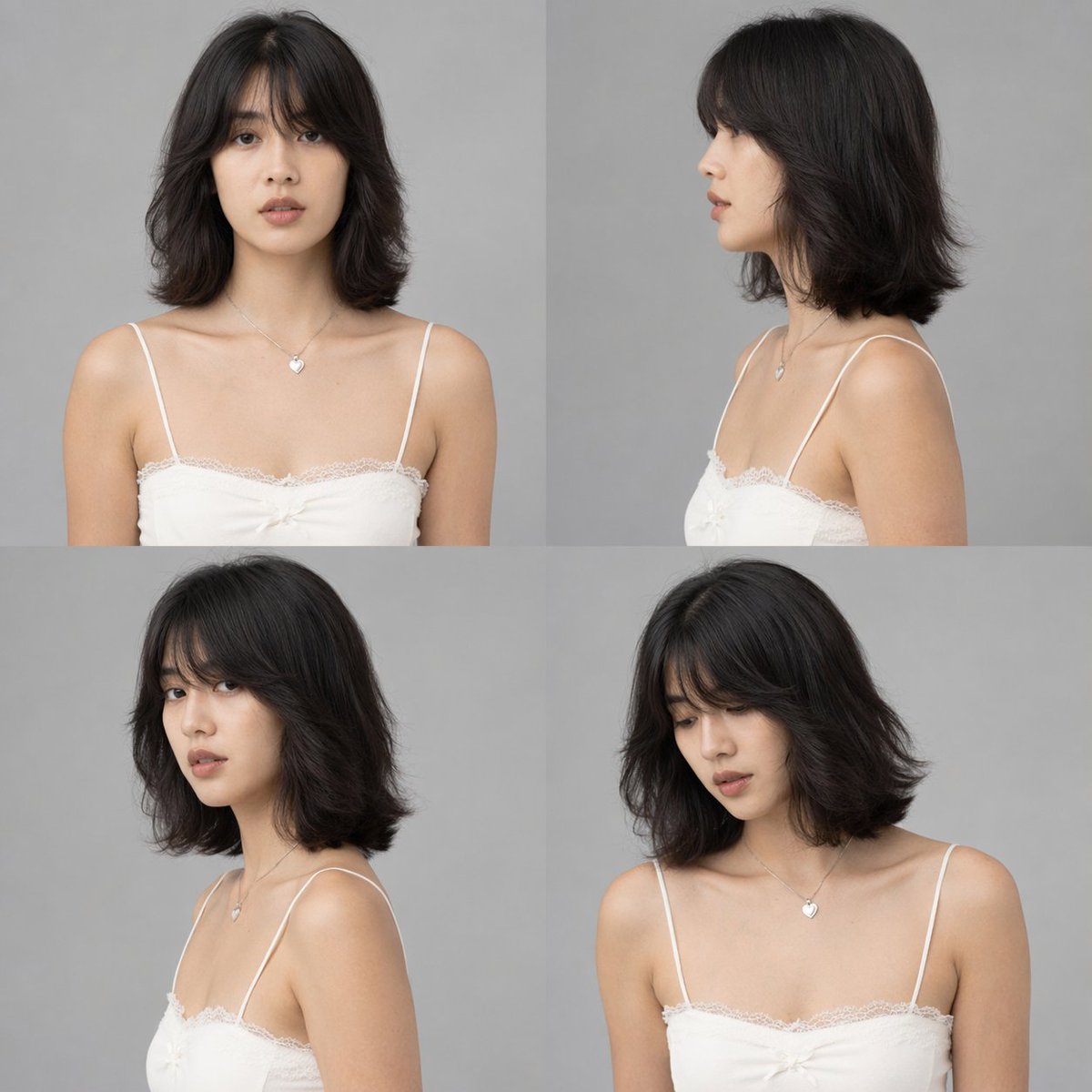
Using the provided reference image, generate a argnumber of panels: 4-panel studio-style character sheet. Transform the black-and-white reference into full color, applying natural skin tones and black hair. Remove the original environment and place the subject against a argbackground color: plain grey background with arglighting style: clean, neutral studio lighting. The generated grid must show the exact same character, wearing the preserved white lace camisole and heart necklace, in argnumber of panels: 4 distinct poses: 1) straight-on front view, 2) right profile view, 3) left 3/4 view looking over the shoulder, and 4) right 3/4 view looking slightly down.
このプロンプトについて
Transform a single portrait into a full-color, multi-angle studio character sheet with clean lighting and consistent detail. Use it as a コンセプトアート starting point for GPT Image 2: keep the visual structure and style constraints intact, then swap in your own subject, brand, or scene.
Common directions include gptimage2api prompts, gptimage2api, and en. Treat these tags as creative cues; the prompt structure and preview image are the more useful guide.
Start by replacing number of panels, background color, and lighting style, then keep the camera, composition, and material cues in the same order. This makes the output easier to compare across variations.
このプロンプトの使い方
- Copy the prompt into your chosen AI video/image model (e.g., Sora 2).
- Adjust the number of panels, background color, and lighting style using the provided variables.
- Upload your reference portrait image.
- Generate and review the turnaround sheet for pose consistency.


