
GPT Image 2AIプロンプト
Fiery Snack Chip Bag Product Shot — Sora 2 Prompt
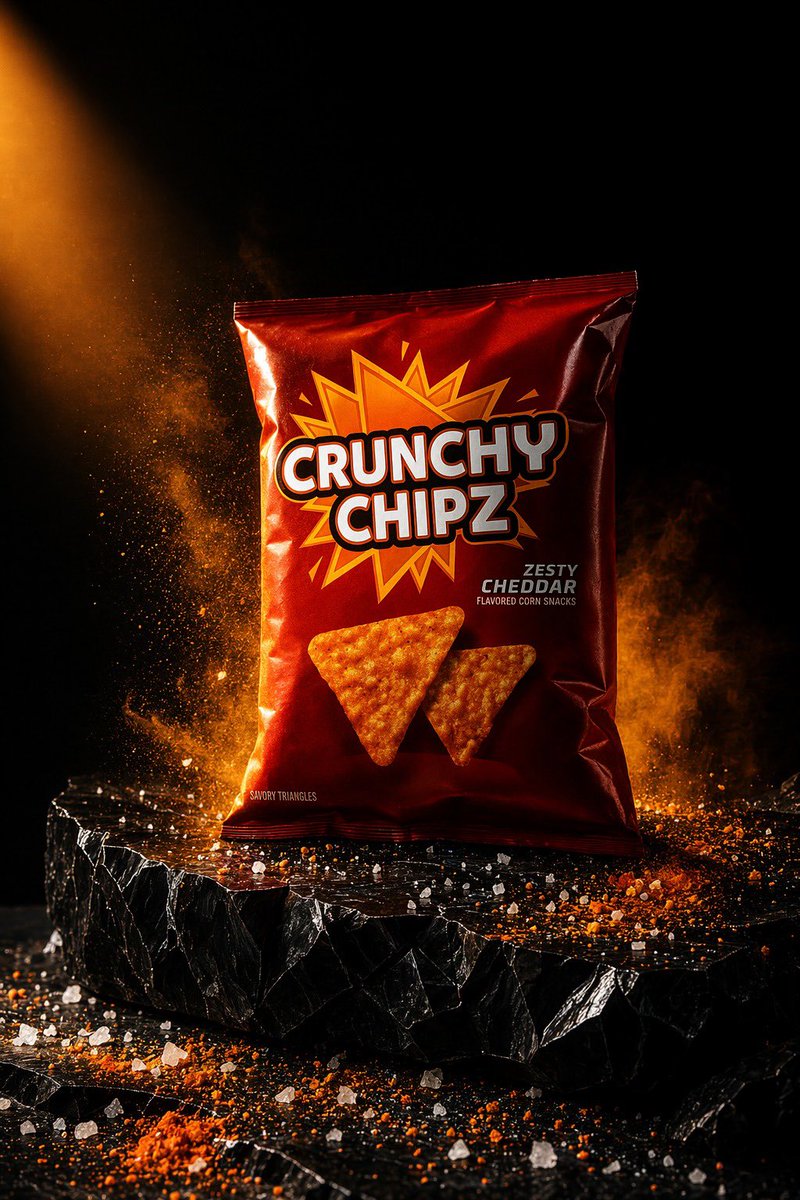
Generate a dramatic product photo of a spicy cheddar chip bag on a dark stone, with fiery orange lighting and floating spices ideal for snack brand promotions.
プロンプト · EN
一张极具戏剧性的摄影棚产品照,画面中心是一个立着的 argbrand name: CRUNCHY CHIPZ 包装袋,放置在粗糙的黑色石台上,背景为深黑色。包装袋采用亮面深红色金属质感,主标志后方有一个巨大的橙黄色漫画风格星爆图案,品牌名称为醒目的超大白色块状字体并带有黑色描边,右侧印有口味文字 argflavor text: ZESTY CHEDDAR,下方配有较小的副标题。包装袋正面下方印有 2 片三角形橙色玉米片。包装袋左下角附近添加一行小字 argsmall label: SAVORY TRIANGLES。场景采用来自左上方的强烈暖橙色侧光照明,在包装袋上形成强烈的亮部和光泽反射。产品周围环绕着悬浮的橙色调料粉末和烟雾状香料云,尤其是在包装袋后方和左侧。在石台和前景表面散落粗盐颗粒和橙红色调料粉。石台应为厚实、参差不齐的哑光黑色岩板,边缘锋利且有断裂感。强调高对比度、电影级阴影、清晰的产品焦点、高端商业广告风格、戏剧性美食摄影、竖构图、超精细纹理、写实的包装效果以及火辣浓郁的切达干酪氛围。
このプロンプトについて
Generate a dramatic product photo of a spicy cheddar chip bag on a dark stone, with fiery orange lighting and floating spices ideal for snack brand promotions. Use it as a コンセプトアート starting point for GPT Image 2: keep the visual structure and style constraints intact, then swap in your own subject, brand, or scene.
Start by replacing brand name, flavor text, and small label, then keep the camera, composition, and material cues in the same order. This makes the output easier to compare across variations.
このプロンプトの使い方
- Copy the prompt text from this page.
- Open your preferred AI image generation model (such as Sora, Midjourney, or DALL·E).
- Replace the template variables like
{brand name},{flavor text}, and{small label}with your own text, or keep the defaults. - Paste the prompt into the model's input field and generate your image.
- Experiment with different lighting or angle variations by tweaking the prompt as desired.


