
8px Grid UI Design System — Multi-Page AI Prompt
Generate a pixel-perfect multi-page design system with a strict 8px grid, consistent spacing, typography scale, and color system for UI components and layouts.
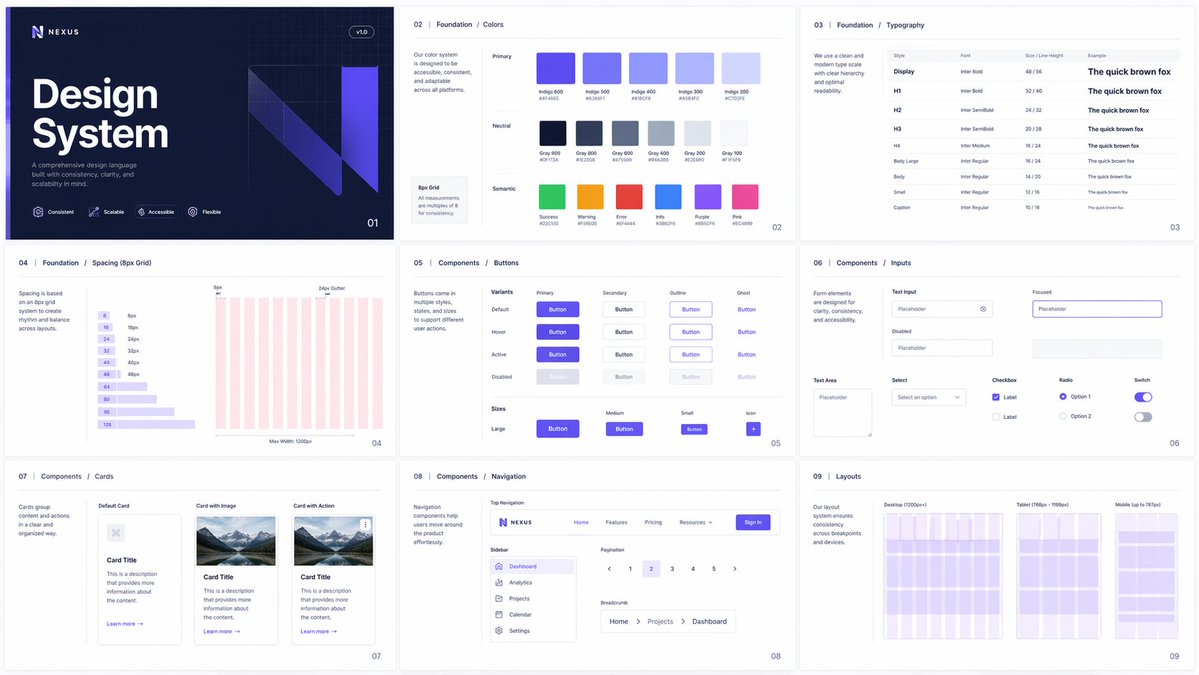
Generate a multi-page design system where every image follows a strict 8px grid, consistent spacing, typography scale, and color system, showcasing UI components, layouts, and variations with perfect alignment and consistency.
このプロンプトについて
Generate a pixel-perfect multi-page design system with a strict 8px grid, consistent spacing, typography scale, and color system for UI components and layouts. Use it as a コンセプトアート starting point for an AI model: keep the visual structure and style constraints intact, then swap in your own subject, brand, or scene.
Common directions include chatgpt, 组件库, 网格, and 排版. Treat these tags as creative cues; the prompt structure and preview image are the more useful guide.
Start with small changes to subject, scene, camera, and color, then generate a few variations to compare composition and detail without turning the page copy into keyword stuffing.
このプロンプトの使い方
- Copy the prompt text exactly as provided.
- Open an AI image generator like DALL·E 3, Midjourney, or Stable Diffusion.
- Paste the prompt and optionally adjust details (e.g., number of pages, specific components).
- Generate the images—use a model that supports multi-image output or generate pages sequentially.
- Review outputs for grid alignment and consistency; refine the prompt and regenerate if needed.


