
GPT Image 2AIプロンプト
Underwater Hyperrealistic Portrait — Sora 2 Prompt
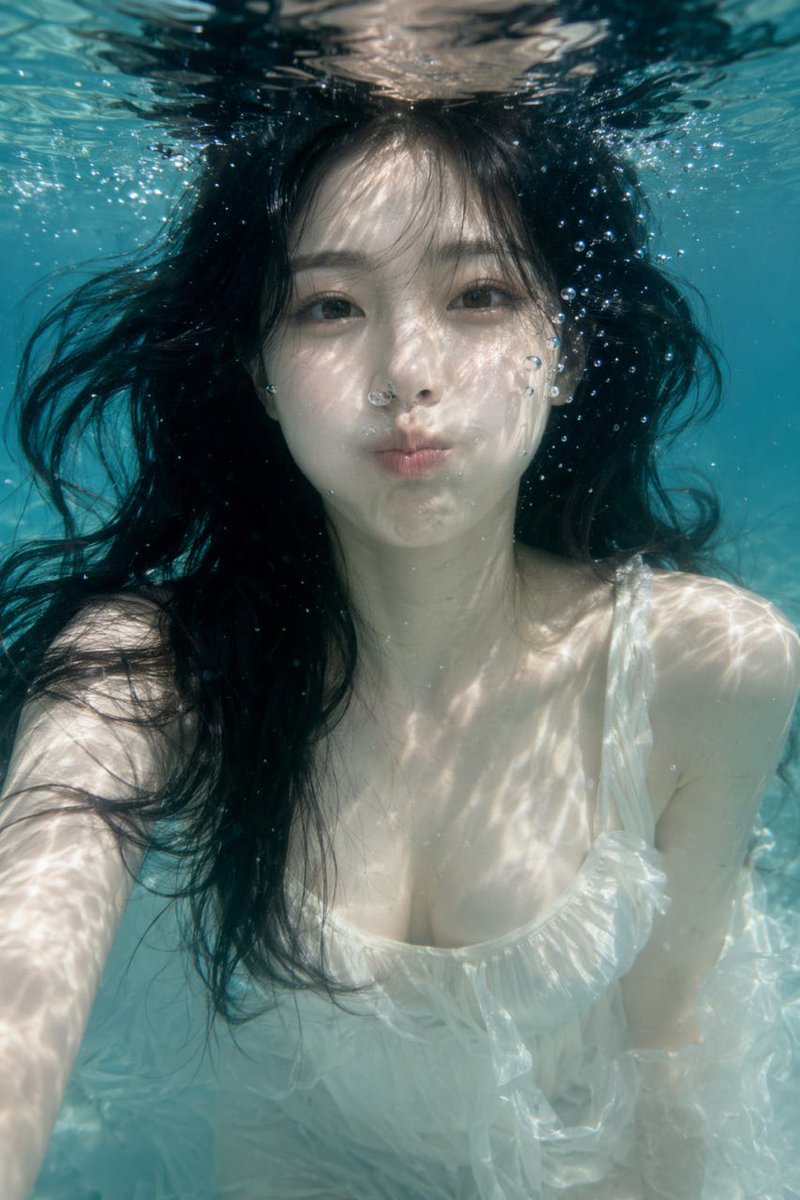
Create a breathtaking hyperrealistic underwater portrait featuring floating hair, bubbles, and dynamic caustic lighting for an ethereal visual effect.
プロンプト · EN
一张超写实的水下肖像,画面中 argsubject description: 一位年轻的亚裔女性 正在水面下方屏住呼吸。她有着 arghair style: 飘逸的深色波浪长发,在水中如失重般环绕在脸庞周围,身穿一件 argclothing: 半透明的白色荷叶边连衣裙。她正视镜头,双颊微鼓,双唇紧闭。场景由透过 argenvironment: 清澈蓝色水域 的明亮阳光照亮,在她的脸部、胸部和衣物上投射出复杂且斑驳的焦散光影。细小精致的气泡在她脸庞周围向上漂浮,增添了宁静而空灵的氛围。
このプロンプトについて
Create a breathtaking hyperrealistic underwater portrait featuring floating hair, bubbles, and dynamic caustic lighting for an ethereal visual effect. Use it as a コンセプトアート starting point for GPT Image 2: keep the visual structure and style constraints intact, then swap in your own subject, brand, or scene.
Start by replacing subject description, hair style, clothing, and environment, then keep the camera, composition, and material cues in the same order. This makes the output easier to compare across variations.
このプロンプトの使い方
- Copy the prompt text exactly as provided.
- Select a high-quality image generation model, such as Sora 2 or other hyperrealistic-capable AI.
- (Optional) Customize the variables in curly braces (e.g., subject description, hair style, clothing, environment) to suit your vision.
- Paste the prompt into the model’s input field and generate the image.
- Review the output, and if needed, fine-tune the prompt or regenerate for optimal results.


