
韓国ビューティー分析インフォグラフィック — Sora 2 プロンプト
中央にポートレートを配置し、ベース、チーク、アイ、リップメイク、カラーパレット、テクニックの注釈セクションを備えた、エレガントでミニマルなインフォグラフィックポスターを生成します。
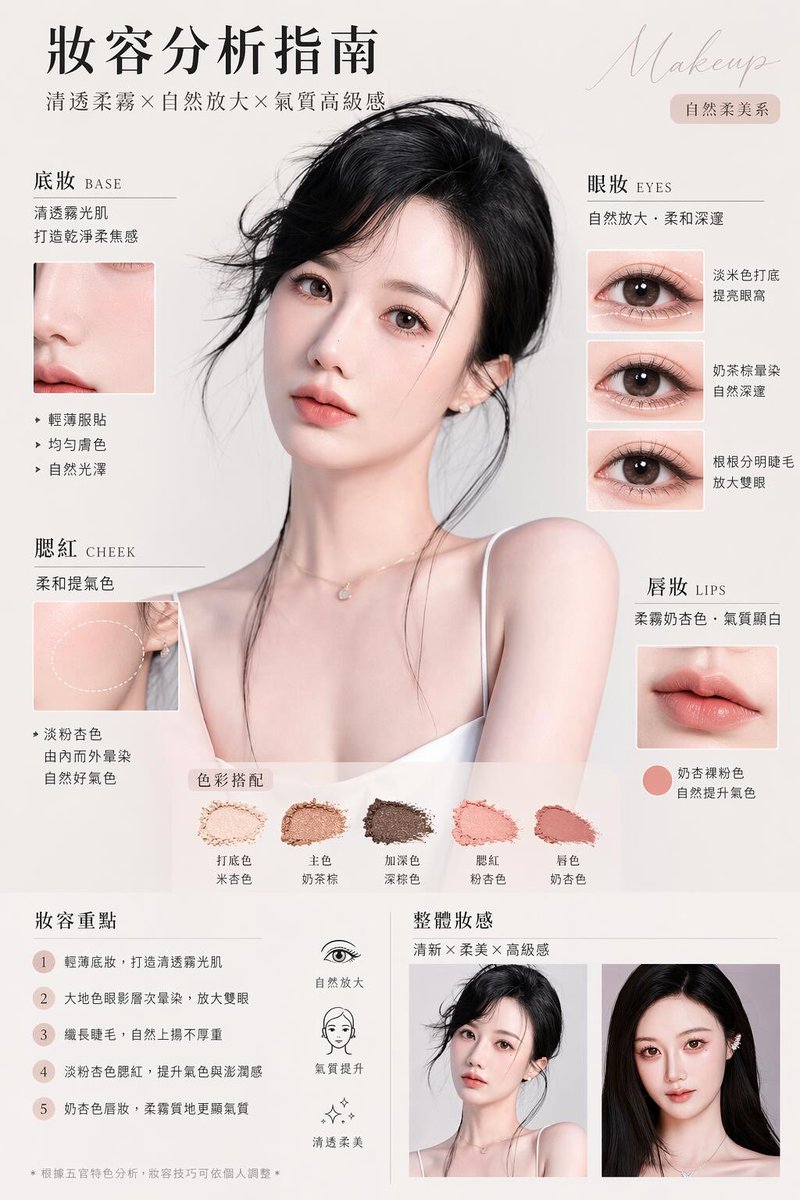
このプロンプトについて
中央にポートレートを配置し、ベース、チーク、アイ、リップメイク、カラーパレット、テクニックの注釈セクションを備えた、エレガントでミニマルなインフォグラフィックポスターを生成します。 Use it as a コンセプトアート starting point for GPT Image 2: keep the visual structure and style constraints intact, then swap in your own subject, brand, or scene.
This prompt is organized as structured JSON with fields such as type, style, headline, subject, layout, design details, and generation notes. Keeping that hierarchy helps the model separate the subject, layout, interface elements, and detail constraints.
Start with small changes to subject, scene, camera, and color, then generate a few variations to compare composition and detail without turning the page copy into keyword stuffing.
このプロンプトの使い方
- プロンプト本文全体をAIモデルの入力欄にコピーします。 2. 高品質な画像生成モデル(例:Sora 2、DALL·E 3、Midjourney)を選択します。 3.
{headline text}や{hair color}のような中括弧内の変数を、希望のテーマや被写体に合わせてカスタマイズします。 4. 画像を生成し、レイアウトを確認して、インフォグラフィックのセクションが明確で美的に優れていることを確認します。


