
GPT Image 2AIプロンプト
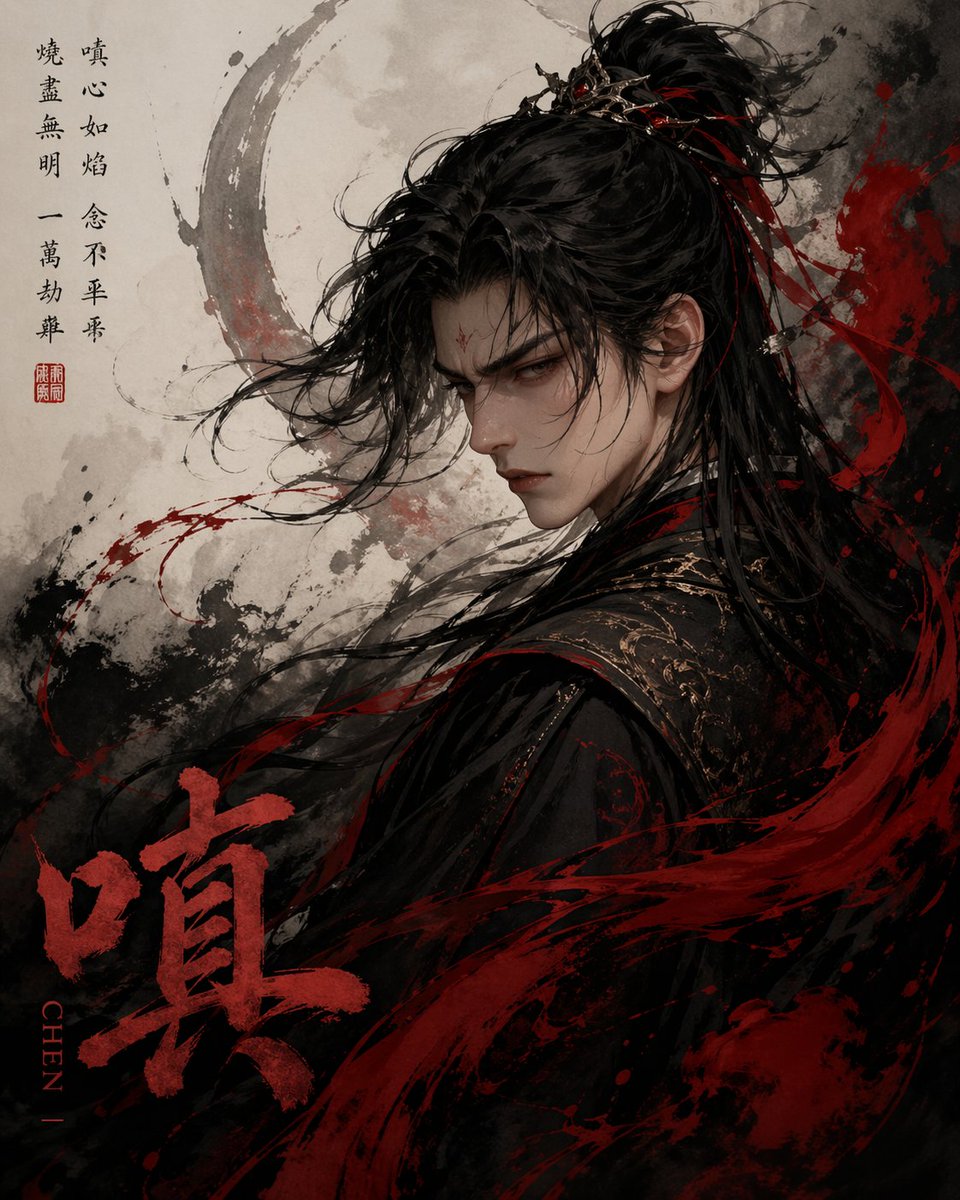
Ink-Wash '嗔' Fantasy Character Poster — Sora 2 Prompt
Create a cinematic ink-wash portrait of a brooding swordsman with flowing hair, dynamic red ink splashes, and a giant '嗔' character, ideal for striking poster designs.
プロンプト · EN
一张极具戏剧性的中国水墨风奇幻肖像,以单个汉字 argcharacter: 嗔 为核心。画面展示了一位仙侠或武侠男性角色的背影,呈四分之三侧面,正微微回首。他留着随风飘逸的长发,束成高半马尾,戴着精致的深色金属发冠,几条细长的红丝带穿插在发间,随风飘动。身着黑色刺绣长袍,肩部和领口饰有精致的金色纹样,衣着层叠厚重,流动的布料与周围的笔触融为一体。由于角度和发丝的遮挡,面部大部分隐没在阴影中,营造出神秘而强烈的氛围。整体构图为竖版海报,背景为浅色羊皮纸质感,带有灰色和黑色的墨迹飞溅,人物头部后方有一个巨大的淡化圆形笔触光环,下半部分和右侧有狂野的红色笔触横扫而过,如同动态的血色书法。配色方案限定为黑色、炭灰色、羊皮纸米色和深绯红色。添加 2 处书法文本区域:左上角为黑色汉字书法竖排诗句,下方配有一个红色小印章;左下角绘制一个巨大的粗体红色汉字 arglarge title character: 嗔。在大号红色汉字旁,放置一个竖排的罗马拼音标签 argromanization: CHEN。整体风格融合了表现力十足的水墨画与超精细的电影级角色插画,呈现出飞扬的发丝、飞溅的笔触纹理、强烈的情绪张力以及黑暗、愤怒且优雅的氛围。
このプロンプトについて
Create a cinematic ink-wash portrait of a brooding swordsman with flowing hair, dynamic red ink splashes, and a giant '嗔' character, ideal for striking poster designs. Use it as a コンセプトアート starting point for GPT Image 2: keep the visual structure and style constraints intact, then swap in your own subject, brand, or scene.
Start by replacing character, large title character, and romanization, then keep the camera, composition, and material cues in the same order. This makes the output easier to compare across variations.
このプロンプトの使い方
- Copy the full prompt text from this page.
- Paste it into your AI image or video generation tool (e.g., Sora, Midjourney, Stable Diffusion).
- Adjust the
{character}and{large title character}variables if desired (e.g., change "嗔" to another Chinese character). - Optionally modify style parameters like "dark red" intensity or background elements for a different mood.
- Generate and iterate to refine the composition.


