
Realistic iPhone Photo Collage — Casual Japanese Snapshot Prompt
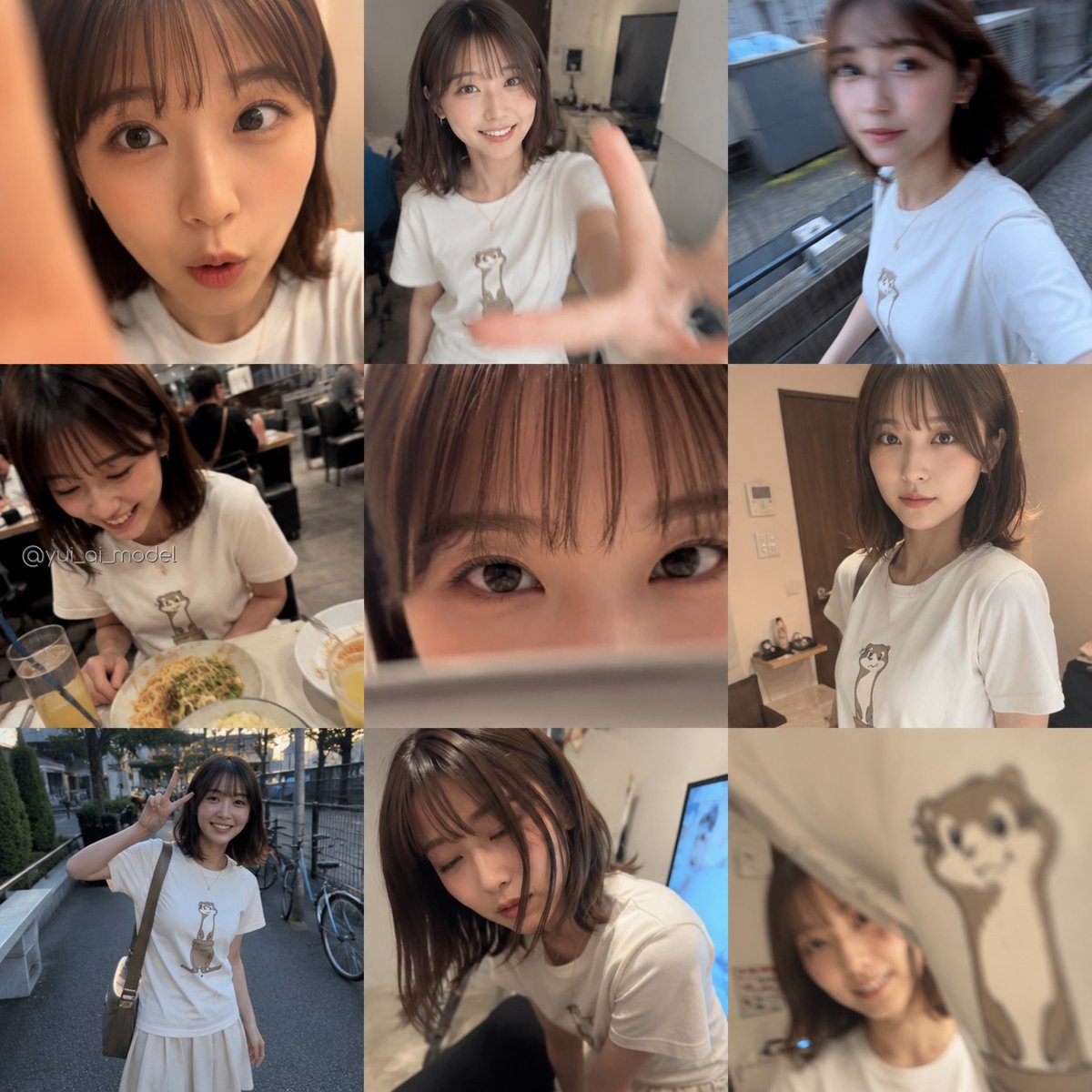
Generate a square smartphone-style collage of authentic, candid snapshots featuring a woman in the same graphic tee, with built-in privacy blur for a true camera-roll aesthetic.
このプロンプトについて
Generate a square smartphone-style collage of authentic, candid snapshots featuring a woman in the same graphic tee, with built-in privacy blur for a true camera-roll aesthetic. Use it as a コンセプトアート starting point for GPT Image 2: keep the visual structure and style constraints intact, then swap in your own subject, brand, or scene.
This prompt is organized as structured JSON with fields such as type, style, main subject, layout, text, camera and rendering, and customization. Keeping that hierarchy helps the model separate the subject, layout, interface elements, and detail constraints.
Start with small changes to subject, scene, camera, and color, then generate a few variations to compare composition and detail without turning the page copy into keyword stuffing.
このプロンプトの使い方
- Copy the prompt: Select and copy the entire prompt text from this page.
- Choose your AI model: Use Sora 2, Runway Gen-3, or another image generator that supports detailed scene descriptions.
- Customize variables: Edit the subject description, outfit, or watermark text in the prompt to match your vision.
- Generate the image: Paste the prompt into your chosen tool and run it. Adjust settings for square (1:1) output if needed.
- Review and refine: Check the collage for layout consistency; re-generate or tweak descriptions if certain photos overlap awkwardly.


