
GPT Image 2AIプロンプト
Invention Exploded View Infographic — Sora 2 Prompt
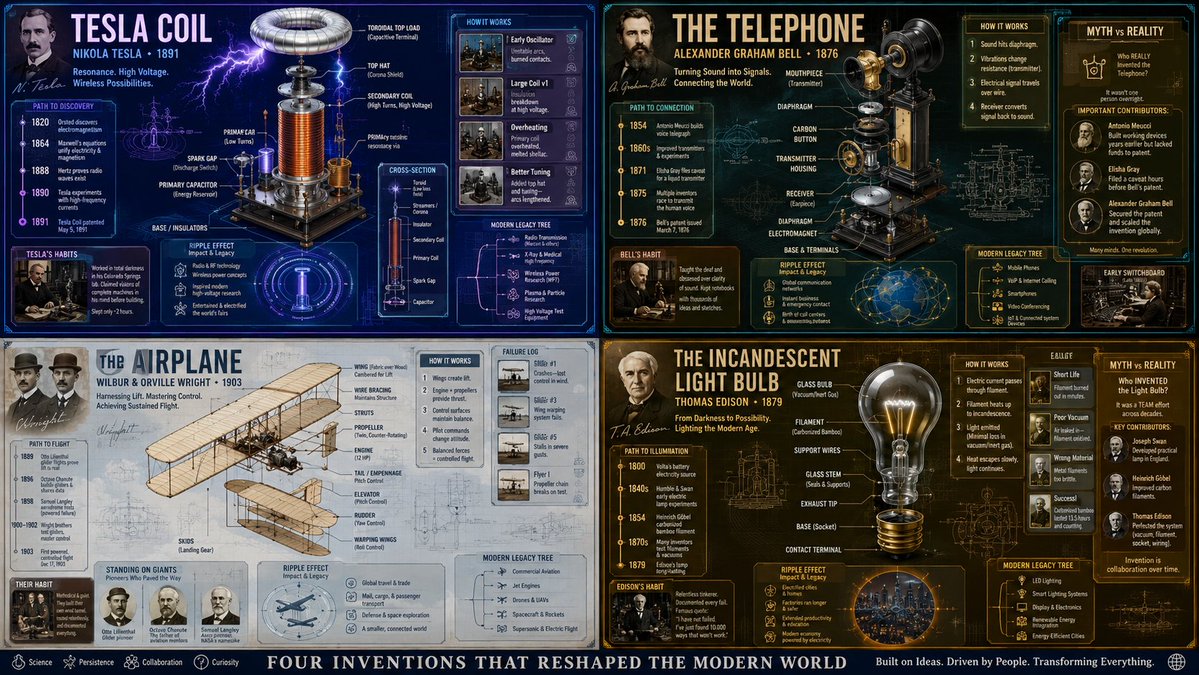
Generate detailed isometric infographics of famous inventions with history, diagrams, failed prototypes, and cultural impact in one complex prompt.
プロンプト · EN
2x2 网格,针对 arginvention: tesla coil 和其他 3 项著名发明执行此操作。 16:9 inventor_content = ( patent_drawing_recreation_in_isometric_exploded_view_of_[arginvention placeholder: invention]_by_[arginventor placeholder: inventor] * 1.7 ) + ( historical_context_timeline_of_scientific_breakthroughs_leading_to_[invention] * 1.5 ) + ( failure_log_and_iteration_cards_showing_[inventor]_s_failed_prototypes_with_annotations * 1.6 ) + ( cross_section_and_mechanics_diagram_of_[invention]_with_material_callouts * 1.4 ) + ( economic_and_cultural_impact_ripple_map_of_[invention]_on_society * 1.3 ) + ( quirky_personal_habit_or_workshop_inserts_from_[inventor]_s_biography * 1.2 ) + ( modern_day_derivative_technologies_tree_from_[invention] * 1.1 ) + ( common_misconception_busting_panel_about_who_really_invented_[invention] * 1.0 ) - ( romanticized_lone_genius_cliché_without_team_context / 3.0 ) - ( boring_textbook_engraving_style_instead_of_dynamic_infographic / 2.9 ) - ( eurocentric_filter_if_invention_originated_elsewhere / 3.2 )
このプロンプトについて
Generate detailed isometric infographics of famous inventions with history, diagrams, failed prototypes, and cultural impact in one complex prompt. Use it as a コンセプトアート starting point for GPT Image 2: keep the visual structure and style constraints intact, then swap in your own subject, brand, or scene.
Start by replacing invention, invention placeholder, and inventor placeholder, then keep the camera, composition, and material cues in the same order. This makes the output easier to compare across variations.
このプロンプトの使い方
- Copy the full prompt from this page.
- Choose an AI image model like Sora 2 or DALL·E that supports detailed, structured prompts.
- Replace the
{invention}and{inventor}variables with your chosen figures (e.g., Nikola Tesla, Thomas Edison). - Adjust the weighting multipliers (×1.7, ×1.5, etc.) to emphasize or de-emphasize specific panels like failure logs or impact maps.
- Generate and iterate — try different inventions to explore unique visual combinations.


