
GPT Image 2AIプロンプト
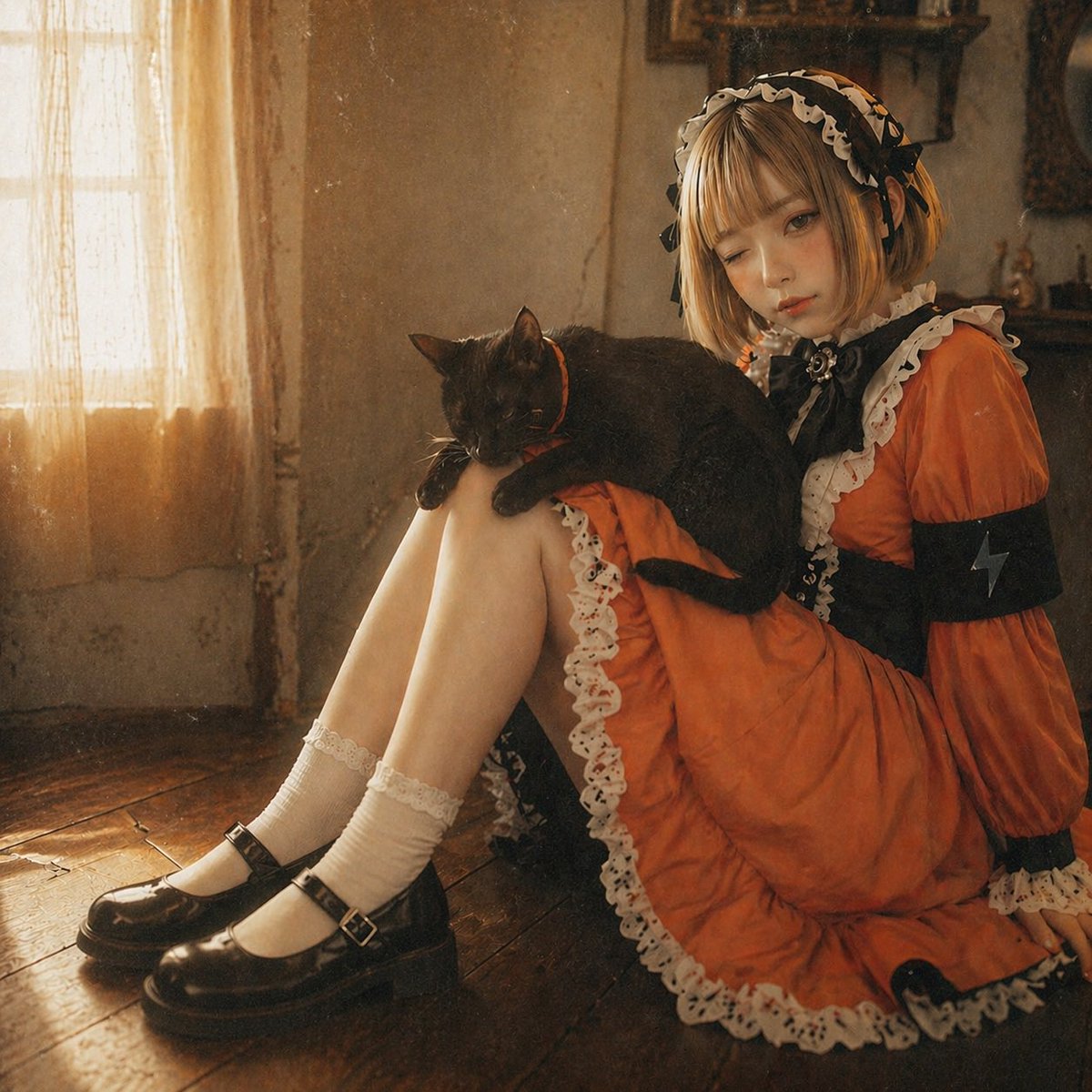
Anime to Realistic Gothic Portrait — Sora 2 Prompt
Turn your anime character illustrations into realistic, cinematic vintage portraits with warm sepia tones, soft film grain, and faithful detail retention.
プロンプト · EN
使用提供的参考图像,重现相同的少女和黑猫,保持相同的坐姿,但将扁平的动漫绘画转化为写实风格的电影感照片。保持与参考图一致的橙黑配色哥特裙、白色荷叶边、闪电臂章、头饰、横卧在膝盖上的黑猫、白色短袜以及黑色玛丽珍鞋。将她置于一个充满氛围感的复古室内环境中,背景包括磨损的木地板、老旧的灰泥墙,以及左侧一扇透出柔和暖光的落地窗,窗帘轻薄,投射出午后温暖的光影。采用怀旧的深褐色调,加入细腻的胶片颗粒感、柔和的阴影以及浅景深效果,营造出写实的编辑摄影风格。
このプロンプトについて
Turn your anime character illustrations into realistic, cinematic vintage portraits with warm sepia tones, soft film grain, and faithful detail retention. Use it as a コンセプトアート starting point for GPT Image 2: keep the visual structure and style constraints intact, then swap in your own subject, brand, or scene.
Start with small changes to subject, scene, camera, and color, then generate a few variations to compare composition and detail without turning the page copy into keyword stuffing.
このプロンプトの使い方
- Copy the provided prompt.
- Upload your reference anime illustration featuring a girl in gothic attire with a black cat.
- Paste the prompt into your AI image model (e.g., Sora 2, Midjourney).
- Adjust settings like image weight or stylization to fine-tune realism.
- Generate and iterate for the perfect cinematic vintage portrait.


