
GPT Image 2AIプロンプト
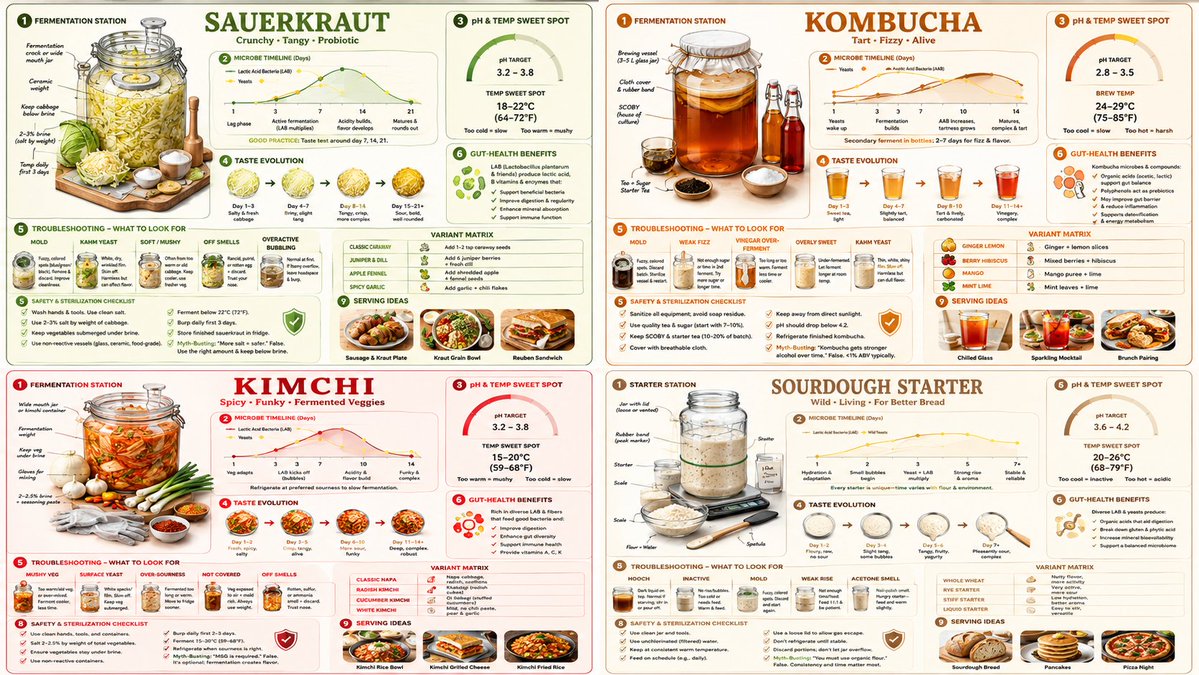
Fermentation Science Infographic Grid — Sora 2 Prompt
Generate a detailed 2x2 educational grid on fermenting sauerkraut, kombucha, or kimchi, featuring setup diagrams, timelines, flavor wheels, and troubleshooting guides.
プロンプト · EN
16:9, 2x2 网格,适用于 “argfood: sauerkraut”、“康普茶”、“泡菜”、“酸种酵母”。 => fermentation_content = ( 针对 [fermented_food] 的等距发酵站设置,包含罐子、重物、气闸 * 1.6 ) + ( 针对 [fermented_food] 的微生物时间轴图表,按天显示细菌与酵母活性 * 1.5 ) + ( 针对 [fermented_food] 的 pH 值与温度最佳范围图 * 1.4 ) + ( 针对 [fermented_food] 的口味演变风味轮,从甜味到酸味按天展示 * 1.3 ) + ( 针对 [fermented_food] 的常见发酵失败排查,包含霉菌、产膜酵母、软烂等照片 * 1.5 ) + ( 将 [fermented_food] 代谢产物与微生物组关联的肠道健康益处说明 * 1.2 ) + ( [fermented_food] 的食谱变体矩阵,包含辛辣、草本、果味版本 * 1.1 ) + ( 针对 [fermented_food] 的安全与消毒清单,包含误区辟谣 * 1.0 ) + ( 将 [fermented_food] 融入日常饮食的餐盘摆盘建议 * 0.9 ) - ( 基于恐惧的“危险细菌”库存图片 / 3.2 ) - ( 缺乏说明的过度风格化网红梅森罐 / 2.9 ) - ( 不明确的排气或维护流程 / 3.1 )
このプロンプトについて
Generate a detailed 2x2 educational grid on fermenting sauerkraut, kombucha, or kimchi, featuring setup diagrams, timelines, flavor wheels, and troubleshooting guides. Use it as a コンセプトアート starting point for GPT Image 2: keep the visual structure and style constraints intact, then swap in your own subject, brand, or scene.
Start by replacing food, then keep the camera, composition, and material cues in the same order. This makes the output easier to compare across variations.
このプロンプトの使い方
- Copy the entire prompt text.
- Paste it into your preferred AI model like Sora 2.
- Replace the
{food}variable with your choice (e.g., "sauerkraut", "kombucha", "kimchi", or "sourdough"). - Adjust the numerical weights (e.g.,
* 1.6) to change the visual emphasis on different sections. - Generate to create your custom fermentation infographic.


