
GPT Image 2AIプロンプト
Woodcut Style Couple Illustration — Sora 2 Prompt
Generate serene, minimalist couple illustrations with bold linework, soft muted tones, and vintage print texture for a striking poster aesthetic.
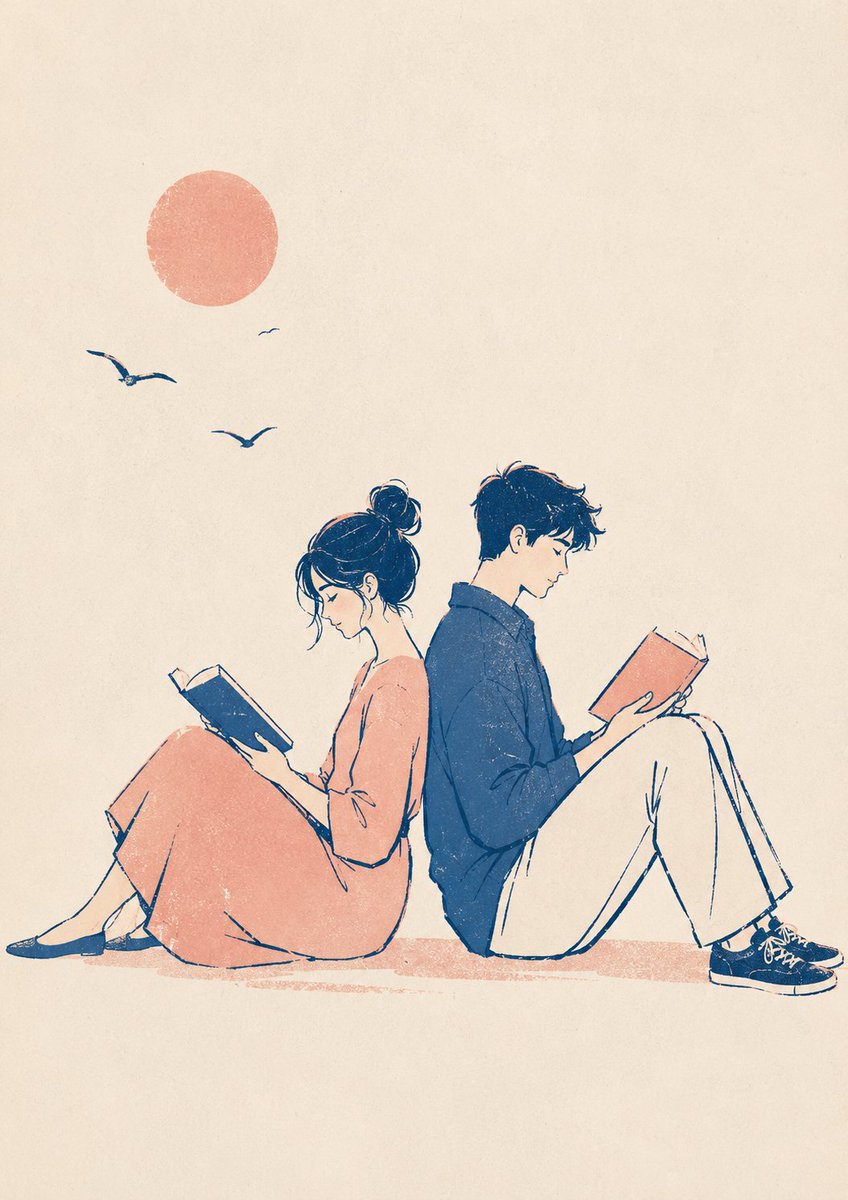
1 / 4
プロンプト · EN
生成一个 argsubject: 背靠背阅读的情侣,采用清晰的版画美学风格,具有粗线条和自然的扭曲效果。包含 argcolor tone: 柔和色调、复古印刷质感、轻微错位的墨层以及粗糙的纸张纹理。构图呈现宁静的海报风格,留有充足的负空间。道具和背景保持极简。配色方案:argcolor count: 2–3 种颜色。
このプロンプトについて
Generate serene, minimalist couple illustrations with bold linework, soft muted tones, and vintage print texture for a striking poster aesthetic. Use it as a コンセプトアート starting point for GPT Image 2: keep the visual structure and style constraints intact, then swap in your own subject, brand, or scene.
Start by replacing subject, color tone, and color count, then keep the camera, composition, and material cues in the same order. This makes the output easier to compare across variations.
このプロンプトの使い方
- Copy the full prompt from this page and paste it into your Sora 2 or compatible AI image generator input field.
- Select your preferred AI model (e.g., Sora 2, DALL·E, Midjourney) and ensure it supports detailed style prompts.
- Customize the variables: replace
subjectwith your desired scene, adjustcolor tone(e.g., warm, cool), and setcolor count(e.g., 2–4 colors). - Generate the image and review the output. For best results, keep the composition minimal and avoid adding extra props beyond the prompt's guidance.


