
8K Paper-Cut Nightscape: Zhujiang New Town — Sora 2 Prompt
Generate an 8K ultra-high-definition paper-cut artwork of Zhujiang New Town's skyline, with metallic gloss, dreamy light points, and intricate hollow-carved landmarks at night.
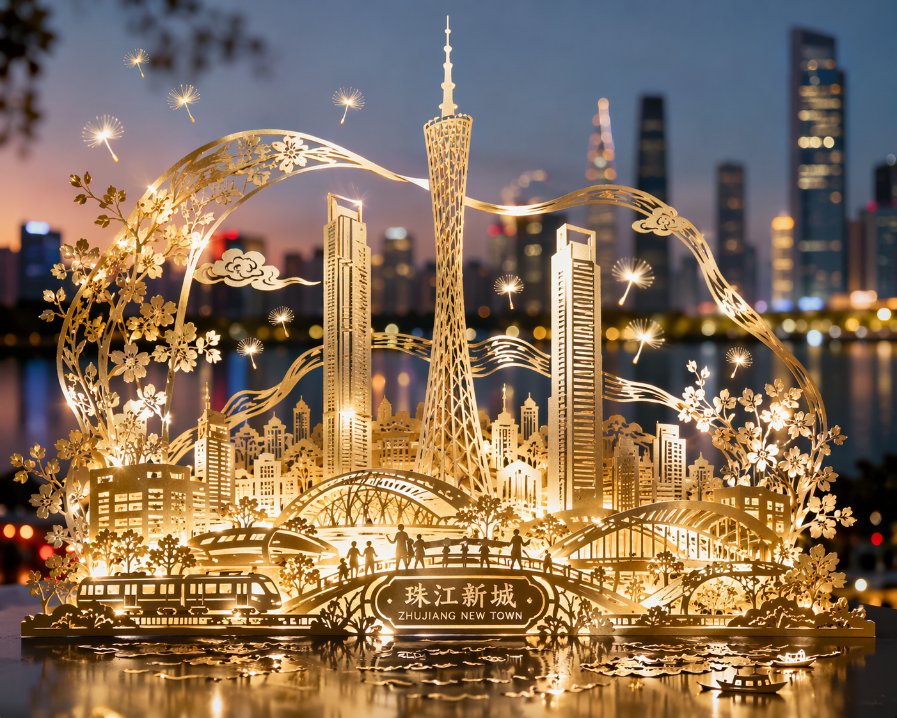
Paper-cut art inspired by the modern urban landscape of Zhujiang New Town, through exquisite hollow-carving techniques on a single sheet of paper, three-dimensionally depicting landmark buildings such as Canton Tower, East and West Twin Towers, and the bustling cityscape. All buildings and elements are connected by smooth lines and structures, with no isolated parts, forming a complete urban scroll. The picture uses metallic foil or glossy paper material, with delicate light and dark gloss on the surface, presenting soft highlights and shadows under illumination, as if gently illuminated by city lights. The background is set against a blurred Zhujiang New Town skyline, dotted with faintly visible outlines of Huacheng Square and trees, overall revealing a modern romantic atmosphere. The work cleverly integrates light dandelion fluff or starlight-like dynamic light points, symbolizing dreams and vitality fluttering and flying in this new city. The overall presents 8K ultra-high-definition vision, rich in details, realistic and full of artistic appeal.
このプロンプトについて
Generate an 8K ultra-high-definition paper-cut artwork of Zhujiang New Town's skyline, with metallic gloss, dreamy light points, and intricate hollow-carved landmarks at night. Use it as a コンセプトアート starting point for an AI model: keep the visual structure and style constraints intact, then swap in your own subject, brand, or scene.
Common directions include chatgpt, 纸雕, 城景, and 广州塔. Treat these tags as creative cues; the prompt structure and preview image are the more useful guide.
Start with small changes to subject, scene, camera, and color, then generate a few variations to compare composition and detail without turning the page copy into keyword stuffing.
このプロンプトの使い方
- Copy the prompt text provided.
- Open your AI image generation model (Sora 2 recommended for best detail).
- Paste the prompt and adjust any city names or lighting effects as desired.
- Generate the image and refine by tweaking terms like 'dandelion fluff' or '8K' for variation.


