
GPT Image 2AIプロンプト
Vintage Red-Line Tokyo Travel Poster — Sora 2 Prompt
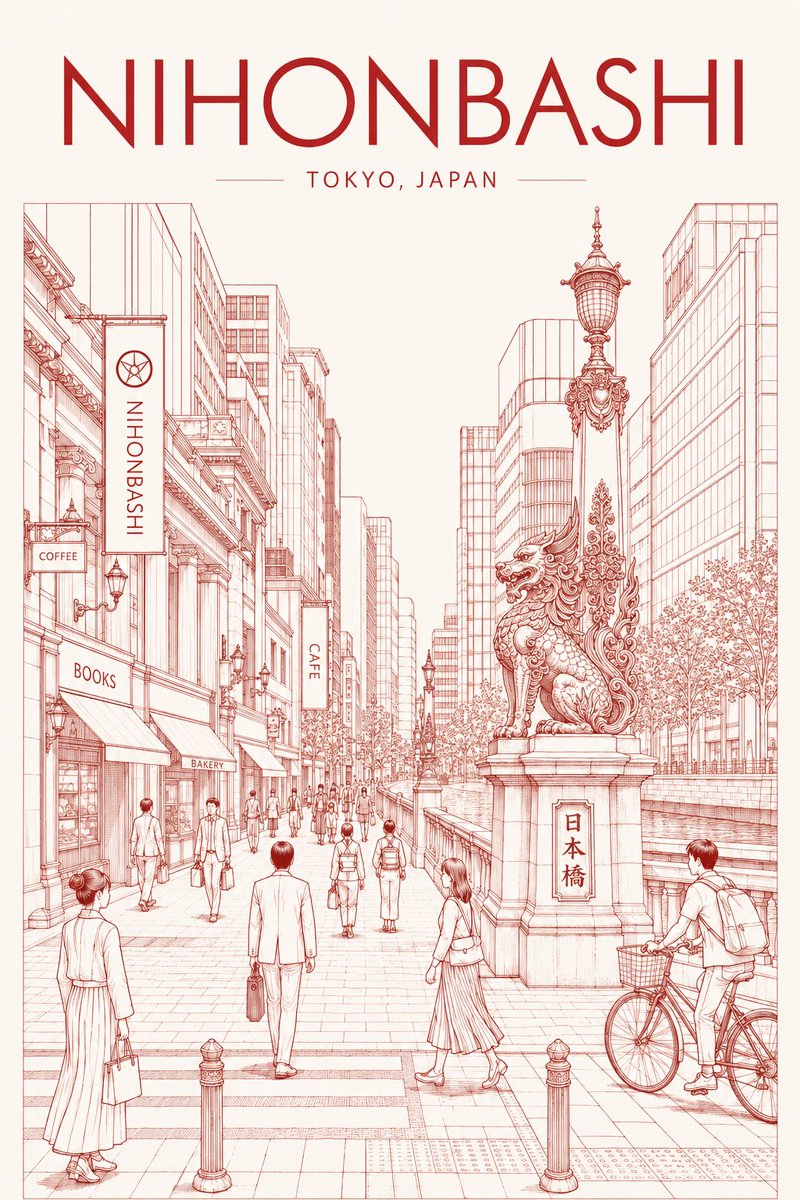
Create an elegant, single-color red ink line art poster of Tokyo's Nihonbashi district, perfect for wall art, postcards, or travel-themed prints.
プロンプト · EN
创作一张精致的复古旅行海报插画,主题为 argdistrict name: NIHONBASHI,地点位于 argcity subtitle: TOKYO, JAPAN,采用暖象牙色纸张的竖构图。顶部放置一个非常醒目且优雅的装饰艺术风格无衬线标题,用深红色书写“NIHONBASHI”,下方居中放置较小的、字间距拉开的副标题“TOKYO, JAPAN”,两侧配有细横线作为分割。在排版下方,绘制一幅精准建筑墨线风格的单色红色线条城市街景:一条宽阔的东京步行街,现代玻璃办公楼与老式店面以一点透视法向中心延伸。左侧包含标有“COFFEE”、“BOOKS”、“BAKERY”、“CAFE”的商店招牌和遮阳篷,以及一个写有“NIHONBASHI”的竖长招牌。右侧前景处,展示一盏华丽的历史性桥梁灯笼和一座位于石基座上的大型雕塑守护狮,基座铭牌上刻有“日本桥”。在雕像后方展示运河或桥栏杆、成排的树木、装饰性路灯,以及许多穿着商务和休闲装的行人;包括左下角一名穿着长裙的女性、前景中心一名背向行走的西装男士、雕像附近过马路的女性,以及右下角一名带着篮子的骑行者。仅使用精细的红色钢笔线条和细腻的交叉排线,除红色墨水和象牙色背景外无填充色,留白整洁,具有怀旧的日本旅行海报构图,细节丰富但布局通透,优雅、对称且适合印刷。
このプロンプトについて
Create an elegant, single-color red ink line art poster of Tokyo's Nihonbashi district, perfect for wall art, postcards, or travel-themed prints. Use it as a コンセプトアート starting point for GPT Image 2: keep the visual structure and style constraints intact, then swap in your own subject, brand, or scene.
Start by replacing district name and city subtitle, then keep the camera, composition, and material cues in the same order. This makes the output easier to compare across variations.
このプロンプトの使い方
- Copy the entire prompt text.
- Select a compatible AI image model (e.g., Sora 2, DALL·E 3, or Stable Diffusion).
- Optionally customize the
{district name}and{city subtitle}variables for a different location. - Adjust the prompt language or add style modifiers if desired.
- Generate and refine until you achieve the desired vintage poster aesthetic.


