
GPT Image 2AIプロンプト
Dark Fantasy Dual-Exposure Poster — Sora 2 Prompt
Create a cinematic, hyper-realistic dark fantasy poster featuring a portrait silhouette with a dramatic dual-exposure narrative and epic atmosphere.
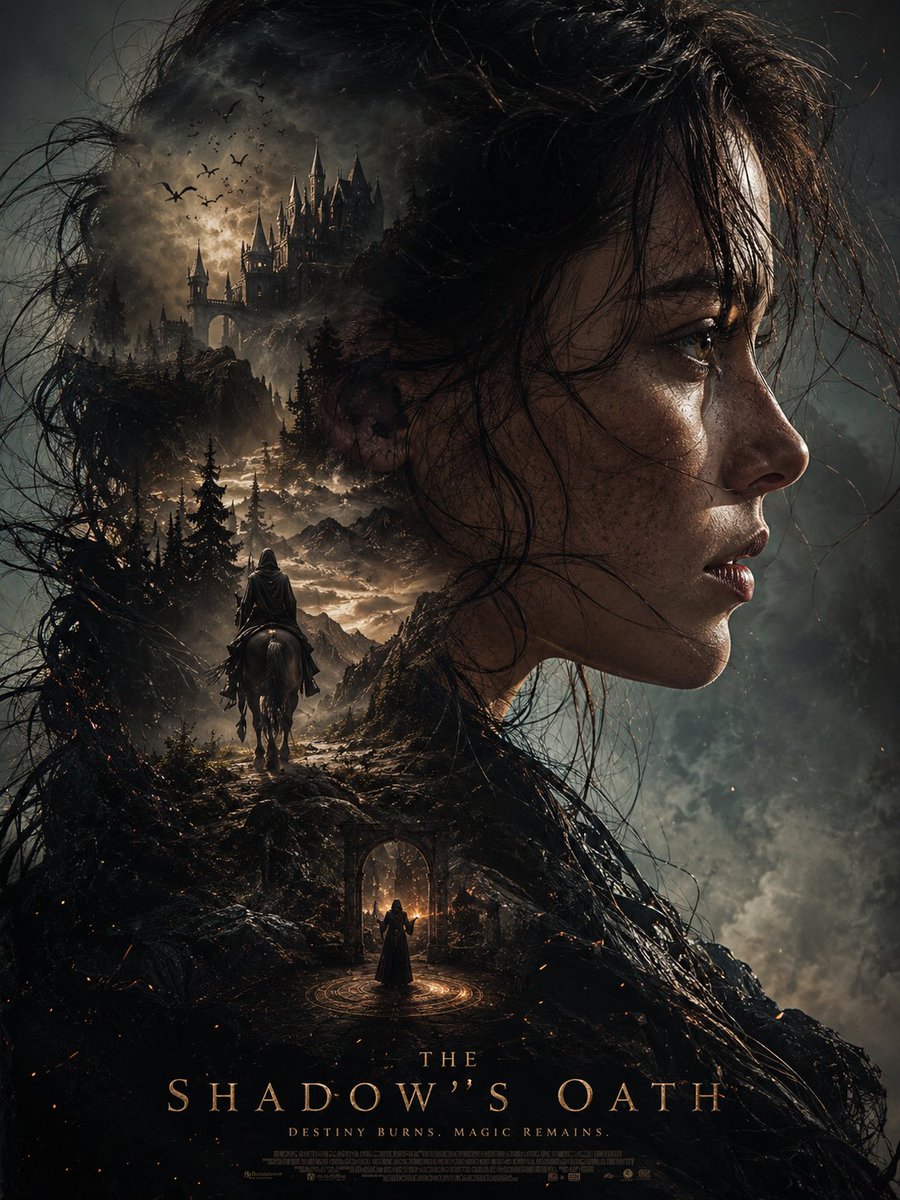
プロンプト · EN
这款超电影感的 argtheme: 暗黑奇幻海报 是通过自动生成技术,以(上传参考照片中的脸部和发型)作为轮廓,呈现出超写实的人像构图、主体侧脸特写、细腻的皮肤纹理、随风飘动的微乱湿发、强烈而神秘的情感表达,以及史诗般戏剧性的氛围。 双重曝光构图,在写实的剪影中呈现多重场景: 写实风格,戏剧性景深,体积光,(argatmosphere: 奢华、少女感、真人实拍、美学等) 氛围,超精细纹理,电影海报美学,史诗叙事构图,高对比度阴影,灵活的电影级调色,超写实,杰作,清晰对焦,HDR,8K 细节,Unreal Engine 渲染品质,高细节面部,照片级真实感,argsetting: 奇幻冒险氛围。 竖向构图,紧凑布局,高级电影海报设计,9:16 比例,超高清
このプロンプトについて
Create a cinematic, hyper-realistic dark fantasy poster featuring a portrait silhouette with a dramatic dual-exposure narrative and epic atmosphere. Use it as a コンセプトアート starting point for GPT Image 2: keep the visual structure and style constraints intact, then swap in your own subject, brand, or scene.
Start by replacing theme, atmosphere, and setting, then keep the camera, composition, and material cues in the same order. This makes the output easier to compare across variations.
このプロンプトの使い方
- Copy the prompt text and paste it into your preferred AI image generator.
- Choose a model that excels at photorealistic or cinematic outputs (e.g., DALL·E 3, Midjourney, Stable Diffusion XL).
- Customize the
{theme},{atmosphere}, and{setting}variables to match your vision. - Upload a reference photo of a face/hairstyle if the model supports image-to-image input for the silhouette shape.
- Generate the image in a 9:16 vertical aspect ratio and refine the prompt or seeds as needed.


