
GPT Image 2AIプロンプト
Convenience Store Portrait — Hyper-Realistic Sora 2 Prompt
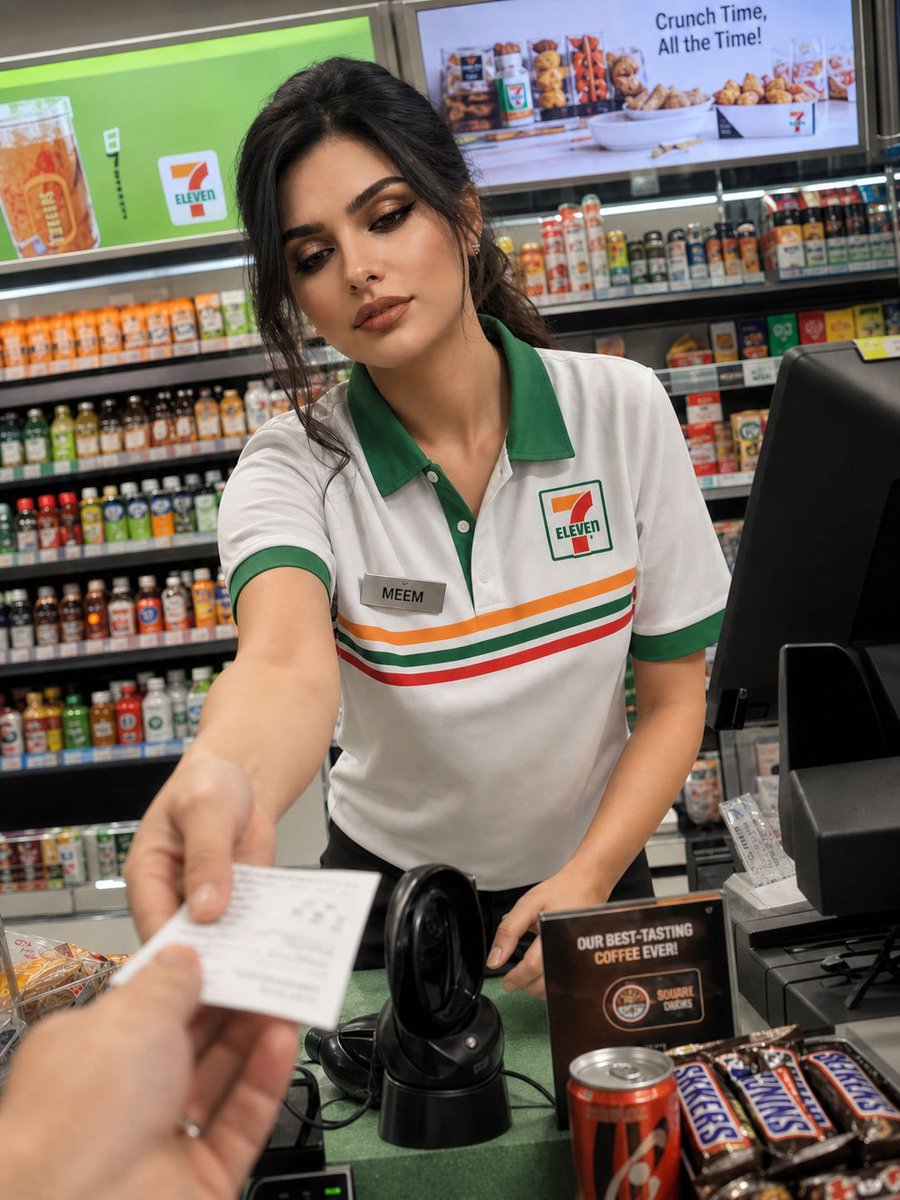
Creates ultra-realistic, candid-style photos of a convenience store clerk using a reference image, with natural lighting and smartphone photography details.
プロンプト · EN
一位美丽的 argsubject: 年轻女性,20 出头,拥有与所提供参考图像一致的面部特征、肤色和整体外貌,职业是 argoccupation: 便利店收银员。她穿着典型的 argstore brand: 7-Eleven 制服(带有绿色、红色和橙色装饰的白衬衫,佩戴写有“MEEM”的工牌,头发整齐地向后扎起,与参考图像中的造型一致)。 她站在收银台后,正为顾客提供服务,表情友好自然,与其参考图像中的个性和面部结构相符。柜台上放着 POS 机、条形码扫描仪以及糖果和饮料等小商品。 抓拍瞬间:照片以顾客视角通过智能手机隐蔽拍摄,前景略带模糊,构图不刻意,呈现出一种未经摆拍的自然感。构图应在不失真的前提下,精准还原参考图像中的人物样貌。 光影:明亮且分布均匀的便利店霓虹灯光,保持真实的肤色和与参考图像一致的色彩准确度。 环境:现代化的便利店内部,收银台后货架上的商品摆放整齐,营造出干净、有序且明亮的氛围。 摄影风格:超写实抓拍摄影,浅景深,自然纹理,高细节,带有轻微的运动模糊以增加真实感,细微的智能手机拍摄噪点,4K 画质。 可选变体: * 略微倾斜的角度
* 玻璃展示柜上的反光
* 她递送收据或找零时轻微的动作
* 与参考图像一致的温柔、自然的微笑
このプロンプトについて
Creates ultra-realistic, candid-style photos of a convenience store clerk using a reference image, with natural lighting and smartphone photography details. Use it as a コンセプトアート starting point for GPT Image 2: keep the visual structure and style constraints intact, then swap in your own subject, brand, or scene.
Start by replacing subject, occupation, and store brand, then keep the camera, composition, and material cues in the same order. This makes the output easier to compare across variations.
このプロンプトの使い方
- Copy the entire prompt text.
- Select a compatible AI image model like Sora 2 or similar.
- Customize the variables (e.g.,
subject,occupation,store brand) by replacing the default values in curly braces{}. - Paste the modified prompt into the model's input field.
- Generate the image and review the output, adjusting variables as needed for your desired result.


