
GPT Image 2AIプロンプト
Noir Mob Boss Portrait — Cinematic Sora 2 Prompt
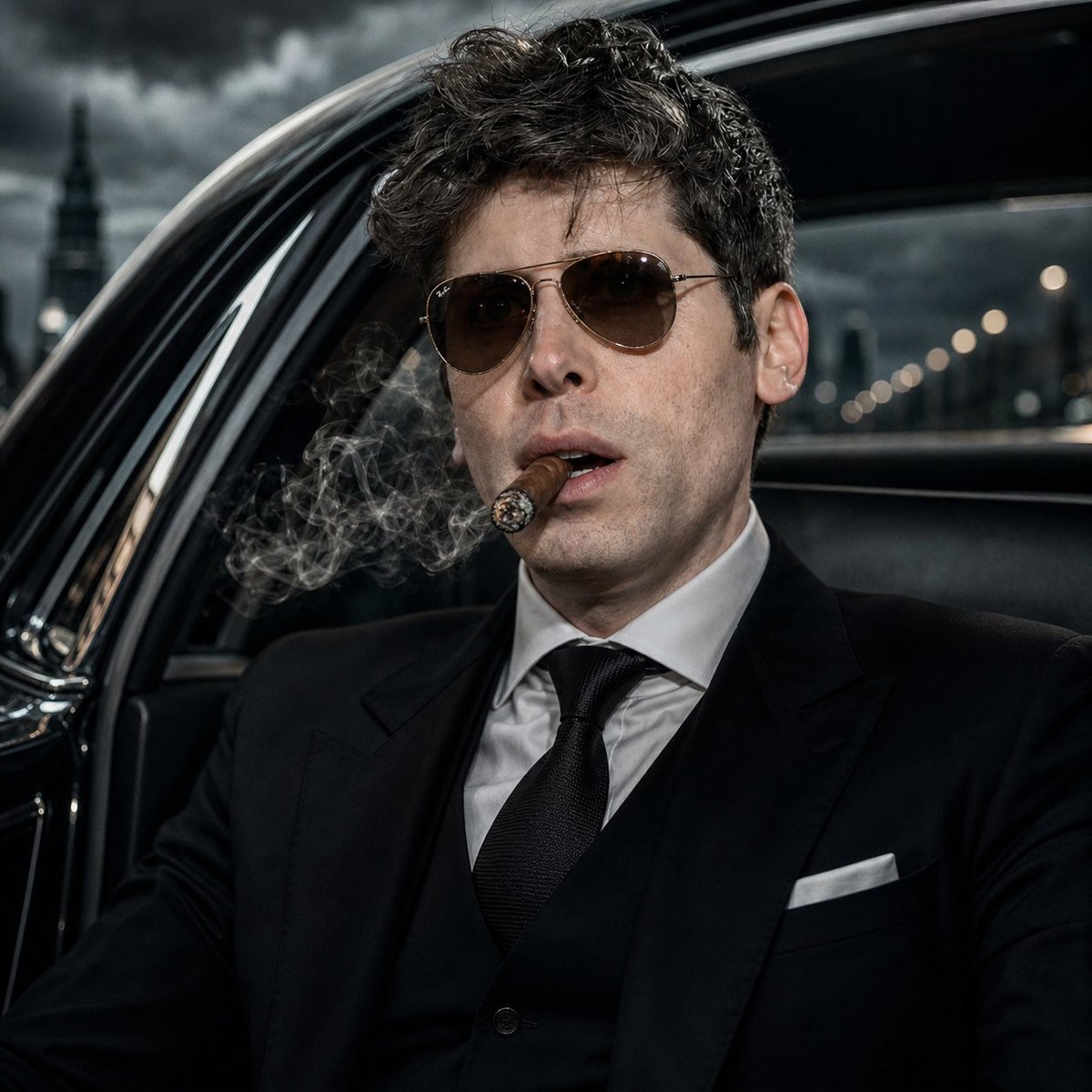
Generate an ultra-realistic, cinematic noir portrait of a mob boss inside a luxury car with dramatic lighting, smoke effects, and a mysterious obscured face.
1 / 2
プロンプト · EN
创作一张超写实电影级方形肖像,主体为 argsubject: 一位现代黑手党老大,他坐在夜晚的豪华黑色轿车内,采用 1:1 电影海报构图,取景范围为胸部以上。他身着定制的 argsuit color: 黑色 三件套西装,内搭白色衬衫,系黑色质感领带,穿着黑色马甲,口袋里插着挺括的白色方巾。他深色的波浪发型细节清晰,但整个面部中央区域被一个平整的不透明棕色矩形遮挡块覆盖,遮住了所有面部特征。尽管雪茄主体大部分在画面之外,但仍有缕缕雪茄烟雾在他头部左侧缭绕,增添了黑色犯罪电影的氛围。车内饰为光亮的黑色皮革和镀铬材质,开启的车门框架在他身后呈弧形,右侧是深色车窗。车外展示模糊的城市街道,带有温暖的虚化灯光,远处是在风暴阴郁天空下的塔楼剪影。采用冷色调去饱和处理,高对比度照明,清晰的织物纹理,锐利的烟雾细节,浅景深,戏剧性的阴影,顶级 8K 超写实摄影,电影级黑色电影风格。
このプロンプトについて
Generate an ultra-realistic, cinematic noir portrait of a mob boss inside a luxury car with dramatic lighting, smoke effects, and a mysterious obscured face. Use it as a コンセプトアート starting point for GPT Image 2: keep the visual structure and style constraints intact, then swap in your own subject, brand, or scene.
Start by replacing subject and suit color, then keep the camera, composition, and material cues in the same order. This makes the output easier to compare across variations.
このプロンプトの使い方
- Copy the entire prompt text into your preferred AI model interface. 2. Select a capable image generation model (e.g., Sora 2, DALL·E 3, Midjourney). 3. Customize the variables like
{subject}and{suit color}to change the character's appearance. 4. Generate the image and refine the prompt with additional style or detail keywords if needed.


