
GPT Image 2AIプロンプト
Double Exposure Sports Tribute Poster — Sora 2 Prompt
Create a stunning mixed-media sports tribute poster featuring a player silhouette filled with a dynamic career photo mosaic grid.
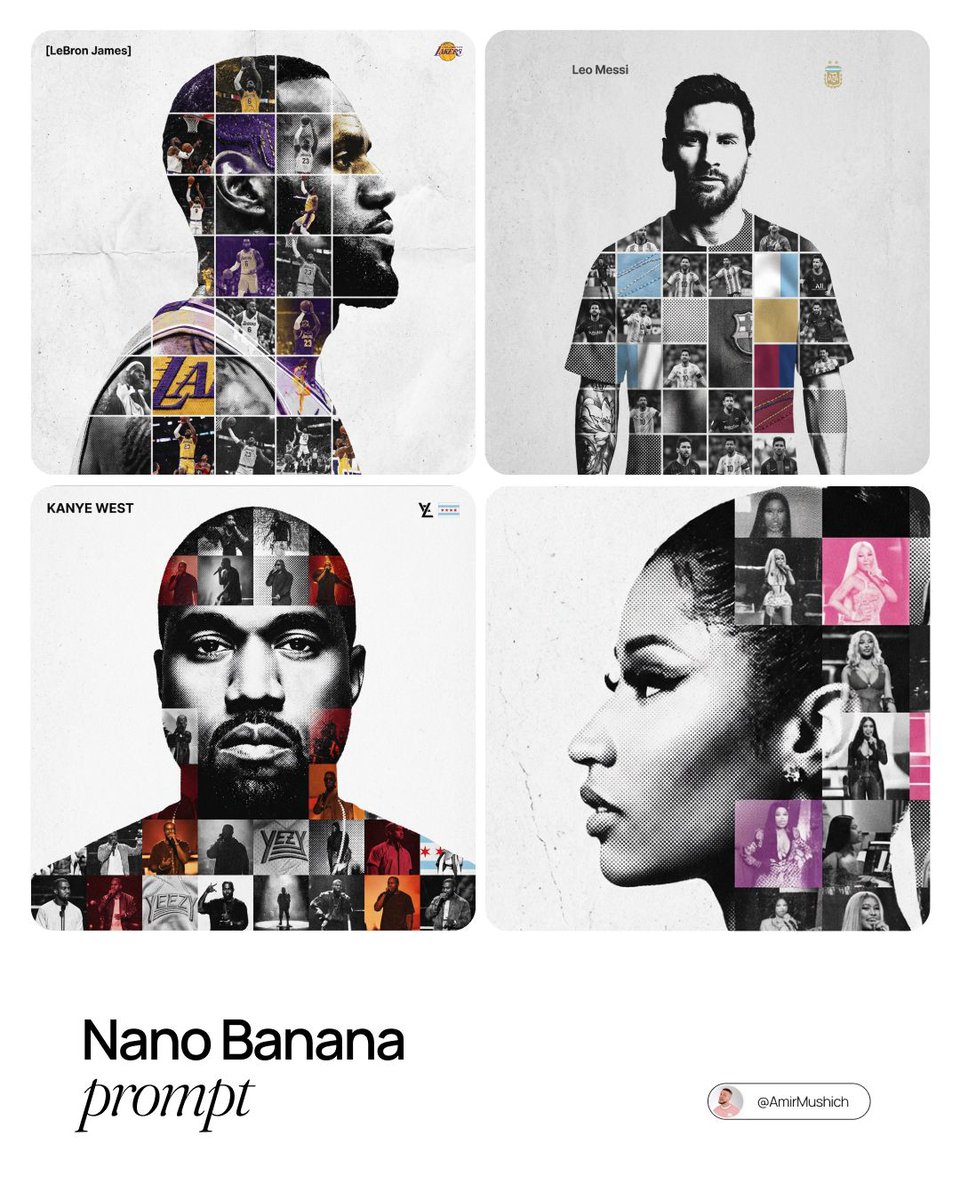
プロンプト · EN
argperson name: [人物姓名]。
请扮演一名高端运动平面设计师,制作一张概念致敬海报。风格:融合混合媒体纹理的复杂“双重曝光照片网格合成”。 中心主体(容器):
画面主体为 argperson name: [人物姓名] 的大型高对比度黑白人物剪影。该剪影作为承载所有内容的容器。 网格内部(混合媒体):
在剪影内部填充密集的职业生涯精彩瞬间照片马赛克网格。
纹理规则:不要直接放入平铺图像。通过触感和拼贴风格的饰面来丰富单元格:
半调网点:在部分单元格中使用漫画书风格的栅格图案。
织物/刺绣:使用淡淡的线迹或帆布纹理,营造出球衣或徽章的质感。
胶片颗粒:在某些高对比度动作镜头上添加明显的噪点。 色彩策略:
作品以黑白单色为基调。仅在少数孤立的网格单元中添加局部色彩叠加(球队或旗帜色调),以营造视觉节奏感。 排版与品牌标识(严格微缩比例):
左上角(姓名):将“argperson name: [人物姓名]”严格设置为 Inter Semibold 字体。
字距:紧凑的负字距(-4%)。
尺寸:小巧且低调。宽度不得超过画布宽度的 20%。切勿将其放大或过于醒目。
右上角(符号):放置主要标识(球队/品牌/旗帜)。
尺寸:非常小。宽度不得超过画布宽度的 10%。 构图与背景:
背景:灰白色或浅灰色,带有可见的高品质纸张或混凝土纹理。不应是平面的数字纯白色。
对齐方式:人物完美居中。在主体周围保持宽阔的留白。
このプロンプトについて
Create a stunning mixed-media sports tribute poster featuring a player silhouette filled with a dynamic career photo mosaic grid. Use it as a コンセプトアート starting point for GPT Image 2: keep the visual structure and style constraints intact, then swap in your own subject, brand, or scene.
Start by replacing person name, then keep the camera, composition, and material cues in the same order. This makes the output easier to compare across variations.
このプロンプトの使い方
- Copy this prompt into your chosen AI image generator.
- Select a model capable of complex compositions, like Sora 2 or Midjourney.
- Replace the
[人物姓名]variable with the athlete's name. - (Optional) Adjust the specified typography, color accents, or background texture details.
- Generate the image, iterating for the desired effect.


