
GPT Image 2AIプロンプト
RGB Gaming Motherboard Studio Photography — Sora 2 Prompt
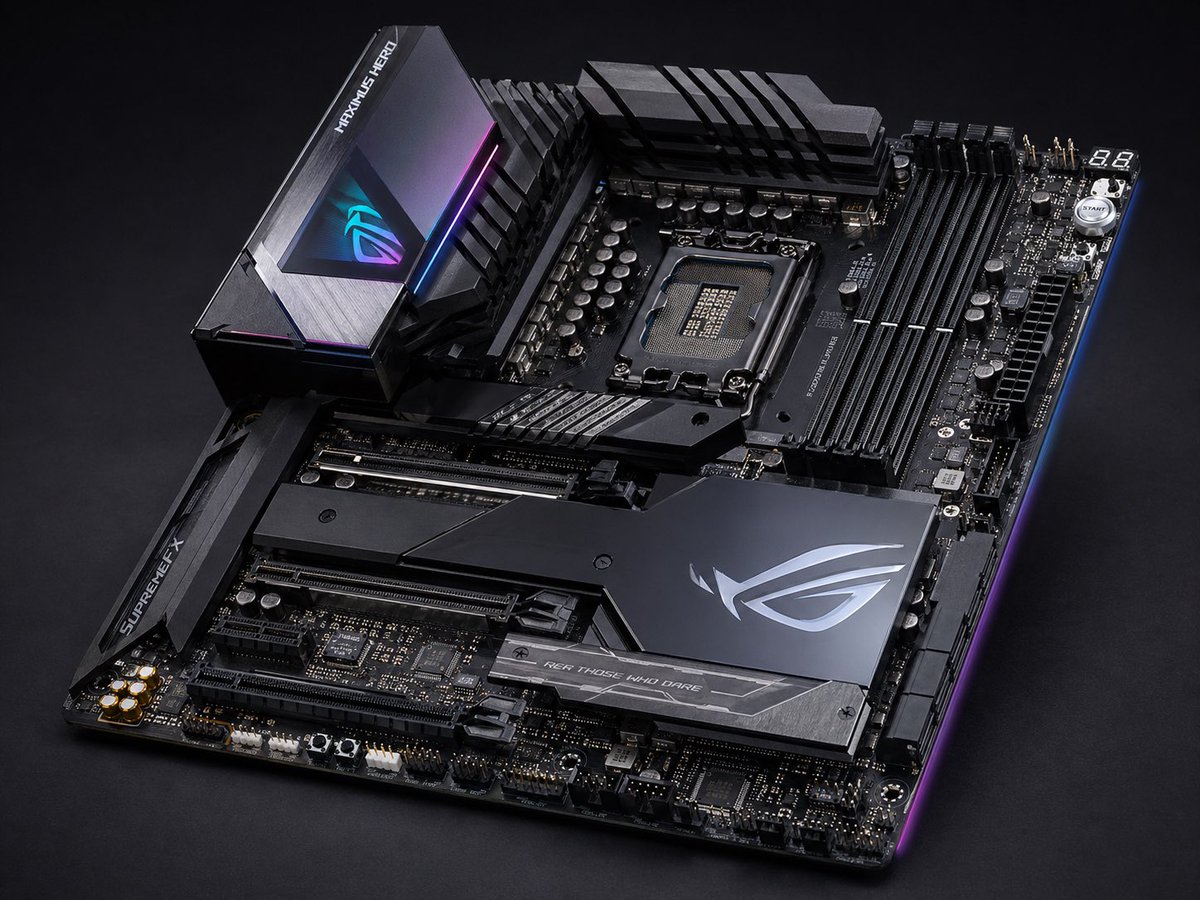
Generate a hyper-detailed studio shot of a premium ASUS ROG-style motherboard with dramatic lighting, matte-black armor, and vibrant RGB accents.
プロンプト · EN
一张高端发烧级 ATX 游戏主板产品照片,背景为深色摄影棚环境,采用从左下向右上倾斜的四分之三俯视视角。该项目主体为哑光黑与枪灰色,配有锋利的几何装甲板、拉丝金属纹理,以及蓝色、紫色和洋红色的细微 RGB 边缘灯效。上方中央露出一个现代 Intel 风格 CPU 插槽,右侧设有 4 个黑色 DIMM 内存插槽,顶部和左上方配有大型 VRM 散热片,下半部分有多个加固的 PCIe 插槽。包含 3 个主要的品牌散热片区域:左上方的高大后置 I/O 护罩,带有发光的 RGB 眼睛标志和“MAXIMUS HERO”字样;左侧的芯片组/插槽装甲片,带有“SUPREMEFX”字样;以及右下角大型棱角分明的芯片组盖板,带有银色 ROG 风格徽标和下方写有“FOR THOSE WHO DARE”的条纹。展示详细的电容器、接头、电源接口、右上角显示“88”的调试显示屏,以及附近的一个小型圆形启动按钮。超精细商业产品摄影,全板焦点清晰,金属反射真实,呈现高端奢华科技美感,戏剧性的低调照明,干净的黑色无缝背景,无电缆,无 CPU,无 RAM,无其他杂物。
このプロンプトについて
Generate a hyper-detailed studio shot of a premium ASUS ROG-style motherboard with dramatic lighting, matte-black armor, and vibrant RGB accents. Use it as a コンセプトアート starting point for GPT Image 2: keep the visual structure and style constraints intact, then swap in your own subject, brand, or scene.
Start with small changes to subject, scene, camera, and color, then generate a few variations to compare composition and detail without turning the page copy into keyword stuffing.
このプロンプトの使い方
- Copy the full prompt text below.
- Open your preferred AI image generator (Sora 2, DALL·E 3, Midjourney, etc.).
- Paste the prompt and adjust details like brand names, color accents, or viewing angle to match your project.
- Set your desired resolution (1024×1024 or higher recommended for fine detail).
- Generate the image, then iterate by tweaking lighting keywords or RGB color values.


