
GPT Image 2AIプロンプト
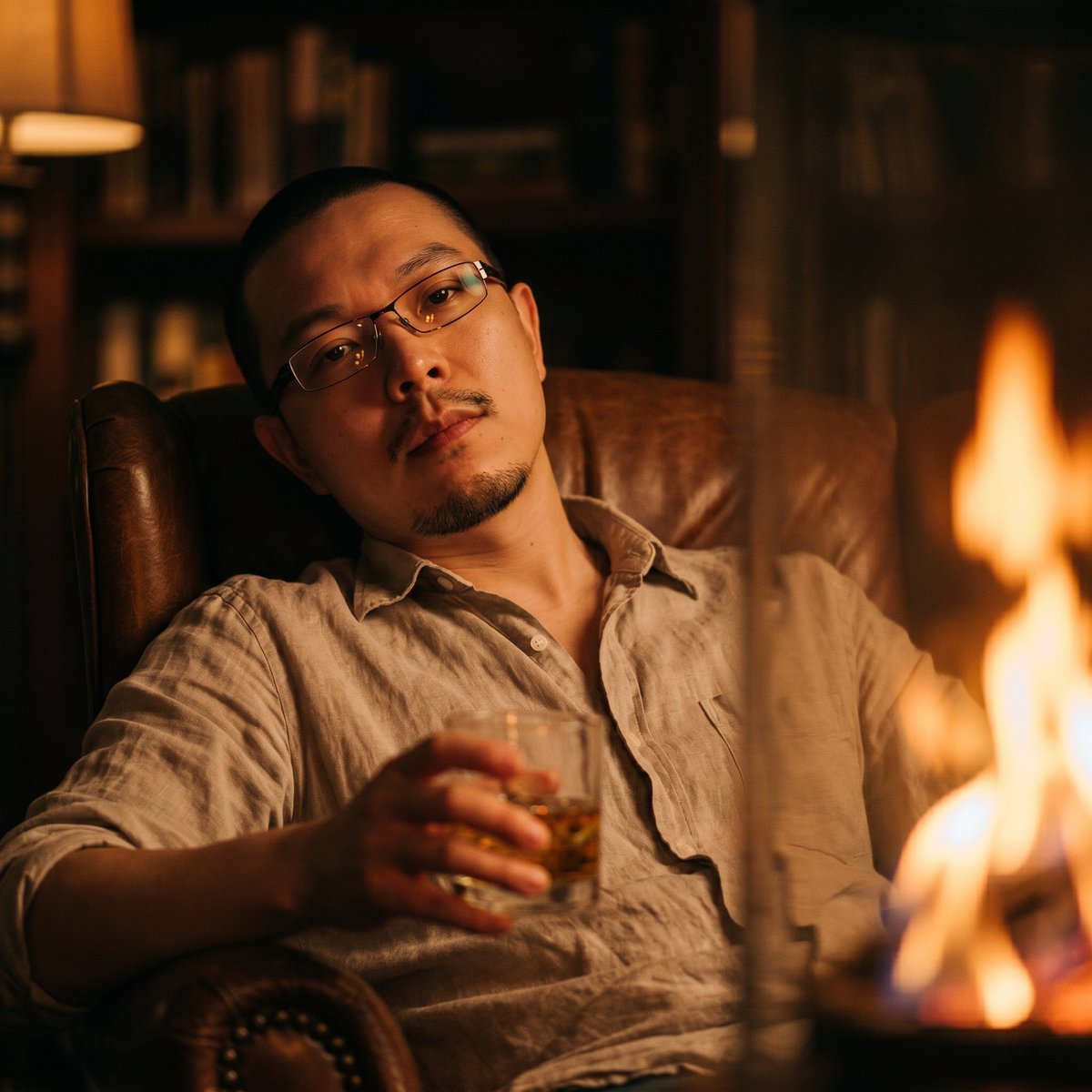
Cinematic Firelight Portrait — Warm Low-Angle Sora 2 Prompt
Transform a reference portrait into a moody, firelit lounge photo with consistent facial features, grain texture, and nostalgic amber tones.
プロンプト · EN
以提供的参考图像作为身份基准,创作一张同款男士的暖调低角度电影感照片,确保其面部特征和自然的胡茬与参考图保持一致。将场景更换为夜晚,让他斜倚在皮质扶手椅上,身穿一件轻薄、略带褶皱的 argshirt color: 浅米色 衬衫,而非西装。让他呈现放松的后仰姿势,一只手拿着装有 argdrink: 威士忌 的矮玻璃杯。在画面右侧添加一个巨大的失焦 argforeground light source: 橙色火焰,将闪烁的琥珀色光影投射在他的脸部和衬衫上。背景设定在昏暗且柔和模糊的私密室内,配有书架和暖色台灯,运用琥珀色和棕色调营造出忧郁、怀旧的夜晚氛围。照片应呈现出高 ISO 现代数码相机或智能手机的质感,带有明显的颗粒感、低对比度、浅景深以及细微的色差效果。
このプロンプトについて
Transform a reference portrait into a moody, firelit lounge photo with consistent facial features, grain texture, and nostalgic amber tones. Use it as a コンセプトアート starting point for GPT Image 2: keep the visual structure and style constraints intact, then swap in your own subject, brand, or scene.
Start by replacing shirt color, drink, and foreground light source, then keep the camera, composition, and material cues in the same order. This makes the output easier to compare across variations.
このプロンプトの使い方
- Copy this prompt into your chosen AI image generator (e.g., Sora 2, Midjourney, DALL·E).
- Select a model that supports character consistency or reference images.
- Replace the bracketed variables (shirt color, drink, foreground light source) with your preferred details.
- Upload the reference portrait to guide the facial features.
- Generate and refine if needed by adjusting lighting or pose descriptions.


