
GPT Image 2AIプロンプト
Retro-Futuristic Wrist Computer — 8-Bit Gaming AI Prompt
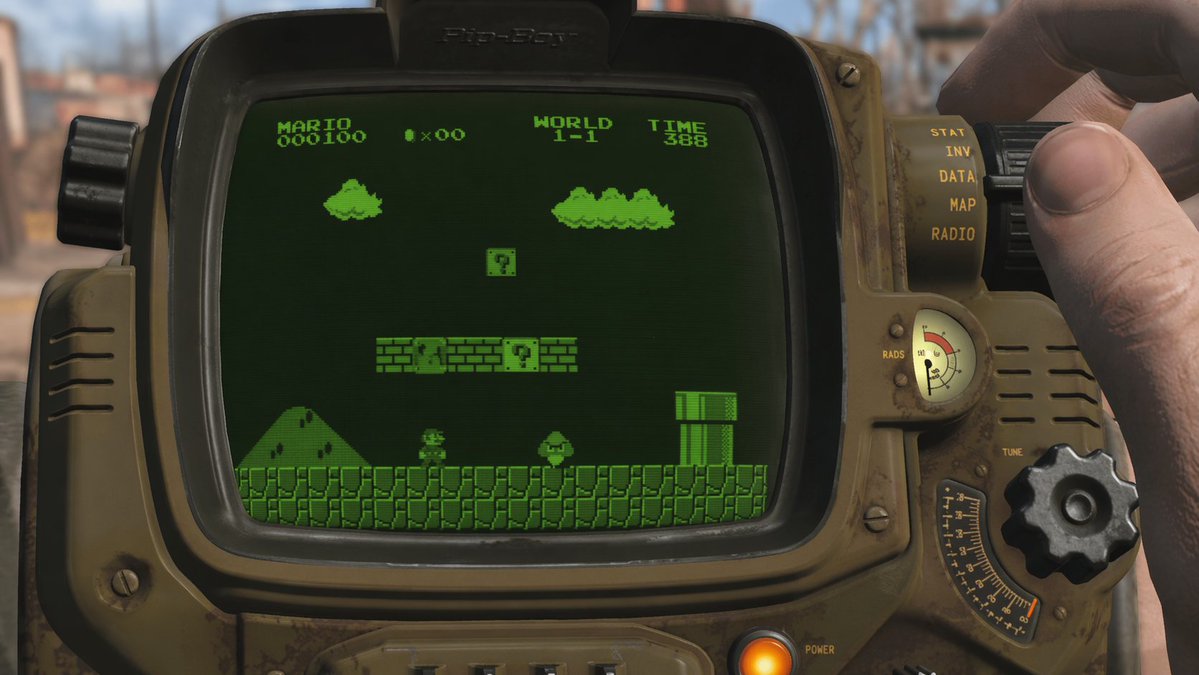
Generate a first-person view of a retro-futuristic wrist-worn computer running a customizable 8-bit game. Choose your game title, CRT screen color, and background setting.
プロンプト · EN
一个第一人称视角的镜头,展示了一台饱经风霜、橄榄绿色的复古未来主义腕戴式计算机,一只手正在操作右侧的旋钮。该设备配有一个发光的橙色电源指示灯、“RADS”仪表,以及 5 个垂直标签,分别标注为“STAT”、“INV”、“DATA”、“MAP”和“RADIO”。弧形的 CRT 屏幕上显示着 argscreen color: 单色绿色 的 8 位视频游戏场景,游戏为 arggame title: 超级马力欧兄弟。游戏画面显示了一个像素化的角色面对着一个敌方蘑菇、一根水管、带有两个问号砖块的浮动砖块,以及背景中的山丘和云朵。游戏屏幕顶部显示着文本“MARIO 000100”、一个带有“x00”的硬币图标、“WORLD 1-1”以及“TIME 388”。设备背景为 argbackground setting: 模糊的后启示录废土,处于明亮的日光之下。
このプロンプトについて
Generate a first-person view of a retro-futuristic wrist-worn computer running a customizable 8-bit game. Choose your game title, CRT screen color, and background setting. Use it as a コンセプトアート starting point for GPT Image 2: keep the visual structure and style constraints intact, then swap in your own subject, brand, or scene.
Start by replacing screen color, game title, and background setting, then keep the camera, composition, and material cues in the same order. This makes the output easier to compare across variations.
このプロンプトの使い方
- Copy the prompt into your AI generation tool (e.g., Sora, Midjourney).
- Select a model optimized for detailed, cinematic outputs.
- Replace the variables in
{}with your desired game title, screen color, and background. - Generate the scene and tweak variables to explore variations.


