
GPT Image 2AIプロンプト
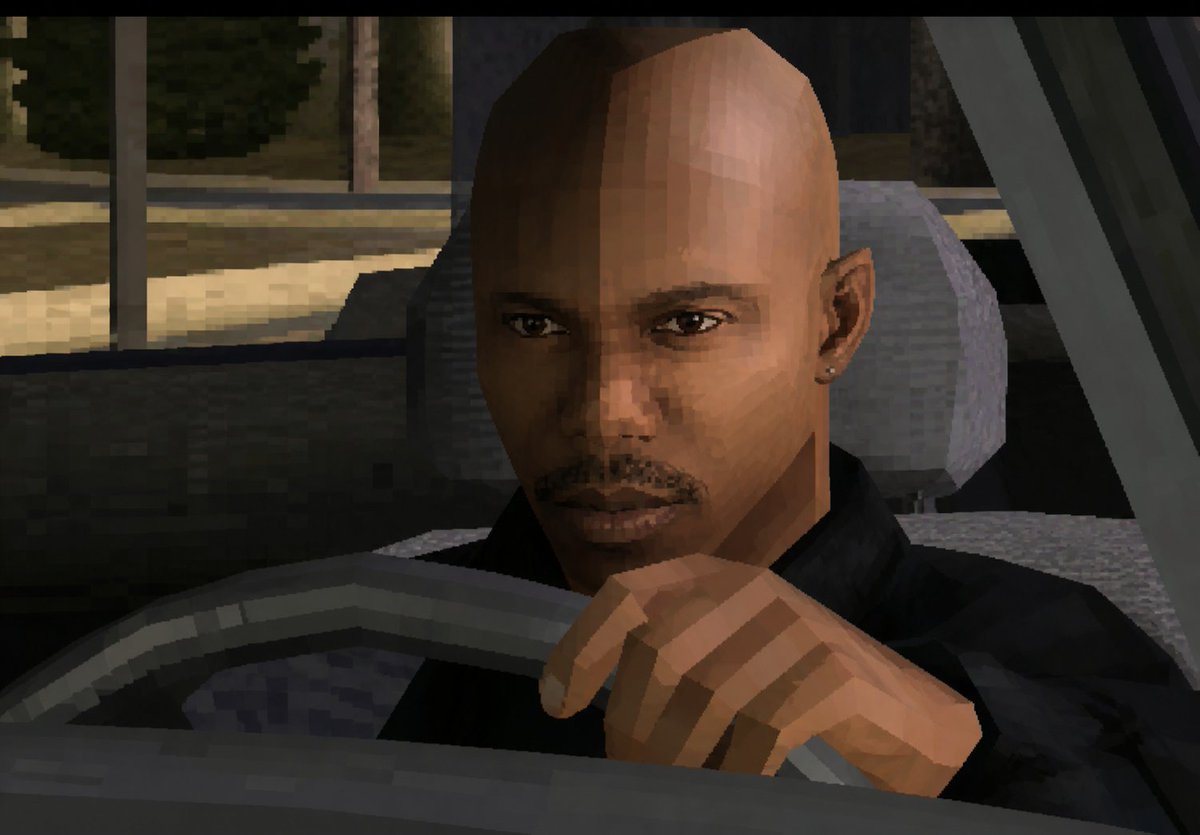
PS2 Low-Poly Driver Screenshot — Retro 3D Game Aesthetic
Generate a nostalgic early 2000s PS2-style screenshot of a driver with a censored face, perfect for memes or crime game visuals.
プロンプト · EN
创作一张低分辨率、21 世纪初 3D 电子游戏风格的截图,呈现出粗粝的 PlayStation 2 / GTA 游戏美学。画面展示了 argcharacter type: 一名光头男司机 夜间坐在车内的特写视角。摄像机位于车辆左前方外侧,透过敞开的车窗看向司机。司机身穿 argclothing: 一件黑色夹克,一只手清晰可见,正握住或搭在前景的方向盘上。可以看到他的头部和耳朵,但整个面部被一个巨大的不透明 argcensor block color: 中棕色 长方形隐私遮挡块刻意覆盖,该遮挡块位于面部中央,从额头延伸至下巴。车内饰为深灰色和黑色,配有粗糙的低多边形方向盘、座椅、头枕、车门框架和仪表盘形状。窗外展示昏暗的城市街道或停车场,带有模糊的树木、路面和垂直电线杆,并以块状纹理和强烈的像素化效果呈现。采用硬朗的多边形几何结构、锯齿状边缘、平坦的阴影光效、柔和的夜间色彩、可见的压缩伪影,以及带有顶部和底部黑色遮幅的电影级截图构图。
このプロンプトについて
Generate a nostalgic early 2000s PS2-style screenshot of a driver with a censored face, perfect for memes or crime game visuals. Use it as a コンセプトアート starting point for GPT Image 2: keep the visual structure and style constraints intact, then swap in your own subject, brand, or scene.
Start by replacing character type, clothing, and censor block color, then keep the camera, composition, and material cues in the same order. This makes the output easier to compare across variations.
このプロンプトの使い方
- Copy the full prompt text from this page.
- Select a compatible text-to-image AI model like Sora 2.
- Customize the variables in curly brackets for your preferred character, clothing, or block color.
- Paste the prompt into the model's input field and generate the image.


