
GPT Image 2AIプロンプト
Sims 4 to CCD Photo — Realistic Camera Prompt
Turn your Sims 4 screenshots into authentic early-2000s CCD digital camera photos with flash, film grain, and moody twilight effects.
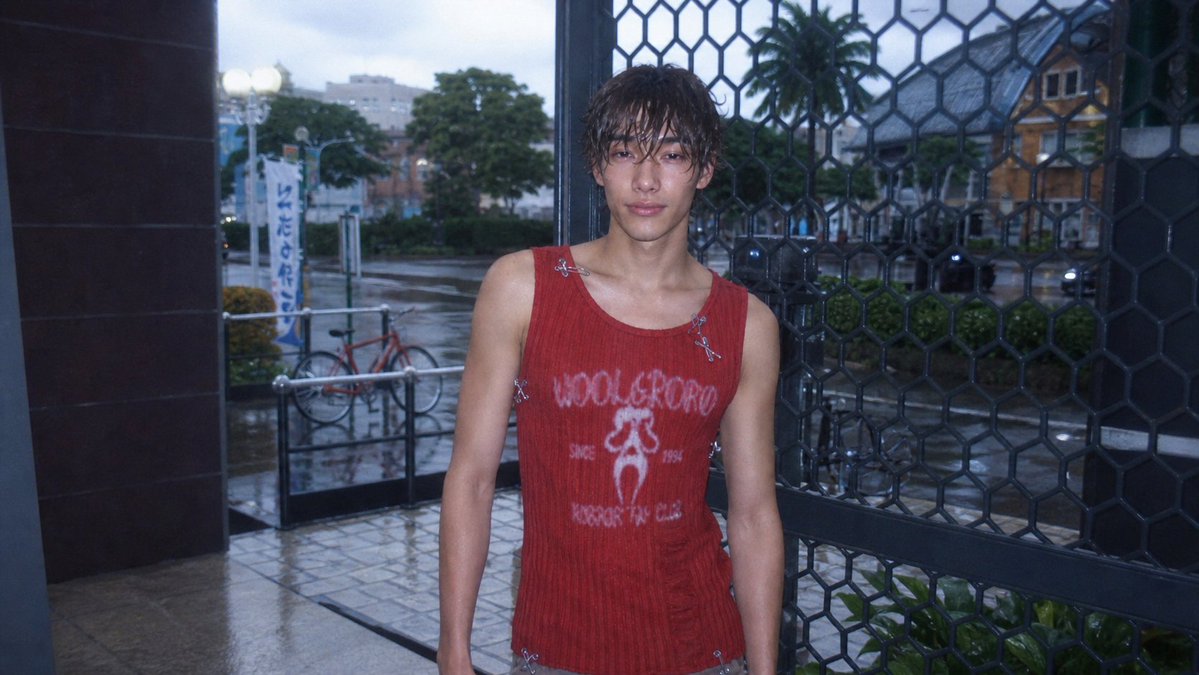
プロンプト · EN
以 REFERENCE_0 作为底图,将《模拟人生 4》(Sims 4) 截图转换为写实的 argphoto style: 21 世纪初 CCD 数码相机照片。保持原有的人物、服装、姿势、取景、店面入口、金属格栅、自行车、街道以及整体构图,但要使其看起来像是一张真实的抓拍照片,而非游戏渲染图。添加冷色调的暮光效果、主体上强烈的内置闪光灯效果、带有细微反射的潮湿雨后路面、柔化的背景景深、轻微的曝光不足、可见的数字噪点、轻微的色差、镜头柔光、暗角以及低分辨率的 CCD 质感。将面部匿名化处理为柔和的方形模糊效果。保持自然的 16:9 快照比例和不完美的随意构图。
このプロンプトについて
Turn your Sims 4 screenshots into authentic early-2000s CCD digital camera photos with flash, film grain, and moody twilight effects. Use it as a コンセプトアート starting point for GPT Image 2: keep the visual structure and style constraints intact, then swap in your own subject, brand, or scene.
Start by replacing photo style, then keep the camera, composition, and material cues in the same order. This makes the output easier to compare across variations.
このプロンプトの使い方
- Copy the full prompt text and paste it into your preferred AI image generator (e.g., Sora 2, Midjourney).
- Replace
REFERENCE_0with your actual Sims 4 screenshot image link or upload. - Customize the
photo styleargument if you want a different camera era (e.g., 'Polaroid', '90s disposable camera'). - Generate and review the output; adjust the prompt wording for tighter composition or different lighting if needed.
- Save your final realistic CCD-style photo and share it!


