
Korean Skincare Beauty Ad — Dewy Skin & Serum Bottle Prompt
Generate a high-end K-beauty commercial photo with a glowing model, elegant product packaging, and Korean promotional typography for a professional skincare campaign.
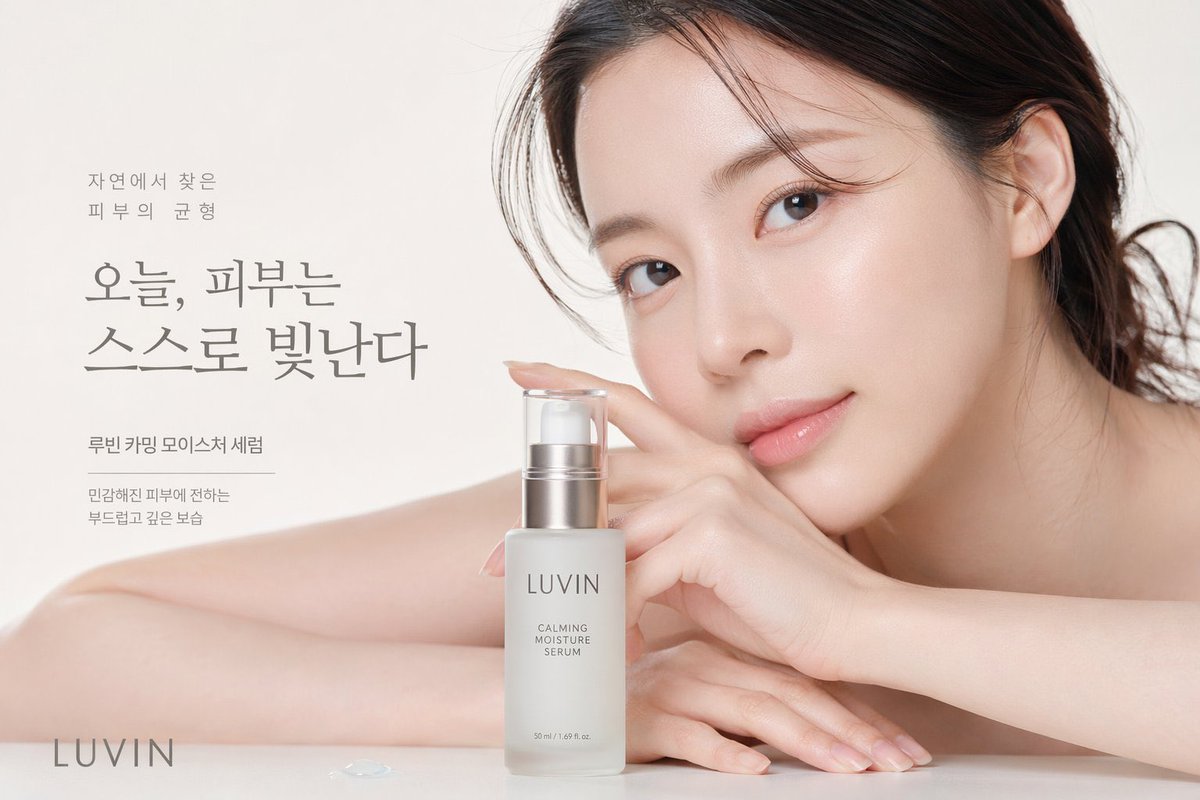
A high-end beauty commercial photograph featuring a close-up of a young East Asian woman with flawless, dewy glass skin. She rests her face gently against her hands and bare arms on a pristine white surface, looking directly at the camera with a soft, serene expression. Her dark hair is loosely pulled back with delicate strands framing her face. In the foreground sits a frosted glass serum bottle with a silver pump, displaying the text "argbrand name: LUVIN" and "argproduct name: CALMING MOISTURE SERUM". The background is a soft, bright off-white studio setting. Elegant Korean typography is arranged on the left side, featuring the large main headline "argmain headline: 오늘, 피부는 스스로 빛난다". Smaller supporting text above reads "자연에서 찾은 피부의 균형", and text below reads "루빈 카밍 모이스처 세럼" and "민감해진 피부에 전하는 부드럽고 깊은 보습". The brand name "argbrand name: LUVIN" appears again in the bottom left corner. A tiny drop of clear serum rests on the surface near the bottom left. The lighting is soft, diffused, and luminous, emphasizing a clean, minimalist skincare aesthetic.
このプロンプトについて
Generate a high-end K-beauty commercial photo with a glowing model, elegant product packaging, and Korean promotional typography for a professional skincare campaign. Use it as a コンセプトアート starting point for GPT Image 2: keep the visual structure and style constraints intact, then swap in your own subject, brand, or scene.
Common directions include gptimage2api prompts, gptimage2api, and en. Treat these tags as creative cues; the prompt structure and preview image are the more useful guide.
Start by replacing brand name, product name, and main headline, then keep the camera, composition, and material cues in the same order. This makes the output easier to compare across variations.
このプロンプトの使い方
- Copy the full prompt text from the page.
- Select an AI image model known for photorealism (e.g., Sora 2, Flux).
- Use the argument fields to customize the brand name, product name, and main headline.
- Paste the customized prompt into your chosen AI model and generate the image.
- Refine the output by adjusting lighting or expression keywords as needed.


