
GPT Image 2AIプロンプト
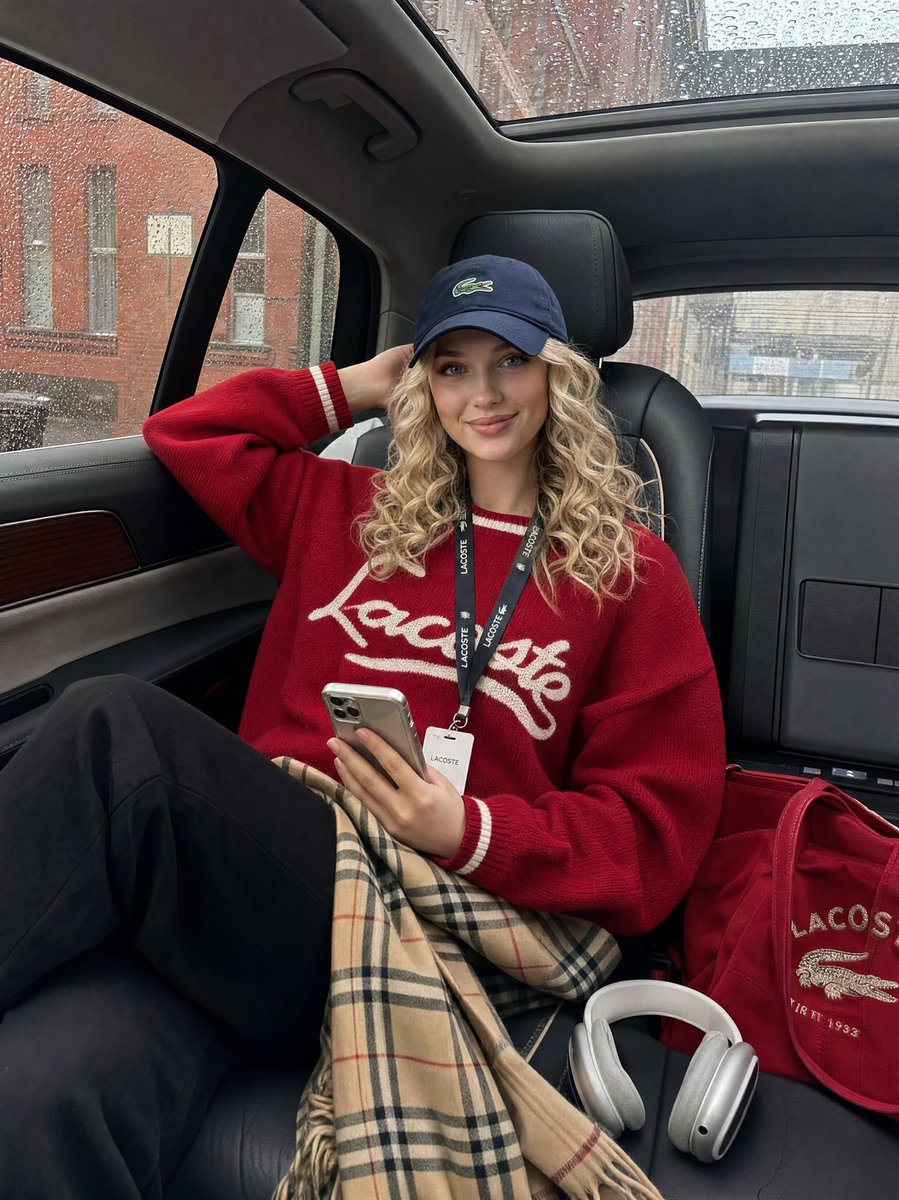
Luxury SUV Lifestyle Snapshot — After-Hours Rainy Day
Generate a candid, iPhone-style photo of a model relaxing in a luxury SUV on a rainy day, with soft natural light and a high-fashion off-duty aesthetic.
プロンプト · EN
{ "prompt": { "subject": "argsubject: 坐在豪华 SUV 后座的年轻女性,一只手臂抬起放在脑后,手持智能手机,姿态放松自信", "styling": { "top": "argclothing: 带有白色条纹细节和字母刺绣的红色棒球针织衫", "bottom": "黑色长裤,膝盖上搭着 Burberry 格纹裙或围巾", "headwear": "深蓝色 Lacoste 棒球帽,稍微向前倾", "accessories": [ "脖子上挂着挂绳工牌", "地板上的 AirPods Max 耳机", "带有刺绣细节的红色托特包" ] }, "setting": { "location": "豪华 SUV 后座内饰", "interior": "黑色真皮座椅配米色对比缝线,全景天窗,木质饰条", "background": "透过布满雨点的车窗可见的城市街道,砖砌建筑" }, "mood": "毫不费力的酷感,随性,模特下班后的氛围", "lighting": "透过车窗的自然日光,柔和的阴天光线", "camera": { "angle": "轻微低角度,3/4 视角", "style": "随性的 iPhone 快照,写实,非摆拍" }, "color_palette": ["深红色", "深蓝色", "米白色", "驼色格纹", "黑色"] }
}
このプロンプトについて
Generate a candid, iPhone-style photo of a model relaxing in a luxury SUV on a rainy day, with soft natural light and a high-fashion off-duty aesthetic. Use it as a コンセプトアート starting point for GPT Image 2: keep the visual structure and style constraints intact, then swap in your own subject, brand, or scene.
Start by replacing subject and clothing, then keep the camera, composition, and material cues in the same order. This makes the output easier to compare across variations.
このプロンプトの使い方
- Copy the JSON prompt from the page and paste it into your AI image generator (like Sora 2).
- Select the appropriate model for photorealistic image generation.
- Customize variables such as "subject" or "clothing" to match your creative vision.
- Generate the image and use the "camera" settings in the prompt to guide the style (e.g., casual snapshot).
- Adjust the "mood" or "lighting" fields for different atmospheres, like changing from rainy to sunny.


