
Sora2 Hub
Sora2 Hub
  • Prompt Library
  • Pricing
  • Showcase
  • Blog
Sora2 Hub
Sora2 Hub
Sora2 Hub

Sora2 Hub

Professional AI creation platform powered by Sora 2, Veo 3.1, and Nano Banana Pro. Create stunning videos and studio-grade images with advanced control, HD quality, and no watermarks.

Email:support@sora2hub.org

AI Video Generator

  • Text to Video
  • Image to Video
  • Veo 3.1
  • Sora 2
  • Kling 3.0
  • Kling 2.6
  • Kling 2.5
  • Runway
  • Wan 2.6
  • Seedance 2.0
  • Hailuo 2.3
  • Grok Imagine
  • HappyHorse-1.0

AI Image Generator

  • Text to Image
  • Image to Image
  • Nano Banana Pro
  • Nano Banana
  • 4o Image
  • Flux Kontext
  • Z Image
  • Seedream 4.5
  • Seedream 5.0 Lite
  • Nano Banana 2
  • GPT Image 2
  • AI Image Upscaler

AI Effects

  • AI Age Filter
  • AI Gender Swap
  • AI Kiss
  • AI Hug
  • Ghibli Image
  • AI Mermaid Filter
  • AI Bodyshake
  • Smiling Filter
  • AI Fat
  • Action Figure

Product

  • Features
  • Showcases
  • Pricing

Company

  • About
  • Contact

© 2025 • Sora2 Hub ORG All rights reserved.

  • Privacy Policy
  • Terms of Service
  • Refund Policy
  1. Home
  2. /
  3. Prompts
  4. /
  5. GPT Image 2
  6. /
  7. 3D Exploded Assembly Diagram — Detailed AI Prompt
GPT Image 2AI Prompt

3D Exploded Assembly Diagram — Detailed AI Prompt

Generate hyper-detailed 3D exploded assembly diagrams of any subject, perfect for technical visuals and concept breakdowns.
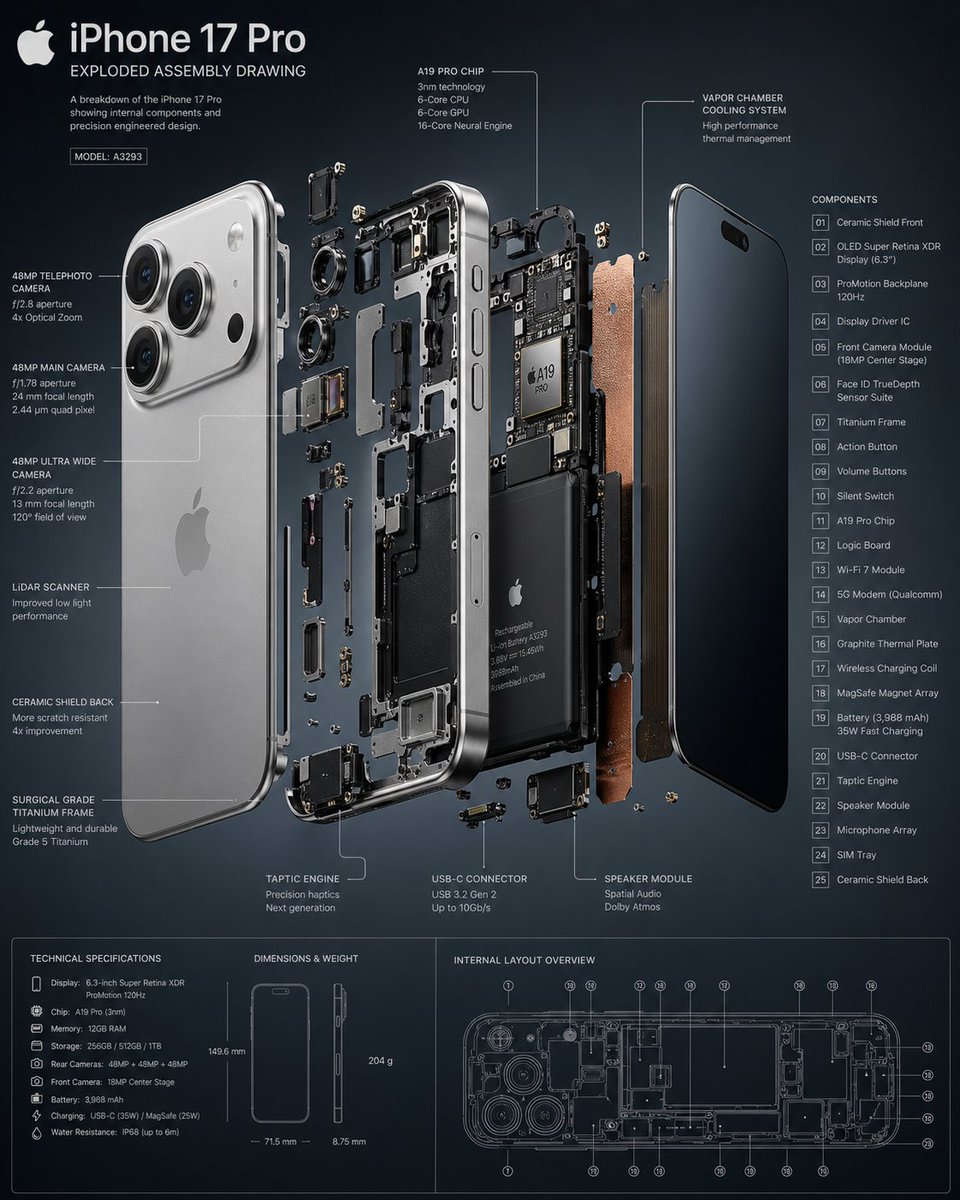
3D Exploded Assembly Diagram — Detailed AI Prompt
1 / 2
PROMPT · EN
创建一个 3D 超级详细的爆炸装配图,主题为 argsubject: [主题或对象]

About this prompt

Generate hyper-detailed 3D exploded assembly diagrams of any subject, perfect for technical visuals and concept breakdowns. Use it as a Concept Art starting point for GPT Image 2: keep the visual structure and style constraints intact, then swap in your own subject, brand, or scene.

Start by replacing subject, then keep the camera, composition, and material cues in the same order. This makes the output easier to compare across variations.

How to use this prompt

  1. Copy the prompt template into your preferred AI image generator.
  2. Select a model that excels in 3D rendering (e.g., Sora, Midjourney).
  3. Replace the [subject] variable with your specific object or theme.
  4. Adjust any style or detail keywords to match your vision.
  5. Generate and refine until you achieve the desired technical breakdown.

FAQ

ANKIT PATEL 🇮🇳 | AI

@Ankit_patel211→

Published
Apr 30, 2026
Language
EN
Model
GPT Image 2
Category
Concept Art
GPT Image 2Concept Artgpt-image-2twitter
Views
6.7K
Copies
885
Likes
292

Share

More from GPT Image 2

Browse all
Cubist Minimalist Fashion Portrait — Sora 2 Prompt

Cubist Minimalist Fashion Portrait — Sora 2 Prompt

@ChillaiKalan__
8-Panel Romantic Manga: Shy Maid Robot & Master — Sora 2 Prompt

8-Panel Romantic Manga: Shy Maid Robot & Master — Sora 2 Prompt

@yume00112211
Gothic Anime Girl Bites Playground Rail — Sora 2 Prompt

Gothic Anime Girl Bites Playground Rail — Sora 2 Prompt

@hoshi122221

Create faster with Sora2Hub prompts.

Use curated prompt pages as searchable entry points, then jump straight into generation with the right model context.

Explore prompts

