
GPT Image 2AI Prompt
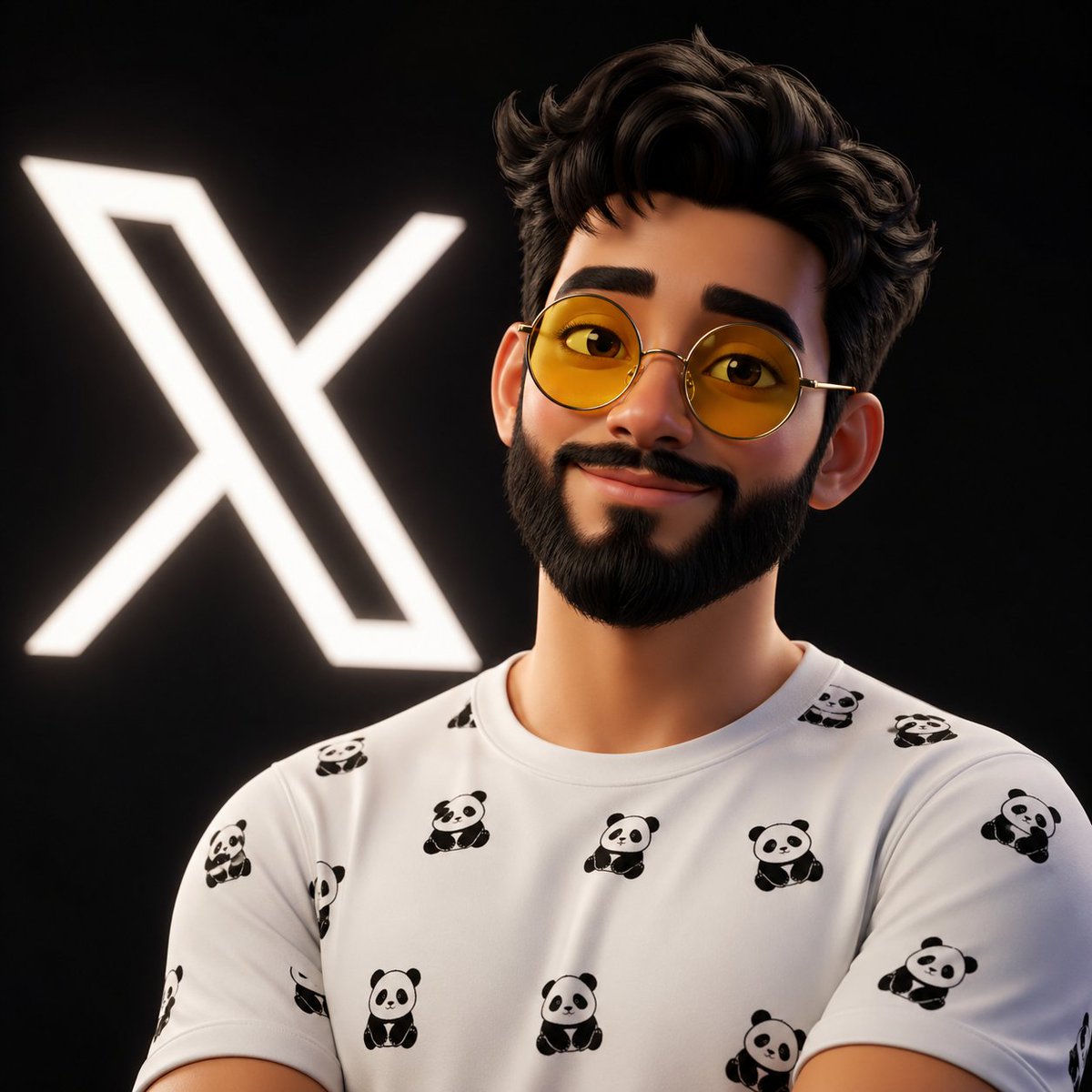
Pixar-Style 3D Avatar — Detailed Male Portrait Prompt
Generate a cinematic-quality Pixar/Disney-style 3D cartoon male avatar with customizable glasses, pattern, and subject features in Sora 2.
PROMPT · EN
一个高细节的 3D 风格化卡通头像,主角是一位 argsubject: 年轻男性,留着修剪整齐的络腮胡,面部特征柔和,眼神生动。他戴着 argglasses style: 圆框黄色镜片眼镜,镜框纤细。头发浓密、微卷且打理得井井有条。他带着友好而自信的微笑。他身穿一件白色 T 恤,上面印有细小的重复 argpattern: 可爱熊猫图案。背景为深黑色,墙上有一个发光的白色“𝕏”标志。光影柔和且具有电影质感,带有微妙的轮廓光,营造出深度和真实感。渲染风格平滑、精致,类似于现代动画电影角色(皮克斯/迪士尼风格),具有高分辨率纹理、逼真的阴影和微光泽感。
About this prompt
Generate a cinematic-quality Pixar/Disney-style 3D cartoon male avatar with customizable glasses, pattern, and subject features in Sora 2. Use it as a Concept Art starting point for GPT Image 2: keep the visual structure and style constraints intact, then swap in your own subject, brand, or scene.
Start by replacing subject, glasses style, and pattern, then keep the camera, composition, and material cues in the same order. This makes the output easier to compare across variations.
How to use this prompt
- Copy this prompt and paste it into your Sora 2 or compatible AI video/image generator.
- Choose the Sora 2 model or another supported model for best 3D rendering results.
- Customize the variables: replace 'young male' with your desired subject, change 'round yellow-lens glasses' to another style, and swap 'cute panda pattern' for any design you prefer.
- Adjust the lighting or background description if needed to match your creative vision.
- Generate and review the output; regenerate or tweak variables until the avatar matches your expectations.


