
GPT Image 2AI Prompt
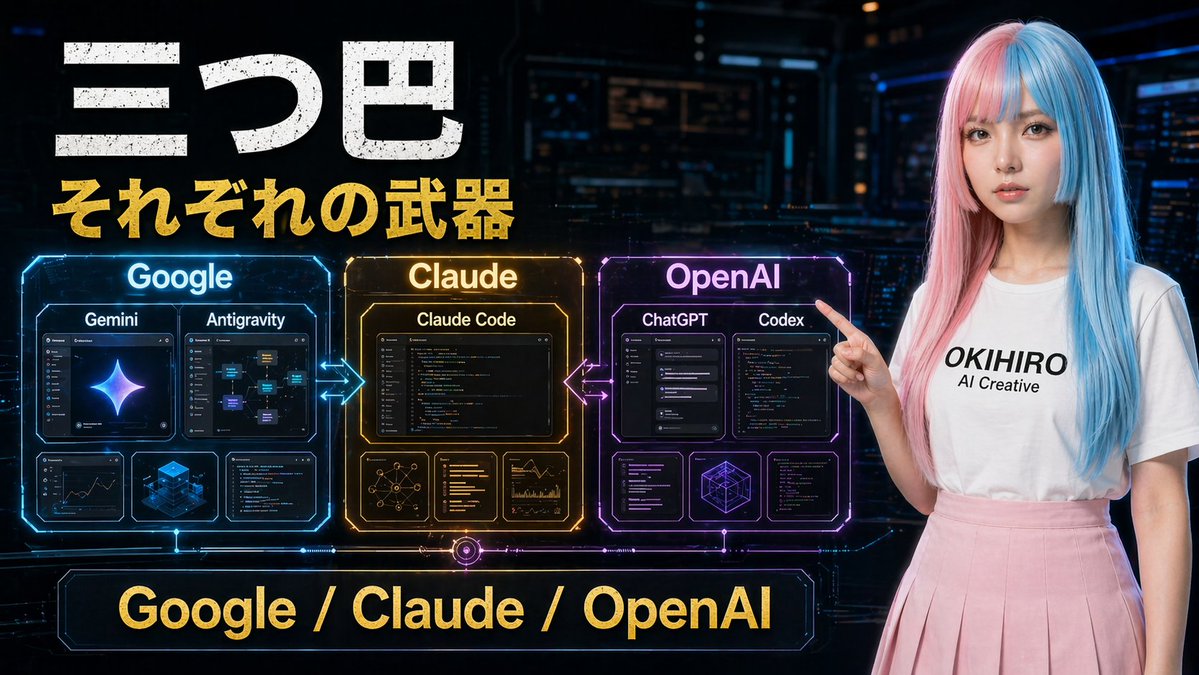
Cyberpunk AI Tools Comparison Poster — Sora 2 Prompt
Create a dramatic cyberpunk comparison poster of Google, Claude, and OpenAI tools with holographic panels and Japanese text, ideal for tech thumbnails.
PROMPT · EN
一张未来主义的日式科技对比海报,背景为暗色调的赛博朋克控制室,采用 16:9 宽屏构图。左上方有醒目的做旧白色日文标题“三つ巴”,下方紧跟醒目的金色副标题“それぞれの武器”。画面中左侧横向排列着 3 个发光的全息对比面板,并由霓虹箭头连接:蓝色面板标注为“Google”,琥珀金色面板标注为“Claude”,紫红色面板标注为“OpenAI”。Google 面板包含 4 个内部卡片:上方 2 个较大的卡片分别标注为“Gemini”和“Antigravity”,下方 2 个较小的卡片展示分析/仪表盘式视觉效果和一个蓝色等距立方体图形。Claude 面板包含 4 个内部卡片:上方 1 个大卡片标注为“Claude Code”,下方 3 个较小的卡片展示网络图、文本/代码列表和图表分析。OpenAI 面板包含 5 个内部卡片:上方 2 个较大的卡片分别标注为“ChatGPT”和“Codex”,下方 3 个较小的卡片展示界面/代码窗口和一个几何线框立方体。在 Google 与 Claude 之间,以及 Claude 与 OpenAI 之间添加发光的双向箭头。在底部中央放置一个巨大的霓虹边框横幅,上面印有金色文字“Google / Claude / OpenAI”。右侧站着一位年轻女性,正指向左侧的面板,她留着长直发,发色为粉色与青蓝色的挑染,身穿一件印有黑色文字“argshirt text: OKIHIRO AI Creative”的纯白 T 恤,下身穿着淡粉色百褶裙。她的面部被一个平滑的矩形模糊块遮挡。采用电影级科幻灯光,具有光泽的全息 UI 细节,高对比度,鲜艳的蓝-金-紫配色,呈现出精致的 YouTube 缩略图美学。
About this prompt
Create a dramatic cyberpunk comparison poster of Google, Claude, and OpenAI tools with holographic panels and Japanese text, ideal for tech thumbnails. Use it as a Concept Art starting point for GPT Image 2: keep the visual structure and style constraints intact, then swap in your own subject, brand, or scene.
Start by replacing shirt text, then keep the camera, composition, and material cues in the same order. This makes the output easier to compare across variations.
How to use this prompt
- Copy the prompt from this page.
- Open an AI image generator like Midjourney, DALL·E 3, or Stable Diffusion.
- Paste the prompt and optionally customize the shirt text by editing the value inside
{argument name="shirt text" default="OKIHIRO AI Creative"}. - Set the aspect ratio to 16:9 if your tool requires explicit parameters (e.g.,
--ar 16:9in Midjourney). - Generate and refine the output by tweaking lighting or adding
--style rawfor more photorealism.


